Data Decay: Why a Third of Your CRM Goes Stale Every Year
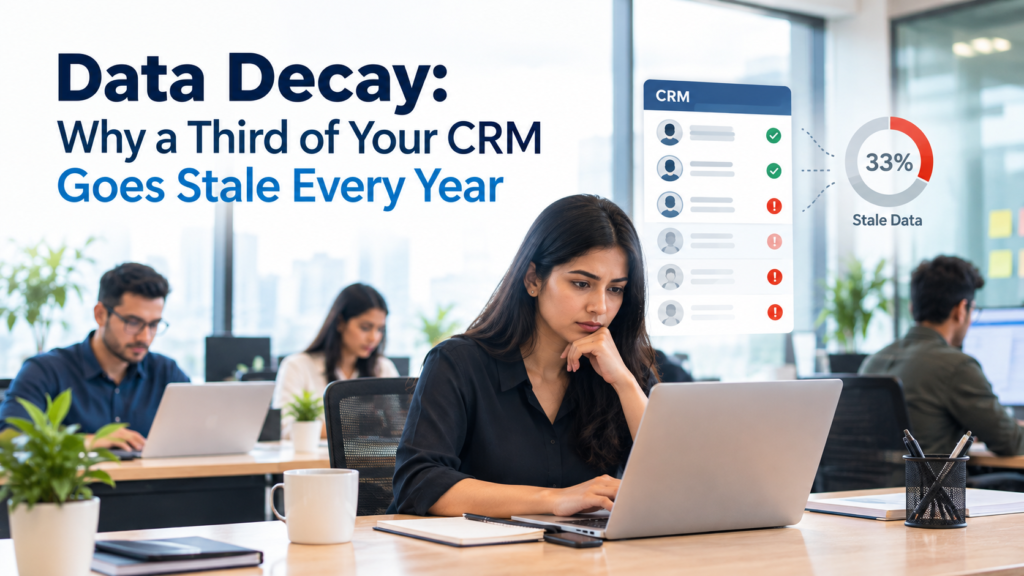
Your CRM can look full while quietly becoming less useful. Contacts change employers. Titles change. Business emails stop working. Companies merge, move, adopt new software, or change size. The record remains in the database, so nothing looks broken at first. Sales and marketing teams often discover the problem only when campaigns bounce, account owners reach former employees, or reports stop matching what teams see in the market.
That is the practical problem behind CRM data decay. The often-repeated claim that about one-third of B2B data goes stale each year should be treated as an industry planning benchmark rather than a universal measured rate. There isn’t one public study proving that every CRM loses exactly 30% or 33% of its accuracy every 12 months. Different fields also change at different speeds.
The underlying problem is still well supported. People move between employers every day, businesses open and close, and company attributes change over time. U.S. labor data alone shows how much movement sits behind employer-linked contact records. The issue becomes larger when phone numbers, titles, company domains, employee counts, technology use, and other fields are considered together.
IInfotanks explains in its guide to B2B data and CRM use that business information includes contact details, firmographics, technology information, buyer signals, and enrichment fields, all of which can change independently after a record enters a CRM. A database therefore needs continued checking after acquisition if teams expect those fields to support targeting months or years later.
TL;DR
CRM data decay happens when information stored in a CRM stops reflecting current reality. A person may change jobs while their old record remains active. A company can keep the same name while its employee count, location, software stack, or ownership changes. The record may still look complete even when several fields are wrong.
The widely repeated “one-third per year” figure isn’t a fixed law for every database. Actual B2B data decay depends on the audience, geography, record age, fields being tracked, and how often information is checked. U.S. Bureau of Labor Statistics data shows substantial employment movement, while Census data shows continuing business births, deaths, and employment changes. These events create constant pressure on CRM accuracy.
Good CRM data hygiene treats freshness as an ongoing process. Teams should know when records were last checked, verify active segments closer to use, react to signals such as hard bounces or job changes, and decide whether a record needs cleansing, verification, appending, enrichment, suppression, or deletion.
CRM data enrichment helps when records are missing context or contain old company and contact details. It shouldn’t replace governance. Companies still need rules for field ownership, verification dates, duplicate handling, suppression, historical records, and compliance.
What CRM Data Decay Actually Means
CRM data decay is the gradual loss of accuracy or usefulness in customer and prospect records because the real world changed after the data was collected. The CRM may be working correctly. The problem is that its stored information describes an earlier point in time.
A contact record illustrates the issue. Suppose a sales director enters the CRM with a verified company email, title, direct number, location, employer, and company size. Six months later, that person becomes a vice president. The email may remain valid, yet the title is stale. If that person leaves another 6 months later, the employer and business email can become stale too.
Company records decay in similar ways. A company can acquire another business, change its domain, increase headcount, relocate its headquarters, or replace its CRM. None of those changes automatically reaches your database unless a user updates the record or another system supplies new information.
This makes stale CRM data different from missing data. Missing data is visible because the field is blank. Stale information can be harder to detect because the field contains a plausible value.
IInfotanks separates contact, firmographic, technographic, intent, and enrichment information across its broader B2B data services, which is useful when thinking about decay because each data category follows a different change cycle. A work email may fail overnight, while an industry classification may remain useful for years.
The correct question is therefore broader than “Is this record old?” A record should be judged by whether its important fields still represent the person or company closely enough for the task being performed.
Does a Third of CRM Data Really Go Stale Each Year?
The one-third statistic needs context. Many B2B articles repeat annual decay rates near 30%, but a universal rate is difficult to defend because CRM databases contain different populations and fields. A database of fast-moving startup contacts will behave differently from one focused on established industrial firms.
Public labor statistics show why a high rate can still be plausible for some datasets. The U.S. Bureau of Labor Statistics reported that median tenure with a current employer was 3.9 years in January 2024, down from 4.1 years in 2022. Private-sector median tenure was 3.5 years. The detailed BLS employee tenure data gives useful context for employer-linked contact information because a job change can affect several CRM fields at once, even though tenure shouldn’t be converted directly into an annual CRM decay percentage.
Movement remains visible in newer labor data. BLS reported 62.8 million total job separations during 2025, including 38 million quits. The agency’s 2025 Job Openings and Labor Turnover Survey figures measure payroll events rather than unique CRM contacts, so they can’t prove a 30% data decay rate. They do show why employment data needs continual attention.
The same logic applies to companies. The U.S. Census Bureau’s Business Dynamics Statistics program tracks establishment births and deaths, firm startups and shutdowns, job creation, and job destruction. Business databases exist inside that moving economy, so company-level records can become outdated even if no contact changes jobs.
A more accurate reading of the headline is this: B2B data decay is continuous, and a large CRM can lose a meaningful share of its usefulness over a year if nobody maintains it. The exact percentage has to be measured inside the database rather than borrowed from a generic industry statistic.
Why CRM Records Go Stale
Most CRM data decay comes from normal business change. The CRM isn’t necessarily poorly designed, and employees aren’t always entering bad information. A field can be correct on Monday and wrong a month later because the person or company changed.
Employment movement is one source. A contact can leave a company, move internally, gain seniority, change departments, or return later in another role. A job move can alter employer, title, department, business email, direct phone number, account relationship, and reporting line.
Companies change independently of their employees. They buy other companies, sell divisions, open locations, change domains, adjust legal names, and shut down. Some changes are obvious. Others create half-correct CRM records in which the company still exists but important segmentation fields are outdated.
Technology also moves. A company using one CRM or ERP today may replace it next year. That matters for technology-targeted campaigns. Technographic data service focuses on the software and tools companies use, and this type of information has to be refreshed because technology adoption and replacement can change an account’s relevance to a campaign.
Internal processes add another source of decay. Users may update one system but not another. Marketing automation may overwrite values. Imports can create duplicates. Free-text fields can hold conflicting versions of the same company name. Acquisition data from several sources may also use different formats.
That is why CRM data hygiene can’t be reduced to removing bounced emails. Decay can affect identity, account structure, segmentation fields, reachability, and buying-context information at different times.
Which CRM Fields Decay First?
Different CRM fields have different shelf lives. Treating an entire record as either “fresh” or “stale” hides this distinction and can lead teams to refresh fields that don’t need attention while missing fields that change often.
| CRM Field | Common Cause of Decay | Likely Business Effect |
| Employer | Contact changes companies | Wrong account mapping |
| Job title | Promotion or role change | Poor persona targeting |
| Department | Internal transfer | Wrong campaign segment |
| Business email | Employer or domain change | Bounce or misdelivery |
| Direct phone | Number change or reassignment | Failed outreach |
| Company domain | Rebrand or acquisition | Routing and matching errors |
| Employee count | Hiring, layoffs, acquisition | Wrong size segment |
| Revenue band | Business performance changes | Poor account qualification |
| Location | Office move or territory change | Wrong territory assignment |
| Technology stack | Software purchase or replacement | Wrong technographic targeting |
A particularly difficult form of stale CRM data is a valid field that no longer means what the business thinks it means. An email can still accept mail even after a contact moves into a different role. A company can still use the same domain while its employee count moves outside the sales team’s target range.
IInfotanks’ profile enrichment services include cleansing, standardization, and the addition of firmographic information, which illustrates why fixing decay often requires more than checking whether an email server responds. The surrounding profile can determine whether a contact still belongs in a campaign.
Field-level timestamps make this easier to manage. Instead of one “last modified” date, teams can record when high-risk information was verified. A recent edit by a salesperson doesn’t prove that every field in the record was checked.
Why Data Decay Rates Vary
There is no single CRM data decay rate because databases describe different populations. A sales database aimed at early-stage technology firms may change quickly. A database covering mature public-sector institutions may have a different pattern. The mix of fields matters just as much as the organizations being tracked.
Role is one factor. Senior managers may remain with employers longer than younger workers overall, but leadership changes still matter because those records often carry more account value. Industry is another factor. BLS tenure data varies materially by occupation and sector, which means a uniform refresh rule can hide useful differences.
Geography matters too. Hiring conditions and business formation differ across markets. Companies operating globally shouldn’t assume that a refresh interval built from US campaign experience will automatically fit Europe, Asia, or another region.
The type of data changes the calculation as well. An email address has a different failure pattern from employee count. Technographic data changes differently from postal addresses. Buyer intent is more time-sensitive still because its value may depend on recent behavior.
B2B data decay also depends on the age distribution inside the CRM. A database containing many recently verified contacts may show a low error rate today. The same database can look very different after a year of heavy acquisition with no checking.
This is why companies should measure decay using their own records. Track failures by source, segment, age band, and field. That will reveal which populations need more frequent attention and which can remain on a slower review schedule.
What Stale CRM Data Costs Sales and Marketing
Stale CRM data creates small failures across many workflows. Individually, each failure may look harmless. Together, they can change campaign performance and consume staff time.
Sales teams feel the impact during prospecting. A rep may prepare for a call only to discover that the person left months ago. Another contact may still work at the account but now has a different responsibility. The rep spends time verifying information that the CRM was supposed to provide.
Marketing sees the problem through segmentation. A campaign aimed at chief financial officers can include former CFOs, people promoted out of the role, or contacts now working elsewhere. The message may reach a valid mailbox while still reaching the wrong audience.
CRM data decay can also affect territory rules. A company that grew from 100 employees to 800 may belong to a different sales segment. A headquarters move can alter geographic ownership. An acquisition can create duplicate account structures.
Email performance exposes only part of the problem. Hard bounces reveal some invalid addresses, but silent errors remain. The inbox works, yet the title is stale. The company is correct, yet the technology field is wrong.
IInfotanks’ email appending process includes matching and verification before updated email information is added to an existing database, which reflects an important distinction: replacing a missing or old email is useful only when the new value still belongs to the correct person and business context.
The real cost of decay should therefore be measured beyond bounce rate. Teams should watch contactability, meeting conversion, wrong-person replies, manual research time, account reassignment, and the share of records rejected during pre-campaign checks.
How Data Decay Distorts Reporting, Scoring, and ABM
CRM data decay becomes more damaging when records feed decisions instead of simply storing contact information. Lead scoring, account routing, forecasting, segmentation, and account-based marketing all depend on fields that may have been collected months earlier.
Consider a lead-scoring model that gives extra weight to companies above 500 employees. If employee counts haven’t been refreshed, some accounts will receive scores based on an earlier company size. A similar problem occurs when a model uses job seniority, industry, region, or technology use.
Account-based marketing raises the stakes because the company may invest more time in a smaller group of target accounts. A buying committee that looked correct 9 months ago may now contain former employees. IInfotanks’ page on account-based marketing services describes the use of firmographic and technographic information for account selection, so changes in those fields can alter whether an account still matches the intended audience.
Reporting can be misleading for the same reason. A dashboard may show 50,000 contacts in the target market. That count doesn’t tell you how many are reachable, currently employed at the recorded company, or still hold a relevant role.
This makes CRM data hygiene part of measurement quality. If management is reviewing pipeline coverage by industry or seniority, the underlying classifications need to be current enough for the decision being made.
Companies should therefore distinguish total records from usable records. A CRM may contain 1 million rows while only a smaller share has been verified recently enough for active outreach.
Why AI and Automation Raise the Stakes
AI can increase the cost of stale CRM data because automated systems can act on bad information faster than a human team would. An AI sales assistant may draft outreach based on an old title. Routing software may send a lead to the wrong segment. A recommendation system may rank accounts using company attributes that changed months ago.
The issue isn’t unique to generative AI. Any automated workflow that uses CRM values as conditions can repeat the same error at scale. If the employee-count field is stale, every workflow that relies on that field inherits the problem until the value is corrected.
Current guidance around AI also puts emphasis on managing information quality. The National Institute of Standards and Technology’s AI Risk Management Framework provides a voluntary structure for managing risks across the design and use of AI systems, reinforcing the need to understand the information and processes that shape system behavior.
For go-to-market teams, the practical lesson is simple. B2B data decay becomes an input-quality problem once CRM data feeds AI. Better prompting won’t repair a wrong employer, old job title, or incorrect account classification.
Automation should therefore check high-impact fields before acting when the cost of error is meaningful. A system sending 20,000 automated messages has a different risk profile from a salesperson reviewing 20 contacts manually.
Freshness metadata can help here. Automated systems should be able to see when a value was last verified, which source supplied it, and whether conflicting information exists.
How to Measure CRM Data Freshness
Measuring CRM data decay starts with defining what “good” data means for the intended use. A perfect contact record isn’t necessary for every workflow. A mailing campaign may need different fields from an ABM program, and a territory model may care more about firmographics than direct phone numbers.
IBM describes common data quality dimensions including accuracy, completeness, consistency, timeliness, validity, and uniqueness. Timeliness is especially useful for CRM work because a field can be accurate when first collected but lose value as the underlying business changes.
A practical scorecard can track:
- Percentage of active contacts verified within the required window
- Hard-bounce rate by source and record age
- Percentage of records with confirmed employer and title
- Duplicate rate
- Missing-field rate for required segmentation fields
- Percentage of accounts with recently checked firmographics
- Records changed after job-move or company-change signals
- Conflicting values across connected systems
- Time between a detected change and CRM correction
Teams should measure by cohort rather than reporting one database-wide percentage. Compare recently acquired records with 6-month-old records. Compare active opportunities with dormant prospects. Compare sources.
That approach turns CRM data hygiene into an observable process. If 18-month-old contacts from one source show much higher bounce and job-change rates than others, the business has a clear action to take.
It also prevents the “third of your CRM” benchmark from becoming a substitute for measurement. Your actual decay rate matters more than an industry average.
How Often Should CRM Data Be Refreshed?
There is no correct universal refresh interval. A quarterly database review can be useful as a baseline, but high-value records may need checking closer to the moment they are used.
Active opportunities deserve the shortest gap because account relationships directly affect sales activity. Large campaign audiences should also be checked before launch, especially if the records haven’t been used recently.
Lower-priority archive records don’t need the same cadence. Rechecking every field in every dormant record each month would waste effort. Instead, verification effort should follow business value and the likelihood of change.
A workable model separates records by use:
| Record Group | Suggested Approach |
| Active opportunities | Check critical contact and account fields when material activity occurs |
| Near-term outbound lists | Verify shortly before campaign use |
| Active ABM accounts | Refresh key contacts and account attributes regularly |
| Existing customers | Update when account changes are detected and before important interactions |
| Dormant prospects | Check before reactivation |
| Historical records | Preserve history, but mark old values clearly |
CRM data enrichment can support these refresh points by filling missing information or replacing outdated attributes. IInfotanks’ data appending services cover email, phone, postal, website, demographic, and classification fields, which shows why the refresh action should be chosen according to what is actually wrong with the record.
Trigger-based maintenance can reduce unnecessary work. A hard bounce, domain redirect, returned mail item, job-change signal, acquisition notice, or failed phone call can prompt a review without waiting for the next scheduled cleanup.
Clean, Verify, Append, Enrich, or Suppress?
Fixing B2B data decay requires the right action for the specific problem. “Clean the CRM” is too broad because several different tasks can sit behind that phrase.
| Problem | Best-Fit Action |
| Duplicate contacts | Match and merge |
| Invalid formatting | Clean and standardize |
| Missing business email | Append |
| Questionable email | Verify |
| Old job title | Refresh or enrich |
| Missing company size | Enrich |
| Former employee | Update employment relationship |
| Hard-bouncing address | Suppress or replace after verification |
| Old technology field | Refresh technographic information |
| Historical value needed for context | Retain as historical data |
CRM data enrichment adds context to records. It can fill firmographic fields, update contact information, or add information needed for better segmentation. It shouldn’t overwrite useful history without a clear rule.
Cleansing has a different purpose. It fixes formatting, duplicate records, conflicting values, or obvious errors already present. Verification checks whether a value can still be trusted. Appending fills a missing field from another source.
Suppression matters because some records shouldn’t remain in active marketing workflows. An invalid email shouldn’t keep entering campaigns while someone searches for a replacement. Opt-out records also need to remain protected from reactivation during imports.
IInfotanks’ existing approach to profile enrichment and data cleansing combines correction with added profile information, which is useful when an old record is still tied to the right entity but lacks current attributes.
The important rule is to diagnose before changing. A missing field, a stale field, and a legally suppressed field require different handling.
Building a CRM Data Hygiene Program
A durable CRM data hygiene program starts by assigning responsibility. Without ownership, each department assumes another team is keeping records current. Sales fixes individual contacts, marketing imports new lists, operations changes account rules, and the database becomes harder to reconcile.
Start with required fields. Define which contact and company attributes must be trustworthy for routing, segmentation, scoring, and outreach. Avoid treating every possible field as equally important.
Next, record provenance. Teams should know where important values came from and when they were checked. That makes it easier to resolve conflicts between an old CRM value and a newer enrichment source.
Add verification dates for high-change fields. A single record-level “last modified” timestamp isn’t enough because an automated workflow may update one field and make the entire record look recent.
Use event signals where possible. Hard bounces, job changes, company acquisitions, domain changes, returned mail, and customer corrections should enter a review queue. Scheduled audits then catch records that haven’t produced a visible signal.
Compliance belongs inside this process. The UK Information Commissioner’s Office explains under its accuracy principle guidance that organizations should take reasonable steps to ensure personal data isn’t incorrect or misleading and may need to keep it updated depending on the purpose for which it is used. Historical information can still be retained when it is clearly identified as historical.
US commercial email has separate requirements. The Federal Trade Commission’s CAN-SPAM compliance guidance covers truthful message information, physical address requirements, opt-out methods, and honoring opt-outs. Fresh contact data doesn’t replace those obligations, and an updated email shouldn’t cause a suppressed contact to return to active marketing.
Finally, monitor the results. CRM data decay should become a measured operating metric rather than an occasional cleanup project. Track what changes, how quickly it changes, which sources age fastest, and how much manual work stale records create.
Conclusion
CRM data decay is unavoidable because businesses and people keep changing. The CRM becomes unreliable only when the database is treated as a static asset after records enter it.
The claim that a third of CRM data goes stale every year is better used as a warning than as a universal fact. Public employment and business-dynamics data clearly show continuous change, but no single percentage describes every B2B database. A company targeting high-mobility roles may see faster B2B data decay than one focused on stable organizations. Contact fields can also age at a different pace from firmographic or technographic information.
The practical answer is measurement. Track when important fields were checked. Verify records before high-value use. Respond to change signals. Use CRM data enrichment where current context is missing, and apply cleansing or suppression when those are the correct actions.
Good CRM data hygiene also preserves context. A former title or employer may still matter to account history, attribution, or relationship tracking. The goal isn’t to erase every old value. It is to make clear which information describes the present and which information belongs to the past.
A CRM becomes useful when users can trust that distinction.
FAQs
What Is CRM Data Decay?
CRM data decay is the loss of accuracy or usefulness that occurs when people, companies, and contact details change after information enters a CRM. Records may remain complete while the employer, title, email, phone number, company size, location, or other fields no longer reflect current reality.
Does 30% of CRM Data Really Decay Every Year?
The 30% figure is widely cited as a B2B benchmark, but it shouldn’t be treated as a universal measured rate. Actual CRM data decay varies by audience, field type, industry, geography, data source, and record age. Companies should measure their own database rather than assume a fixed annual percentage.
What Causes B2B Data Decay?
B2B data decay occurs because employees change jobs or roles, companies merge or close, contact details change, and business attributes evolve. Internal imports, duplicate records, conflicting systems, and poor update practices can add another layer of errors.
Which CRM Fields Become Outdated Fastest?
Employment-linked information often needs close attention because a job move can change employer, title, department, business email, and direct phone information together. Firmographic fields such as employee count and location can also change, while technographic information becomes stale when companies replace software.
Is an Old CRM Record Automatically Inaccurate?
No. Age is a warning signal, not proof of error. A 2-year-old record may still be correct, while a recently verified contact can change jobs the following week. Freshness should be based on verification status and observed change rather than age alone.
How Does Stale CRM Data Affect Sales?
Stale CRM data can send salespeople toward former employees, wrong titles, outdated account assignments, and incorrect phone numbers. It also adds research work because reps need to confirm details that they expected the CRM to provide.
How Does Data Decay Affect Email Marketing?
Old business email addresses can bounce after contacts leave their employers or companies change domains. Other stale fields can damage segmentation even when the email remains valid, causing a campaign to reach someone whose role no longer matches the intended audience.
What Is CRM Data Hygiene?
CRM data hygiene is the set of practices used to keep CRM information fit for its intended use. It can include duplicate management, field validation, verification, record updates, suppression controls, source tracking, and regular checks for outdated information.
What Is CRM Data Enrichment?
CRM data enrichment adds or updates information around an existing record. It can provide missing firmographic details, current job information, contact fields, company characteristics, or other context needed for sales and marketing workflows.
How Often Should CRM Data Be Refreshed?
Refresh frequency should depend on the record’s use and risk. Active opportunities and near-term campaign contacts may need checking close to use. Dormant records can usually wait until reactivation. High-change fields may need more frequent review than stable attributes.
What Is the Difference Between Data Cleansing and Enrichment?
Data cleansing corrects problems already inside a database, such as duplicates, inconsistent formatting, or inaccurate values. Enrichment adds missing context or newer information. A company may need both if records contain existing errors and also lack current attributes.
Should Former Employees Be Deleted From the CRM?
Not automatically. A former employee may still matter for account history, opportunity records, attribution, or relationship context. The record should clearly show that the person is no longer a current contact for the company, while marketing eligibility should be handled separately.
Can AI Fix CRM Data Decay?
AI can help identify patterns or assist with matching, but it can’t make inaccurate source data current by itself. Automated systems still need trustworthy inputs and methods for verification. AI can also spread errors faster when outdated CRM fields feed routing or outbound workflows.
How Can a Company Measure Its Own Data Decay Rate?
Take a defined cohort of previously verified records, check the same fields after a set period, and measure how many changed or became unusable. Repeat the analysis by source, field, segment, and record age to identify where decay occurs fastest.
Can CRM Data Ever Stay Completely Current?
A CRM can become much more reliable, but permanent freshness isn’t realistic because real-world information keeps changing. The practical goal is to keep important records current enough for their intended use and to detect high-impact changes before they affect campaigns or decisions.