What Is Data Appending and Which Fields Are Worth the Cost
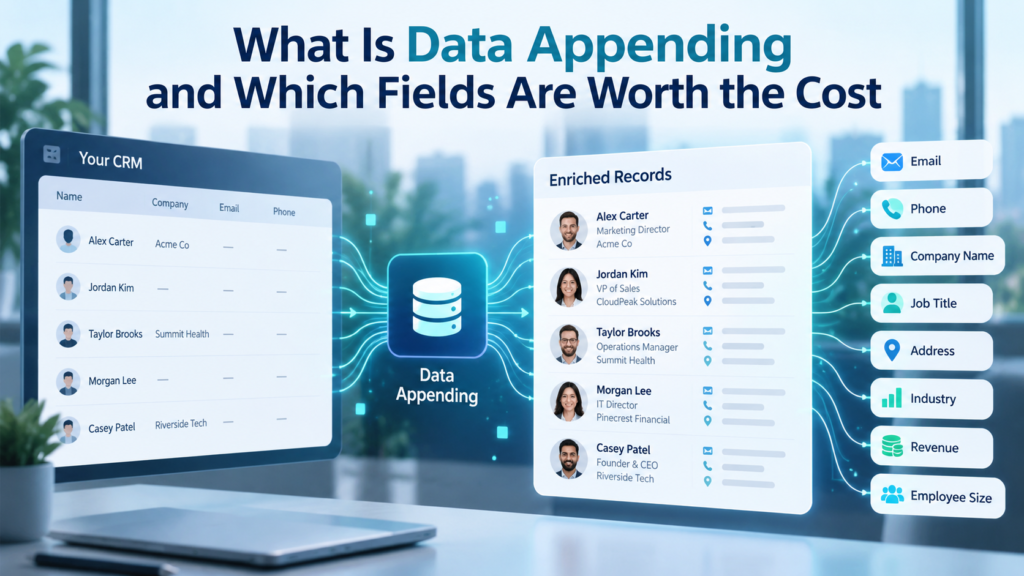
A database can look large while still being hard to use. A contact may have a name and company but no working email. An account may have a domain but no industry code, employee range, or clear owner. A healthcare record may have a provider name yet lack the identifier needed to separate one clinician from another. Data appending fills selected gaps in records you already hold, but the business question is harder than the definition: which missing fields are worth paying to add?
The answer depends on what the field changes. A verified work email can create a usable outreach path. A job title can stop a lead from going to the wrong team. An industry code can make territory and segment reporting consistent. Other fields can be interesting without changing a decision. The best append plan therefore starts with the action a field will support, then works backward to source quality, match confidence, privacy rules, and price.
This guide explains the append process from that cost and use angle, including field priorities, pricing, quality checks, privacy limits, and a pilot method for testing value before a full CRM update.
TL;DR
• Appending adds missing or refreshed fields to records you already own by matching them against outside reference sources.
• Email, phone, job role, company domain, industry, employee range, and location often create the clearest operational value because they affect reachability, routing, segmentation, or reporting.
• Specialized fields such as technographic data, NPI, or industry codes can be worth more than basic contact fields when a campaign or workflow depends on them.
• Judge price by accepted, usable fields rather than submitted records. A cheap append can be expensive when match quality is weak or the field never changes a business action.
What Is Data Appending?
Data appending is the process of adding missing information to an existing record by matching that record to one or more outside reference sources. The starting record must contain enough identifying detail to support a match. A business contact might begin with a full name and company. A company record might begin with a legal name, domain, or postal address. Once the match is strong enough, selected fields are returned and written into the record according to agreed rules.
They describe data appending services as a way to add fields such as email, postal address, phone, business URL, social profile, demographic details, SIC code, and NPI data to existing databases. The important point is scope. The work should fill a defined gap in records you already have. It should not become an excuse to buy every attribute a vendor can supply.
B2B record appending is usually most useful when a database already has recognizable accounts or contacts but lacks the fields needed for the next action. A sales team may need verified email and role data. Revenue operations may need company size and industry for routing. A healthcare supplier may need NPI values to identify providers correctly. The useful output is therefore a record that can support a real workflow, not a record with the highest possible field count.
How Data Appending Works
A sound append project begins before any lookup happens. The team first profiles the source file to learn which fields are blank, inconsistent, or stale. It also identifies fields that should never be overwritten automatically. This matters because a blank field and a disputed field are different problems. A blank field needs a candidate value. A disputed field needs a rule for deciding whether the current value or the returned value should win.
Matching comes next. Stable identifiers usually carry more weight than loose text similarities. A company domain, full postal address, NPI, or other durable identifier can reduce ambiguity. Names alone are weak because people share names and companies use aliases. A good process uses several available keys, assigns a confidence level, and returns no match when the evidence is too thin. That last outcome is useful. An honest blank is safer than a confident looking value attached to the wrong record.
After matching, the returned data goes through field level checks. Email appending may include syntax, domain, and mailbox checks. Postal data can be standardized before import. Company fields may be normalized into agreed categories. The finished file should preserve the original key, the appended value, a status, and a verification date so the CRM team can trace what changed.’ data appending checklist also stresses match rules, overwrite controls, billable records, secure transfer, and post delivery quality checks before a full project starts.
Write back is the final step, and it deserves its own controls. New data should enter mapped fields with duplicate rules, suppression flags, and source dates intact. Medium confidence matches can go to review instead of automatic import. This is where CRM data quality is protected. The append process only creates value when the returned field lands in the right place and remains understandable later.
Data Appending, Enrichment, Cleansing, And Verification
These terms overlap in vendor pages, but they describe different jobs. Data appending fills a missing field or returns an additional field to an existing record. Data enrichment is broader. It can add fields, refresh old values, derive classifications, or attach new account context. Cleansing corrects formatting, duplicates, invalid values, and inconsistent standards. Verification tests whether a value you already have is still valid or usable.
| Term | Main Job | Example |
| Data Appending | Adds a missing or selected field to an existing record | Blank work email, missing industry code, missing NPI |
| Data Enrichment | Adds context or refreshes several attributes | Company size, role, technology use, refreshed account data |
| Data Cleansing | Fixes quality problems in values already present | Duplicates, bad formatting, inconsistent categories |
| Verification | Checks whether an existing value is valid or current | Email status, phone status, address quality |
The distinctions matter when a quote is built. A provider may price a simple append differently from a project that also includes duplicate removal, verification, field normalization, and recurring refresh work. profile enrichment services cover a wider set of activities than a single field append, so buyers should compare the stated scope rather than assume every vendor uses the same label.
A clear statement of work should identify the input fields, requested outputs, match method, verification method, and write back rule. That gives the team a way to compare providers on the same job. It also protects CRM data quality by keeping cleansing or refresh work from being hidden inside a vague promise to make the database complete.
What Makes A Field Worth Paying For?
A field earns its cost when it changes a decision or prevents a measurable waste. That test sounds simple, yet many append projects start with a catalog of available attributes rather than a list of business decisions. The result is a fuller database that may not be more useful. A better approach scores each candidate field against the workflow it supports.
Start with actionability. Ask what a person or system will do differently once the field is present. A verified email can open an email channel. A direct phone number can support calling where the law and internal policy permit it. Job function can route a record to the correct sequence. Company attributes such as industry or employee range can decide whether an account belongs in a segment at all. Fields with no clear downstream action should sit below those with a defined use.
Next, consider durability. Company domain, headquarters country, and industry often change less often than job title, phone number, or a person’s employer. Faster changing fields can still be worth the cost, but they need a refresh plan. The third test is matchability. A valuable field loses economic value if the provider can only return it for a small share of the records you care about or if false matches require heavy manual review.
The final test is governance. A field may support targeting but still create privacy or consent questions. Data enrichment should add only what the organization can explain, use, protect, and maintain, keeping the budget tied to a defined purpose.
Contact Fields Usually Worth The Cost
Contact fields often sit at the top of the append list because they affect whether a team can reach the right person. Their value still varies by channel. A business that relies on email may place verified work email first. A phone led sales motion may value a direct dial more. A field should follow the communication method the team actually uses.
Email appending is often worth testing first when records already contain a reliable person and company match. The appended address should be checked before use and stored with a verification date. In the United States, commercial email must still follow the FTC CAN-SPAM guidance, which covers commercial messages and does not create a general B2B exception. The append itself doesn’t replace message level compliance, suppression handling, or a valid opt out process.
Phone data can be valuable for sales teams that can lawfully call the numbers returned, but phone appending needs tighter controls than a simple fill rate. The team should distinguish business lines, direct dials, mobile numbers, and main switchboards because they have different value. Consumer telemarketing rules can also apply to personal numbers. The FTC Telemarketing Sales Rule guidance explains federal Do Not Call duties and related controls, so teams should keep suppression logic separate from the append file and apply it before outreach.
Job title, seniority, department, and role are useful when assignment or messaging depends on who the person is inside the account. Title alone can be messy because companies invent labels. A normalized department or job function can be easier to use in CRM rules than a raw title string. This is a good example of CRM data quality being more important than field volume: a smaller set of consistent role categories can support routing better than thousands of unique titles.
Company domain and business URL are also high value contact anchors. They help link people to accounts, support duplicate control, and provide a stable key for later B2B matching. When a CRM has contact names but weak account identity, fixing the company key first can improve every later match.
Firmographic Fields That Improve Segmentation
Firmographic data describes the company rather than the individual contact. These fields can be worth the cost because one accepted company match can improve many records linked to the same account. The most useful firmographic data usually supports segmentation, territory rules, account scoring, or reporting. Common examples include industry, employee range, revenue band, headquarters location, ownership type, and company domain.
Industry classification deserves care because the label has to be consistent. The U.S. Census Bureau NAICS reference is the federal standard used to classify business establishments for statistical purposes in the United States. A CRM may still use SIC, an internal taxonomy, or both. What matters is deciding which code system drives business rules and storing the source version.also offers SIC code appending services for teams whose routing, market sizing, or reporting still depends on SIC based categories.
Employee count and revenue band can help separate small, midmarket, and enterprise accounts, but they are estimates in many commercial datasets. Treat them as ranges unless the source supports a precise value. A field can still be useful for segmentation without pretending it is an audited financial fact. Location fields deserve the same discipline. Decide whether the workflow needs headquarters, billing address, branch location, or contact location because those fields answer different questions.
The economic case for firmographic data is strongest when the same fields drive several systems. If industry and employee range control account assignment, campaign inclusion, reporting, and planning, filling those gaps can remove repeated manual research across teams. The B2B data guide on also separates contact level and company level information, which is useful when deciding whether a missing field belongs on the person record or the account record.
Specialized Fields And When They Earn Their Keep
Specialized fields cost more attention because their value depends on a narrow use case. Technographic data, healthcare identifiers, social profile URLs, and intent signals can be powerful when a workflow is built around them. They can also become expensive decoration when the team has no rule for using them.
Technographic data records the software or technology associated with a company. It is useful when product fit depends on an installed platform, migration target, integration need, or competing system. the technographics data page describes technology stack information as a targeting input. The key buying question is freshness because software can be added, removed, or used by only one part of a company. Ask what evidence supports the field and when it was last observed.
Healthcare data has a different anchor. The National Provider Identifier is a 10 digit identifier for covered health care providers, and CMS NPI guidance explains that the NPI stays the same even when a provider changes name or address. CMS also notes that the identifier itself doesn’t encode specialty or location. That makes NPI valuable as an identity key, while specialty, practice location, and affiliation still need their own fields’ NPI append services focus on matching existing provider records to verified NPI values.
Postal address fields can be worth paying for when direct mail, territory assignment, service coverage, or identity matching depends on them. For U.S. mailing operations, the USPS CASS program provides a standard for evaluating address matching software and postal coding accuracy. Address standardization is different from proving that a person still occupies the address, so define which question the project must answer before paying for a postal append.
Social profile URLs and intent fields should sit lower unless there is a clear process waiting for them. A profile URL can help identity resolution or manual research, but a social link that nobody uses has little value. Intent data can influence account timing, yet teams need to understand how the signal is produced and how often it refreshes. Specialized data enrichment pays off when the field is tied to a specific filter, route, or review step.
A Field By Field Value Matrix
The table below gives a practical way to rank candidate fields. It does not assume that every company should use the same order. The right priority depends on channel, market, CRM design, and the cost of a wrong match. Use the matrix as a starting point, then replace each use case with your own workflow.
| Field | What It Changes | Typical Value | Main Risk | What To Require |
| Verified work email | Creates an email contact path | High when email is a core channel | Identity error, stale mailbox | Person + company match, verification date |
| Phone or direct dial | Supports calling and service contact | High when calling matters | Wrong person, number type, suppression | Number type, verification, calling rules |
| Job function or department | Improves routing and persona selection | High for role based motions | Title noise, fast change | Normalize to a controlled taxonomy |
| Company domain | Links contacts to accounts | High for identity and dedupe | Aliases, parent vs subsidiary | Store canonical domain and relationship |
| Industry code | Supports segmentation and reporting | High when rules use industry | Wrong taxonomy or stale code | Record code system and version |
| Employee or revenue range | Supports account sizing | Medium to high | Estimated values | Prefer ranges and source dates |
| Postal address | Supports mail, territory, and matching | Use case dependent | Moved contacts, wrong location type | Define HQ vs branch vs person |
| Technographic field | Shows known technology use | High for technology specific targeting | Freshness and evidence | Store observation date and source type |
| NPI | Provides a stable healthcare provider key | High in healthcare workflows | Wrong provider match | Verify identity before write back |
| Social profile URL | Supports identity review or research | Medium unless used in workflow | Profile changes, duplicates | Treat as a matching aid, not a truth source |
The matrix also shows why field value is contextual. Email appending can rank very high for an email led sales process and much lower for a service team that works through account portals. Company level fields may matter more to revenue operations than to an individual seller. A specialized identifier can be the most valuable field in a regulated or vertical workflow even if it is useless elsewhere.
Use the same logic when choosing between a broad enrichment package and a smaller append. Start with the fields that change a decision today. Add other fields after the team can name the system, person, or rule that will use them.
How Data Appending Is Priced
Append providers use several commercial models. Some charge per submitted record. Others charge only when a field is returned. Credit models assign different costs to different data types. Batch projects may also include minimum fees, file setup, or manual review. Enterprise agreements can bundle data enrichment, verification, API access, and recurring refresh work into a larger contract.
The unit shown on a price sheet can hide the real cost. A per submitted record fee is easy to budget but can become expensive when match rates are low. Per matched field pricing shifts more of that risk to the provider, although the definition of a billable match becomes critical. A phone number that reaches a main switchboard and a verified direct dial should not be treated as equal if the sales workflow values them differently.
Ask what is included before comparing quotes. Verification, normalization, source dates, confidence scores, replacement rules, secure transfer, and CRM ready formatting may be part of the base fee or separate work. A cheaper field can cost more after staff spend hours reviewing ambiguous matches. The commercial terms should therefore define an accepted result in the same language the operations team will use during quality review.
Market prices vary by field, volume, geography, source mix, and verification depth. A useful budget starts with a sample file, an expected accepted match rate, and the value of the workflow the field supports.
How To Calculate The Real Cost Per Usable Field
The most useful cost measure is cost per accepted usable field. Start with total project spend, then divide by the number of returned fields that pass your quality rules and can actually be used. Do not divide by the number of rows submitted unless every submitted row produces a result you accept. This one change makes vendor comparisons much clearer.
Suppose a team submits 20,000 account records for industry and employee range. A vendor returns values on 16,000 records, but quality review rejects 1,000 because the company match is ambiguous. The usable count is 15,000. If the project cost is $6,000, the cost per usable account is $0.40. That example is arithmetic, not a market price. The same formula works for email appending, phone data, firmographic data, or specialized fields.
Next, connect the field to an avoided cost or better workflow. If a role field removes manual research from account assignment, estimate the staff time saved on records that are actually touched. If verified email improves the share of records that can enter an approved email process, compare the append spend with the cost of manual research or with the value of making those records usable. Keep the model conservative. A field should not receive credit for revenue unless you can show how it contributed.
For recurring CRM data quality work, separate the initial backfill from maintenance. The first pass may touch a large share of the database. Later refreshes can focus on new records, high value segments, or fields that age quickly. This prevents a team from paying repeatedly to refresh durable fields that have little chance of changing.
Matching, Confidence, And Quality Control
Match rate is useful, but it is not a quality score. A provider can increase the number of returned values by accepting weaker matches. The better question is how many results remain after your own acceptance rules are applied. Those rules should be written before the pilot so the team does not move the threshold simply because a larger number looks better.
A good delivery file separates identity confidence from field verification. The provider may be highly confident that it matched the correct company while being less certain about a contact’s current title. Those are different risks. Store them separately when possible. The file should also keep the original input key, source or source category, verification date, and a status that shows whether the field was observed, inferred, or normalized.
Sampling is still necessary. Review records across high and low confidence bands, different countries, common names, subsidiaries, and records with incomplete inputs. For email appending, test the vendor’s verification status rather than sending an unreviewed batch. For company fields, compare a sample against authoritative company sources or internal account knowledge. For specialized fields, check whether the definition matches your business rule, not merely whether a value exists.
The positions profile enrichment services as work that can include cleansing, standardization, and added firmographic or demographic fields. That distinction matters when the source file is messy. Appending onto duplicate or badly mapped records can spread errors. Clean identity and field rules should come first, then additional values should be added.
Privacy, Suppression, And Responsible Use
A field can be accurate and still be inappropriate to use. Privacy and marketing rules depend on the people involved, the location, the source, the purpose, and the outreach method. Data teams should involve legal or privacy staff when a project crosses jurisdictions or adds personal information that was not previously held. This article is a planning guide, not legal advice.
California’s privacy law gives covered consumers rights over personal information, including rights to know, delete in many cases, and opt out of sale or sharing. The California Attorney General CCPA guidance also explains that some publicly available information falls outside the law’s definition of personal information, while other records remain covered. A vendor saying that data is public does not remove the need to understand your own obligations and permitted use.
For people in the European Union, the GDPR Article 5 principles include purpose limitation and data minimization. Those principles fit the cost question as well as the legal one: collect and append fields that are relevant to a defined purpose, then avoid adding information that has no clear use. A smaller field set is easier to explain, protect, refresh, and delete when required.
Suppression must survive the append process. Unsubscribe status, do not contact flags, restricted account notes, and channel preferences should not be overwritten by a returned value. New email or phone information should pass the same suppression checks as existing information before it is used. Governance therefore belongs in the field mapping and import plan, not as a final review after the database has already changed.
How To Run A Pilot Before A Full Append
A pilot turns a sales claim into a measurable test. Choose a sample that looks like the real database, including strong records, weak records, important segments, and the geographies you expect to process. Avoid a handpicked sample made only of easy matches because it will overstate what the full file can achieve.
Define acceptance rules before the vendor returns anything. For each requested field, specify what counts as usable, what confidence threshold can be written automatically, which results need manual review, and which fields may never overwrite trusted first party data. Also define how duplicates, subsidiaries, aliases, and stale contact records will be handled. This keeps the test focused on the same CRM data quality rules that will apply in production.
Run the pilot through the complete path. Test secure transfer, field mapping, review, and a small import into a safe environment. Measure returned rate, accepted rate, error types, review time, and cost per accepted field. For email appending, include verification status. For firmographic data, check classification consistency. For specialized data, test whether the field actually changes account selection or routing.
A practical decision is to expand only the fields that pass both value and quality tests.The offers several append categories, but a buyer does not need every category in one project. Start with the few fields that support the highest value workflow, document the result, and add other fields only when their use case is clear.
Conclusion
Data appending works best as a field selection problem, not a database filling exercise. Start with the decisions the CRM must support, then pay for fields that make those decisions easier or more accurate. Verified contact data can improve reachability. Firmographic data can strengthen segmentation and routing. Specialized identifiers and technology fields can be valuable when a specific market or workflow depends on them.
The cost test should stay simple. Price the accepted usable result, not the submitted row. Require clear match rules, verification dates, and overwrite controls. Keep suppression and privacy requirements inside the project design. A pilot should prove that each chosen field changes a real workflow before the team pays to fill the full database.
That approach also gives enrichment a natural boundary. The goal is a database with the right information for the job at hand. More fields create more storage, review, privacy, and maintenance work. The fields worth the cost are the ones your team can use, trust, and keep current.
FAQs
What is data appending in simple terms?
The process adds missing information to records you already have. A provider matches your partial record to reference data and returns selected fields, such as a work email, phone number, company domain, industry code, or NPI. The value depends on match quality and whether the new field supports a real workflow.
Is data appending the same as data enrichment?
No. Appending usually means filling a specific missing field on an existing record. Data enrichment is broader and can include appending, refreshing old values, adding new account context, standardizing fields, or attaching specialized attributes. A project can include both, but the scope should be defined before pricing.
Which fields are usually worth appending first?
Start with fields that change reachability, routing, segmentation, or reporting. Verified work email, phone type, job function, company domain, industry, employee range, and location often qualify. The order should follow your sales or operations process rather than a generic vendor package.
Is email appending worth the cost?
Email appending can be worth the cost when the source record has enough identity data for a reliable match and email is an approved outreach channel. Judge it by accepted verified addresses, not raw match count. Keep verification dates, suppression status, and email compliance rules in the workflow.
When is phone appending worth paying for?
Phone appending is most useful when calling is a meaningful part of the sales or service process. Separate direct dials, mobile numbers, main lines, and personal numbers because their value and compliance treatment can differ. Apply Do Not Call and internal suppression checks before use.
What firmographic data should a B2B CRM contain?
Useful firmographic data often includes company domain, industry classification, employee range, revenue band, headquarters location, and ownership type. Add only the fields used by routing, account scoring, segmentation, or reporting. Keep source dates and definitions because commercial estimates can vary.
What is the best way to price a data append project?
Compare cost per accepted usable field. Divide total project spend by the number of returned values that pass your quality rules and can enter the target workflow. This is more useful than price per submitted row when providers have different match rates or review requirements.
What is a good match rate for data appending?
There is no single good match rate across all fields and source files. Matchability depends on input quality, geography, field type, and the provider source set. A lower match rate with strong identity confidence can be safer than a high rate created by weak or ambiguous matches.
Should appended data overwrite existing CRM values?
Only under defined rules. High confidence corrections may be allowed for selected fields, while trusted first party values may be protected. Many teams write returned values to staging fields first, review conflicts, and keep the prior value or change history for traceability.
How often should appended data be refreshed?
Refresh frequency should follow how quickly the field changes and how much the workflow depends on freshness. Job title, employer, email, and phone data can age faster than company domain or industry. Use verification dates and business triggers rather than refreshing every field on the same schedule.
What is reverse appending?
Reverse appending starts with one identifier and returns other associated fields. For example, a phone number may be used to locate a matching name or address when the source and permitted use support that lookup. It still needs identity confidence, source controls, and privacy review.
Is NPI appending useful outside healthcare?
NPI is designed for health care provider identification, so its main value is in healthcare records and workflows. It is useful as a stable provider identifier, but it does not replace separate fields for specialty, location, affiliation, license status, or other business context.
How can appending affect CRM data quality?
It can improve CRM data quality when matches are strong, fields are normalized, and imports follow clear rules. It can also spread errors if records are duplicated or weak matches are accepted. Clean identity keys, review thresholds, source dates, and controlled write back matter as much as the lookup itself.
Can a company append every available field at once?
It can, but that is rarely the best cost decision. Every additional field adds price, maintenance work, and possible privacy duties. Start with fields tied to a defined action. Expand the field set only when the new attribute has a clear owner and use case.
What should an append pilot measure?
Measure returned rate, accepted rate, false match types, review time, cost per accepted field, and how many records become usable for the target workflow. Test the real file path, including secure transfer, mapping, suppression rules, and a controlled CRM import before approving a larger run.