Salesforce for Nonprofits: Fundraising, Programs, and Grant Tracking
iinfotanks September 24, 2026 0Fans connect through streaming platforms and interactive experiences.
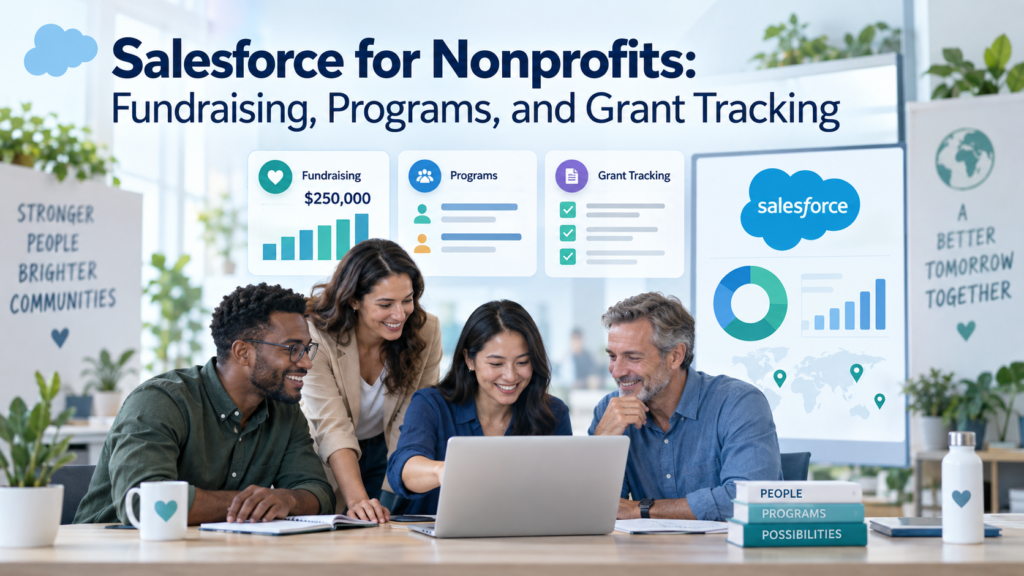
Salesforce for nonprofits can bring donor development, service delivery, grant work, and outcome reporting into the same CRM. That matters when a nonprofit has reached the point where spreadsheets, email threads, donation tools, and program databases no longer agree. The value comes from a shared record of people, organizations, gifts, programs, commitments, and results. The hard part is deciding what belongs in Salesforce, how the records should relate, and which workflows should stay in specialist systems such as accounting or payment processing.
The platform has also changed. Salesforce now uses the name Agentforce Nonprofit for the product previously known as Nonprofit Cloud in parts of its documentation, while Salesforce Nonprofit Cloud still appears across product pages, setup screens, and help content. Nonprofits evaluating the platform in 2026 should understand both names, especially when comparing older NPSP guidance with the newer core platform model.
This guide explains how Salesforce for nonprofits supports fundraising, nonprofit program management, and nonprofit grant tracking. It also covers the data model, integrations, security, costs, implementation choices, and reporting design that determine whether the system becomes useful daily or turns into another database staff work around.
TL;DR
Salesforce for nonprofits works best when the organization designs 1 shared constituent model before configuring features. Fundraising teams can track donors, gift commitments, transactions, campaigns, and restrictions. Program teams can manage programs, benefits, enrollments, sessions, attendance, and participant activity. Grant teams can track prospective and awarded funding, deadlines, restrictions, payments, and reporting obligations. Organizations that make grants need a different workflow from organizations that receive grants, so the system design should keep inbound grant tracking separate from outbound grantmaking.
The nonprofit platform can support all 3 operating areas, but implementation still requires decisions about data ownership, permissions, accounting boundaries, integrations, reporting definitions, and migration quality. Eligible nonprofits may receive donated licenses through Salesforce’s Power of Us program, yet licenses are only 1 part of total cost. Configuration, data cleanup, connected systems, training, and ongoing administration usually shape the real effort.
What Salesforce for Nonprofits Means in 2026
Salesforce for nonprofits is a set of nonprofit-specific capabilities built on the Salesforce platform. Salesforce’s current product documentation says Agentforce Nonprofit, formerly Nonprofit Cloud, includes fundraising, program management, case management, and outcome management. The broader Salesforce nonprofit platform overview also covers volunteer management and related tools, so buyers should confirm the exact edition and add-ons rather than assume every feature is included automatically in every license.
The newer model differs from the long-standing Nonprofit Success Pack, or NPSP. NPSP is a managed package that many nonprofits still use. Salesforce continues to document managed packages, but it recommends the newer Nonprofit Cloud platform for new customers. That distinction affects object models, migration planning, reporting, integrations, and the skills an implementation team needs.
A nonprofit shouldn’t choose a platform by counting features alone. Start with operating questions. Who is a constituent? Which relationships matter? What counts as a gift? How are restricted funds represented? What event marks a program enrollment? Which grant deadlines need alerts? Which system owns posted accounting entries? Those definitions decide whether Salesforce Nonprofit Cloud supports daily work or simply stores disconnected records.
The describes Salesforce implementation as a process that starts with workflows, data, migration, testing, and user readiness. That approach is relevant here because nonprofit CRM projects cross departments. A Salesforce implementation plan should map fundraising, program delivery, finance, and grant responsibilities before anyone builds fields or automation, so each team knows what Salesforce will own and what it will reference from other systems.
Build a Shared Constituent Data Model First
A shared data model is the foundation for Salesforce for nonprofits. The same person may be a donor, volunteer, board member, program participant, advocate, or contact at a funding organization. Creating separate copies of that person for each department weakens reporting and creates conflicting histories. A better design keeps a single constituent identity where appropriate, then connects that person to gifts, relationships, programs, cases, campaigns, and grants through purpose-built records.
The data model should also separate people from organizations cleanly. Foundations, employers, schools, government agencies, partner nonprofits, and household relationships all behave differently. Fundraising needs to know who gave and who influenced a gift. Program staff may need service history. Grant staff need a clear record of the funder, opportunity, award, reporting contacts, and payments. The object model should preserve those differences while still supporting a usable constituent view.
Migration is where weak models become expensive. Old CRMs often contain duplicate contacts, inconsistent household records, free-text grant stages, and gifts that were recorded differently over time. A Salesforce data migration process should define record matching, field mapping, relationship rules, and rejected-record handling before the main load, because moving bad structure into a new org makes later fundraising and program reports harder to trust.
Keep custom objects limited to real gaps. Nonprofit Cloud already includes nonprofit-specific records for fundraising and program work. Rebuilding standard concepts with custom objects can make upgrades, reporting, automation, and staff training harder. Customization still has a place, but it should answer a documented process need rather than mirror a spreadsheet simply because staff are used to its columns.
Fundraising: From Donor History to Gift Processing
Good nonprofit fundraising software has to do more than store a donation total. Fundraisers need the history behind the number: who gave, what they were asked to support, whether the gift was pledged or paid, what restrictions apply, who received credit, and what follow-up should happen next. Salesforce’s current fundraising product guidance describes support for individual gifts, major gifts, grants, donor profiles, and multi-year giving, which gives teams a common place to manage relationship and transaction history.
In Salesforce Nonprofit Cloud, gift commitments and gift transactions are separate concepts. A commitment can represent a one-time pledge, recurring gift, or multi-payment gift, while transactions record money or other value received against that commitment. This matters for development teams because a $60,000 pledge payable over 3 years shouldn’t look the same as $60,000 already received. Reports should distinguish committed revenue, expected installments, received funds, refunds, and failed payments.
Designation is another important design choice. A donor may restrict a gift to a specific program, fund, location, or purpose. The CRM should capture that intent in a structured way so development and finance can reconcile what was promised with what was received and used. Nonprofit fundraising software becomes far more useful when designations, campaigns, appeals, source codes, and donor relationships use agreed definitions rather than free-text notes.
Receipt and acknowledgment workflows also need care. For US charities, the IRS explains that donors generally need a written acknowledgment for charitable contributions of $250 or more, and organizations have additional disclosure duties for certain quid pro quo contributions. A fundraising workflow can use the IRS substantiation and disclosure requirements as a compliance reference while automating acknowledgment status, receipt generation, and exception review, but tax language should be approved by the nonprofit’s qualified adviser.
A practical fundraising setup usually connects online giving, event registration, peer-to-peer tools, payment processors, and accounting. Nonprofit fundraising software should pass enough transaction context into the CRM to support donor service and reporting without becoming the payment card vault. When a nonprofit has several fundraising systems, Salesforce integration services can be used to define which system creates the donor record, which system owns payment status, and how updates are matched, because unclear ownership is a common cause of duplicates and mismatched totals.
The most useful fundraising dashboards answer operational questions. Which commitments are due? Which major gift prospects have gone quiet? Which appeals generated gifts from new donors? Which restricted funds received revenue this quarter? Which recurring gifts failed? Nonprofit fundraising software should help a fundraiser decide what to do next, not simply display lifetime giving in a chart.
Program Management: Track Delivery Without Rebuilding Case Notes
Nonprofit program management starts with a clear description of what the organization delivers. Salesforce’s Program Management documentation lists programs, benefits, recurring sessions, enrollments, benefit disbursements, drop-in participation, and reporting as core capabilities. Those records can support many service models without forcing every nonprofit to use full case management.
The first design decision is granularity. A workforce nonprofit might define a program called Job Readiness, then define benefits such as orientation, skills workshops, and coaching. A food assistance organization might need scheduled distributions and attendance. An arts nonprofit may care about cohorts, sessions, participation, and completion. Nonprofit program management works when the data structure matches how staff actually deliver services and how funders expect results to be reported.
Enrollment should have a defined start event and status model. Teams need to agree when a person becomes enrolled, what counts as active, what reasons can close participation, and whether re-enrollment creates a new record. Those rules sound small, but they determine caseload counts, service volume, retention measures, and program completion reports. Avoid a single generic status field that tries to carry intake, eligibility, participation, and outcome meaning at once.
Program data may contain information that fundraising staff don’t need. A participant can also be a donor, but that doesn’t mean every staff member should see case details or sensitive notes. Role and field access should be designed around job need. This is especially important for nonprofits serving children, people receiving health-related services, survivors, or other groups where disclosure can cause harm.
Nonprofit program management should also avoid turning every interaction into a case record. Use structured service records for facts that must be counted or reported. Use case management when the organization needs intake, assessments, care plans, referrals, or ongoing casework. Keep narrative notes purposeful. A CRM becomes difficult to use when staff are asked to document everything without a clear reporting or service reason.
Grant Tracking: Separate Incoming Awards From Outbound Grantmaking
Nonprofit grant tracking has 2 distinct meanings. Many operating nonprofits seek grants from foundations, corporations, and government agencies. They need to track prospects, applications, award decisions, reporting dates, restrictions, payments, and renewal history. Foundations and other funders have a different process: they publish funding opportunities, receive applications, review requests, award money, and monitor grantees. Mixing these workflows causes poor object design and confusing reports.
For a grant-seeking nonprofit, Salesforce fundraising records can support the revenue side of an awarded grant. Salesforce’s fundraising documentation includes awarded grants among the commitments that fundraising teams can manage. The CRM can also track the relationship with the funder, the opportunity or request, expected installments, contacts, restrictions, reports due, and stewardship activity. Nonprofit grant tracking should make the life of the grant visible from research through closeout without pretending Salesforce is the general ledger.
A useful inbound grant record should answer practical questions: What amount was requested? What amount was awarded? Which program or purpose does it fund? When does the grant period start and end? Which reports are due? Who owns each report? What payments are expected? What conditions must be met before the next payment? Those fields turn grant tracking into a working calendar and accountability system rather than a list of funder names.
Outbound grantmaking is different. Salesforce’s Grantmaking documentation is aimed at organizations that provide grants and need funding opportunities, application portals, reviews, awards, budgets, and grantee reporting. An operating charity receiving grants may not need that product simply because the word grant appears in its process. Product selection should follow the direction of money and the actual workflow.
Grant budgets also need a boundary with finance. The CRM can hold awarded amount, budget categories, payment schedules, restrictions, and reporting deadlines, while the accounting system remains the source for posted expenses and official financial statements. A well-designed integration can bring summarized actuals back into Salesforce when program and grant managers need them. Trying to make a CRM duplicate the accounting ledger usually creates reconciliation work instead of removing it.
Grant tracking becomes stronger when staff connect each grant to the programs and outcomes it supports. That makes it possible to answer a funder’s question about delivery without manually joining 3 spreadsheets. It also helps leadership see concentration risk, such as a major program depending on 1 funder or several grants ending in the same quarter.
Connect Fundraising, Programs, and Grants Around the Same Work
The main advantage of Salesforce for nonprofits appears when fundraising, programs, and grant records share controlled relationships. A donor’s restricted gift can point to a program. A foundation award can support the same program. Program participation and output records can feed outcome reporting. Development staff can then prepare stewardship updates using approved program results instead of asking program managers to rebuild numbers for each funder.
The connection should stay deliberate. Fundraising staff don’t need unrestricted access to participant records to report aggregate outcomes. Program staff don’t need donor wealth information to deliver services. Shared reporting can use summary measures, related records, and permission controls. The goal is useful connection without turning the entire org into 1 open folder.
This is also where architecture choices matter. If the nonprofit needs portals for volunteers, participants, applicants, partners, or grantees, Salesforce Experience Cloud services can support external experiences tied to CRM records, while internal teams keep their own workspaces and access rules. Portal design should begin with the tasks outside users need to complete, then expose only the data required for those tasks.
Reporting and Outcomes: Measure More Than Activity
Activity counts are necessary, but they don’t prove impact. A nonprofit can report 2,000 workshop attendances and still not know whether participants achieved the intended change. Salesforce’s Outcome Management documentation supports outcomes, impact strategies, indicators, baseline values, targets, and results. Those concepts help organizations connect program delivery to the changes they are trying to produce.
Start reporting design with decisions, not dashboards. Leadership may need funding concentration, cash expected from commitments, program reach, and grant renewal exposure. Program managers may need enrollments, attendance, benefit delivery, and completion. Fundraisers may need pipeline, retention, recurring giving, and restricted revenue. Grant managers may need application status, reporting deadlines, installment schedules, and award balances. Each report should have an owner and a written definition for the metrics it uses.
Nonprofit program management data becomes especially useful when funder reporting reuses the same approved measures. If every grant creates a new definition for participants served or successful completion, staff spend time reconciling numbers. Keep a core indicator library where possible, then map grant-specific requirements to those measures. This reduces duplicate entry and makes cross-program analysis more credible.
Integrations: Decide Where Each System Is Authoritative
Salesforce for nonprofits rarely operates alone. Donation forms, payment processors, marketing platforms, accounting software, document tools, identity systems, and data warehouses may all exchange information with the CRM. Integration design should document the system of record for each data type, the direction of sync, the matching key, update frequency, error handling, and the person responsible for failed records.
Accounting deserves special treatment. Fundraising teams care about donor intent, commitments, soft credits, campaigns, and stewardship. Finance cares about deposits, funds, accounts, revenue recognition, reconciliations, and audited statements. A CRM can send and receive useful accounting data, but both teams should agree on which totals are operational and which are official. That agreement prevents a development dashboard from being mistaken for the books.
Data movement should also be monitored after launch. A connector can run for months while silently rejecting a subset of records. ‘ Salesforce API integration work focuses on mapping how systems exchange data and how failures are handled, which is the right level of detail for a nonprofit connecting giving, finance, program, or portal systems. Build reconciliation reports so staff can find records that didn’t sync before reporting deadlines expose the gap.
Security, Privacy, and Data Governance
Nonprofits often hold sensitive donor and participant information in the same Salesforce org. Security should start with job roles and minimum necessary access. Fundraisers may need giving history and relationship notes. Program staff may need service details. Finance may need payment and designation data. Executives may need summary reports. Administrators need broader technical access, but privileged access should be limited and reviewed.
Permissions should be tested with real personas before go-live. Create test users that represent a gift processor, fundraiser, program coordinator, caseworker, grant manager, finance user, executive, and administrator. Confirm what each role can read, edit, export, and report on. Pay special attention to files, notes, reports, dashboards, list views, API access, and external portal sharing because sensitive data can leak through paths that aren’t obvious on a record page.
Data governance also needs ownership rules. Define who can create a new organization, merge duplicates, change a donor’s communication status, modify grant dates, close a program enrollment, or change a reporting definition. Ongoing Salesforce managed services can help organizations maintain permissions, releases, data quality, and admin work after launch, but internal business owners still need authority over definitions and policy decisions.
Retention is another design question. Keeping every field forever creates privacy and reporting problems. Decide which records must be kept, which may be archived, and which sensitive fields should be removed after a defined period. Those rules should reflect legal, funder, insurance, safeguarding, and operational requirements that apply to the nonprofit. Salesforce configuration should implement the policy, not invent it.
Costs and Licensing: Budget Beyond the User Price
Salesforce for nonprofits has several cost layers. Salesforce’s current US Nonprofit Cloud pricing lists Enterprise at $60 per user per month and Unlimited at $100 per user per month when billed annually. Agentforce 1 nonprofit editions are priced separately. Salesforce also lists separate pricing for grantmaking products. Public prices can change, so organizations should confirm current terms before budgeting.
Eligible nonprofits may reduce license expense through the Power of Us program. Salesforce’s April 2026 Power of Us guidance states that approved organizations can request 10 donated Agentforce Nonprofit Enterprise licenses, formerly Nonprofit Cloud, or 10 donated Sales and Service Enterprise licenses. Eligibility, product choice, and additional discounts should be confirmed during the application process.
License cost is only part of the budget. Implementation may include discovery, data cleanup, migration, configuration, integrations, portal work, reports, testing, training, and post-launch support. Ongoing cost may include additional apps, storage, integration tools, administrator capacity, release testing, and future changes. Nonprofit fundraising software that is cheap to license can still become costly if poor design creates manual work or repeated consulting fixes.
A simple planning table helps separate recurring platform cost from project cost.
|
Cost Area |
What to Budget For |
Why It Varies |
|
Salesforce licenses |
Edition, user count, add-ons |
Eligibility, feature needs, staff roles |
|
Implementation |
Discovery, configuration, testing |
Process complexity, number of teams |
|
Data migration |
Cleanup, mapping, trial loads |
Source quality, history, duplicates |
|
Integrations |
Finance, giving, marketing, portals |
API limits, sync direction, middleware |
|
Ongoing administration |
Support, releases, small changes |
Internal skills, change volume, org complexity |
An Implementation Roadmap That Keeps Scope Under Control
A successful Salesforce for nonprofits project starts with a narrow operating model and expands from there. Trying to launch fundraising, nonprofit program management, nonprofit grant tracking, portals, marketing, case management, and advanced analytics at the same time can overwhelm a small nonprofit team. Phase the work around the highest-value workflow and the shared data foundation needed for later phases.
Define decisions and owners
Write down the decisions the CRM must support. Examples include donor follow-up, gift processing, program enrollment, service tracking, grant deadlines, and board reporting. Assign a business owner to each process. The owner approves definitions and exceptions rather than leaving those choices to developers.
Design the data model and permissions
Map constituents, organizations, gifts, programs, grants, outcomes, and key relationships. Decide what should use standard Salesforce Nonprofit Cloud objects and where a real gap requires configuration or custom development. Draft the permission model at the same time because access rules can affect object relationships and reporting.
Clean and test migration data
Profile source data before building import files. Define duplicates, inactive records, historical cutoffs, required fields, and relationship rules. Run trial migrations into a sandbox. Compare counts and totals by source. A matching grand total can still hide record-level errors. A Salesforce adoption and user enablement plan should involve real users during these tests so the team can find workflow problems before go-live rather than learning them in production.
Configure the smallest useful release
Build the workflows staff need for day 1. That may mean fundraising and grant tracking first, or program management first, depending on pressure points. Keep optional automation out of the first release unless it removes a proven burden. Every flow adds maintenance, testing, and exception handling.
Test end to end
Test complete scenarios instead of isolated fields. Process a donation from online form through acknowledgment and accounting handoff. Enroll a participant and record service delivery. Move a grant from prospect to award and create reporting reminders. Test failed payments, duplicate contacts, changed grant dates, withdrawn participants, and other exceptions that happen in real work.
Launch with support and ownership
Training should use the nonprofit’s own workflows and terms. Give staff short role-based guides and named support contacts. Track data quality and adoption after launch. They may be used for implementation or support work where outside Salesforce skills are needed, but process ownership should remain with nonprofit leaders who understand fundraising, programs, finance, and grant obligations.
Common mistakes that weaken the system
The first mistake is treating Salesforce as a donor database only. That can work for a small fundraising team, but the title Salesforce for nonprofits becomes misleading if program and grant data remain outside the reporting model. Decide early whether the CRM is meant to connect revenue to mission delivery or simply replace a development database.
The next mistake is using the same grant process for money coming in and money going out. Inbound grant tracking belongs with funder relationships, applications, commitments, payments, restrictions, and reports due. Outbound grantmaking needs applicant intake, review, award, disbursement, and grantee oversight. Keep the models separate even if the organization does both.
Overbuilding is another common problem. Custom fields, flows, objects, and page layouts accumulate quickly when every team request becomes configuration. Use standard features where they fit. Add custom work when a requirement is stable, important, and unsupported. A focused Salesforce development service is most useful when configuration cannot meet a documented need, not as the default answer to every process preference.
Finally, don’t postpone reporting design. Reports expose vague definitions. If staff can’t agree on what counts as an active participant, an awarded grant, a retained donor, or a restricted gift before build, the dashboard won’t solve the disagreement later. Define measures while the data model is still flexible.
Conclusion
The platform can connect fundraising revenue, program delivery, grant obligations, and outcome reporting when the organization starts with shared definitions and clear system boundaries. Salesforce Nonprofit Cloud provides purpose-built records for fundraising and programs, while other Salesforce capabilities can support outcomes, portals, integrations, and outbound grantmaking when those needs apply.
The strongest implementation keeps the model understandable. Nonprofit fundraising software should explain donor and gift history. Nonprofit program management should record services and participation in a way staff can maintain. Nonprofit grant tracking should make funding commitments, restrictions, deadlines, and reporting duties visible. When those areas connect through a controlled constituent model, leadership can see how money, work, and results relate without forcing every department into the same workflow.
FAQs
What is Salesforce for nonprofits?
Salesforce for nonprofits refers to Salesforce products and configurations built for nonprofit work such as fundraising, program delivery, constituent management, outcomes, and grant-related processes. In 2026, Salesforce uses Agentforce Nonprofit as the newer name for Nonprofit Cloud in parts of its documentation, while Salesforce Nonprofit Cloud remains a common product term.
Is Salesforce Nonprofit Cloud the same as NPSP?
No. NPSP is a managed package used by many existing Salesforce nonprofit customers. Salesforce Nonprofit Cloud is the newer nonprofit platform model with purpose-built capabilities on Salesforce core architecture. Existing NPSP organizations should assess migration needs rather than assume their data model and automation will transfer unchanged.
Can Salesforce track nonprofit donations and recurring gifts?
Yes. Salesforce fundraising features can track gift commitments, schedules, transactions, designations, campaigns, and related donor information. This lets nonprofit fundraising software distinguish money that has been promised from money already received, which is important for recurring gifts, pledges, and multi-payment commitments.
Can Salesforce manage major gifts and foundation relationships?
Yes. Fundraising teams can track donors and organizations, opportunities, relationship activity, commitments, and portfolio work. The value depends on consistent stage definitions and contact history. A major gift process should reflect how fundraisers qualify, cultivate, solicit, close, and steward relationships without creating duplicate records for the same constituent.
Can Salesforce track grants a nonprofit receives?
Yes. Nonprofit grant tracking can use fundraising and CRM records to track funder relationships, applications, awarded commitments, payment schedules, restrictions, reporting deadlines, and renewal activity. The accounting system should still remain the source for posted financial transactions and official financial statements unless the organization’s finance architecture says otherwise.
Does a nonprofit need Salesforce Grantmaking to track grants it receives?
Usually not. Salesforce Grantmaking is designed for organizations that distribute grants and need funding opportunities, applicant portals, reviews, awards, budgets, and grantee oversight. A nonprofit that mainly receives grants can often handle nonprofit grant tracking through fundraising and related CRM workflows instead of buying an outbound grantmaking product.
What can Salesforce track for nonprofit programs?
Nonprofit program management can track programs, benefits, enrollments, sessions, attendance, benefit delivery, and related participant activity. The exact design should match the service model. Organizations that need assessments, referrals, care plans, or ongoing casework may also use case management capabilities.
Can program outcomes be connected to fundraising reports?
Yes, with careful permissions and metric design. Program outputs and outcomes can be summarized for funder and donor reporting without exposing sensitive participant details. The organization should define approved indicators, reporting periods, and ownership so fundraising teams reuse trusted measures instead of rebuilding program numbers for every appeal or grant report.
How should restricted donations be handled in Salesforce?
Restricted donations should use structured designations or related records that identify the donor’s intended purpose. Development and finance should agree on the coding model so restrictions can be reconciled with accounting. Avoid relying on free-text notes because they are difficult to report, validate, and use in automation.
How does Salesforce help with grant reporting deadlines?
Nonprofit grant tracking can store report due dates, owners, status, award periods, payment conditions, and reminders. Automation can create tasks or alerts before a deadline. The design should also support changed deadlines and amended awards so staff don’t lose the history behind an updated reporting schedule.
How much does Salesforce for nonprofits cost?
Salesforce lists public per-user prices for Nonprofit Cloud editions, and eligible nonprofits may qualify for donated licenses through Power of Us. Total cost can also include implementation, migration, integrations, add-ons, administration, training, and support. Organizations should price the full operating model rather than compare license fees alone.
Does Salesforce replace nonprofit accounting software?
Usually no. Salesforce can track fundraising commitments, gift activity, restrictions, operational grant information, and accounting-related references. Finance software normally remains the authoritative ledger for posted transactions, reconciliations, financial statements, and audit work. Integration can connect the systems so staff don’t have to re-enter the same information.
What data should a nonprofit migrate into Salesforce?
Migrate data that supports current operations, legal or funder requirements, relationship history, and useful reporting. Clean duplicates and normalize key fields before loading. Historical data with little operational value can sometimes be archived outside Salesforce. The retention decision should be documented so staff know where older records live.
How long does a nonprofit Salesforce implementation take?
There is no reliable single timeline. Duration depends on scope, data condition, integrations, portal needs, security rules, custom development, staff availability, and testing. A phased project with a shared data foundation is often easier to control than a single launch that tries to replace every nonprofit system at once.
What should a nonprofit test before Salesforce go-live?
Test full workflows with realistic users and permissions. Include donation processing, acknowledgments, duplicate handling, program enrollment, service delivery, grant deadlines, reporting, integrations, exports, and error cases. Confirm that each team can complete daily work and that sensitive records remain hidden from roles that don’t need them.