Marketing Cloud Account Engagement Setup: Scoring, Grading, Journeys
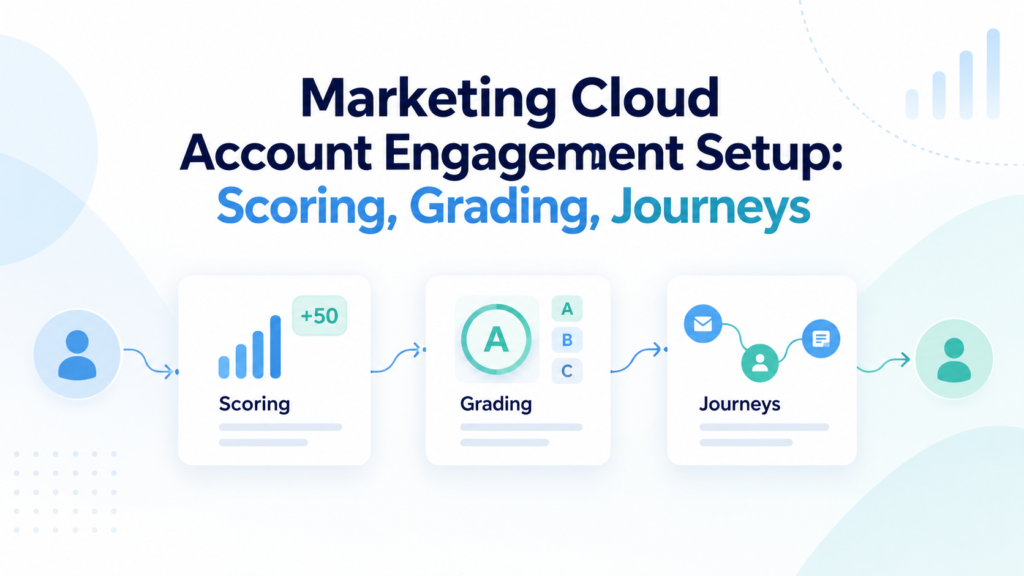
Marketing Cloud Account Engagement can qualify B2B prospects well, but only when the setup reflects how the business actually sells. A score without a clear meaning creates noise. A grade built on weak profile data mislabels people. A nurture program can keep sending emails while the sales team has no idea why a prospect was routed to them.
A sound Marketing Cloud Account Engagement setup starts with the sales process and data rules, with clear handoff criteria. The platform configuration comes after those decisions. Salesforce now uses the Marketing Cloud Account Engagement name for the product that many teams still call Pardot. Salesforce’s current Account Engagement+ guidance also notes that new purchases and renewals include the Account Engagement app and the next-gen Marketing app in Lightning Experience. This guide stays focused on the Account Engagement functions used for prospect scoring and grading, plus nurture programs.
The goal is a working qualification system. Marketing should know what behavior means interest, while sales should know what profile traits mean fit. Journey logic can then respond to both signals.
TL;DR
A reliable Marketing Cloud Account Engagement setup treats score and grade logic as connected parts of one lead process, with nurture rules built around them. Account Engagement scoring measures behavioral interest. Account Engagement grading measures how closely a prospect fits the profile you want to sell to. Engagement Studio controls nurture paths through actions, rules, triggers, waits, recipient lists, and suppression lists.
Before building any of those pieces, connect Salesforce correctly, map the fields used in qualification, set domain and user controls, and agree on the point where marketing should hand a prospect to sales. Salesforce’s current Account Engagement+ setup guide places planning and source-of-truth decisions early in the setup sequence. That order matters because later automation depends on the data and ownership choices made at the start.
The safest build pattern is simple: define qualification rules, configure the minimum automation needed, test with known records, launch to a limited audience, and review sales outcomes before raising volume.
What Marketing Cloud Account Engagement Setup Actually Covers
Marketing Cloud Account Engagement setup is broader than switching on email and creating forms. The working system has to connect prospect data, marketing activity, Salesforce records, qualification rules, and follow-up logic. If any of those parts use different definitions, the system can produce a high score for the wrong person or route a good prospect before sales has enough context.
The setup has 4 working layers. The platform layer covers business unit settings, permissions, domains, the Salesforce connector, and field mappings. The data layer covers prospect fields, campaign structure, consent, and ownership. Qualification covers prospect scoring and fit grading. The nurture layer controls how lead nurturing journeys react to behavior and fit.
Teams often need to make decisions that affect more than marketing automation. A broader Salesforce consulting services review can help when lead stages, campaign reporting, field ownership, or sales processes cross several Salesforce products. The Account Engagement build should still have one documented qualification model so later changes don’t split marketing and sales definitions.
A useful setup document should answer 5 questions before configuration begins: What counts as meaningful interest? What makes a prospect a good fit? Which fields are trusted enough to make that decision? What event makes a record sales-ready? What happens when the person isn’t ready yet?
Build The Foundation Before Scoring Or Grading
A Marketing Cloud Account Engagement setup can fail long before anyone edits a scoring rule. Connector permissions, field sync behavior, bad DNS choices, and unclear user access can distort the data that qualification depends on. Fix the foundation first so every later rule reads the right information.
Start with the Salesforce connection. Salesforce documents the current Salesforce Connector v2 setup as a sequence that installs and enables Account Engagement, configures Salesforce, then configures Account Engagement. The final stage covers field and user mapping. It also includes connector testing and the initial prospect sync. Those steps should be finished before score and grade thresholds are treated as production rules.
Field ownership deserves a written decision. If Salesforce is authoritative for industry, company size, job title, owner, and lifecycle status, document that rule. If a marketing form is allowed to update one of those values, decide what happens when Salesforce already contains a different value. A Salesforce integration services review can be useful when qualification fields also arrive from ERP, product, event, or customer systems. The important point is that each field used in automation has a known source and sync direction.
Domain setup also affects trust in the system. Account Engagement uses tracker domains for branded tracked links and hosted assets. Salesforce notes that the tracker domain is configured through DNS and has to be unique across business units. Email sending domain work should be planned with whoever controls DNS and security. Mail authentication belongs in that same plan. Don’t leave those tasks until the week of launch.
Access control comes next. Marketers need enough permission to build and test assets without broad rights that can change the whole business unit. Sales users need qualification fields and engagement context for follow-up. Clear role ownership reduces accidental changes and makes troubleshooting easier.
Plan Data And Lifecycle Rules First
In a Marketing Cloud Account Engagement setup, qualification rules are only as reliable as the fields behind them. Before building Account Engagement grading or assigning score values, audit the fields that describe the prospect and the fields that control lifecycle movement. Remove duplicate meanings such as “Lead Stage,” “Lifecycle Stage,” and “Status” if they compete for the same job.
Create a short data dictionary for every qualification field. Record the Salesforce field name, Account Engagement field, allowed values, source system, owner, sync behavior, and how the field is used. This becomes especially important for industry, employee range, role, country, product interest, and consent fields because small changes to allowed values can break automation rules.
Historical imports need the same care. A Salesforce data migration services plan should resolve duplicates and stale values before old records enter nurture lists or qualification rules. Large imports with missing job titles or old campaign memberships can distort the first score and grade baseline.
Lifecycle definitions should be written in plain language. For example, a prospect may enter as known, move to engaged after meaningful behavior, become marketing-qualified when both fit and intent reach agreed thresholds, then move to sales review. The exact labels can differ by company. What matters is that each stage has entry rules, an owner, and a clear next action.
Set Up Scoring Around Buyer Intent
Account Engagement scoring should measure the strength of a prospect’s observed interest. Salesforce states that prospect scores change as people interact with marketing assets, and the default scoring system can be changed. The official Scoring Prospects documentation also explains scoring categories for organizations that need separate scores for different products or business lines. A Marketing Cloud Account Engagement setup should treat the default model only as a starting point. The business definition should come from your sales process and observed outcomes.
Decide what the score should predict
The scoring model works best when the team agrees on what a higher number is supposed to mean. “More activity” is too loose. A better statement is: a higher score should indicate stronger recent evidence that the prospect is researching a problem your company can solve. That definition makes it easier to decide whether a form submission deserves more weight than a general page view.
Start with observed behavior that has a clear relationship to buying intent. Product pages, high-intent forms, pricing or consultation pages, event attendance, and repeat visits can carry different weight from broad awareness content. Email opens deserve caution because privacy controls can make open data noisy. A click, completed form, or high-intent page visit often gives a clearer signal.
Weight actions by meaning, not volume
Use a scoring matrix before touching the platform. The values below are an illustrative model, not Salesforce defaults. The point is to make relative intent visible and then test it against real outcomes.
| Behavior | Example score effect | Reason |
| Visits a high-intent product page | +8 | Shows focused research |
| Submits a demo or contact form | +25 | Indicates direct interest |
| Downloads a general guide | +5 | Useful engagement, weaker intent |
| Repeats low-value activity many times | Cap or reduce weight | Prevents activity volume from overpowering intent |
| Long period with no meaningful activity | Reduce score through automation | Keeps old interest from looking current |
Set values from sales feedback and conversion history. Compare prospects who became qualified opportunities with those who never progressed. Give more weight to actions that consistently appeared before a useful sales conversation.
Use categories when one score hides product intent
A single total can become confusing when a company sells several distinct products. A prospect might collect a high score from content about Product A, while the sales handoff concerns Product B. Scoring categories can separate that interest when the edition and account design support them. Salesforce says categories are tied to folders, and activity on assets in those folders updates the related category score.
Use categories only when sales can act on the distinction. Creating a category for every campaign or topic adds maintenance without improving qualification. A small set based on real product lines or business units is easier to explain and audit.
Plan score aging
The prospect score is cumulative unless your design adds rules that lower or reset old interest. That creates a common problem: a prospect who was active 18 months ago can still look hot today. Build an aging policy for inactivity. The rule can reduce a score after a defined quiet period or move the prospect into a re-engagement path before sales sees them again.
Score changes need ownership. Marketing should review activity weights on a fixed cadence and after major changes to the website, forms, or product offer. Sales feedback should tell you whether high-score records are becoming better conversations. If they aren’t, the model needs correction instead of a higher threshold.
Build Grading Around Buyer Fit
Account Engagement grading answers a different question: does this person match the type of buyer the business wants? Salesforce describes grades as profile-based and tied to criteria such as location and company size. Job title is another common fit signal. The official Grading Prospects documentation explains that prospects are graded against assigned profiles and improve as they match criteria. A strong Marketing Cloud Account Engagement setup keeps fit separate from behavior so enthusiasm doesn’t hide a poor profile match.
Salesforce’s grading scale runs from A+ to F, with prospects starting from D when they convert. Profile criteria can increase or decrease the grade. That makes field quality central to the grading model. A missing job title should not be treated the same as a job title that clearly falls outside your buying group.
Turn the ICP into fields the system can read
Start with the ideal customer profile used by sales. Translate it into fields that exist and are maintained. A target account size can use employee count or revenue band if those values are dependable. Buying role can use job function or a normalized title group. Territory can use country, state, or a sales region field.
Avoid criteria that sound useful but aren’t maintained. “Strategic account potential” is hard to grade unless it maps to a real field with defined values. The grading model should be explainable from the prospect record without hidden judgment.
Handle unknown values separately
Unknown data is one of the biggest sources of bad grades. Salesforce supports match and does-not-match states when automation rules update profile criteria. An unknown state is also available. Treat unknown as a data problem until you have evidence. A missing company size should usually remain neutral rather than pushing the prospect down as if the company were too small.
The grading model also becomes easier to manage when the number of profiles stays limited. Separate profiles can make sense for clearly different selling motions, such as enterprise and small business, but each profile adds rules to maintain. Use a new profile only when the fit logic truly changes.
Test the grade distribution before launch
Run known examples through the profile, including clear fits, clear misses, partial data, and conflicting fields. Check whether the resulting grades match how sales would sort them. If almost everyone lands at A or stays near D, the criteria or weights need adjustment.
Grade changes should also be reviewed after field enrichment or CRM cleanup. A grading rule can only reflect the values it receives. Better data may shift the distribution even when the profile itself hasn’t changed.
Combine Score And Grade For Sales Handoff
The best qualification logic uses intent and fit together. Account Engagement scoring tells you how much meaningful interest a prospect has shown. Account Engagement grading tells you whether the person resembles the buyer you want. A high score with a weak grade can mean a student, vendor, job seeker, or user outside the buying group. A high grade with a low score can mean a good target account that hasn’t shown enough intent yet.
Salesforce Trailhead gives a score of 100 and a grade of B- as example starting thresholds, while stressing that each company needs to adjust thresholds to its own sales results. The lead qualification model guidance is useful because it frames the threshold as something to tune with sales feedback. Don’t copy the numbers into production without checking your own distribution and conversion path.
A practical handoff rule should include more than a number. Add required data such as a valid business email, known company, acceptable territory, and a reason for qualification. Then decide the action: assign to a user or queue, add to a Salesforce campaign, change lifecycle status, create a task, or notify the owner.
| Fit | Intent | Typical action |
| High | High | Send to sales review with context |
| High | Low | Keep in nurture and monitor |
| Low | High | Suppress from sales handoff and route by use case |
| Low | Low | Keep out of high-touch programs |
The handoff should be reversible in business terms. If sales rejects a lead, capture a reason that can improve future rules. “Bad lead” isn’t enough. Reasons such as student, competitor, wrong region, no project, or duplicate record give marketing something it can act on.
Build Journeys In Engagement Studio
Lead nurturing journeys should move prospects based on what they do and what the business knows about them. Salesforce describes Engagement Studio programs as conditional prospect journeys built from recipient lists and program steps. Its Engagement Studio guidance covers building and testing programs, along with reporting on them. In a Marketing Cloud Account Engagement setup, the journey should use qualification signals without turning every score change into another branch.
Define the entry rule before drawing the path
Start with the reason a person enters. Examples include downloading a specific guide, registering for an event, showing interest in a product, or entering a lifecycle stage. The entry list should be clear enough that a marketer can explain why every member belongs there.
Use suppression lists for people who shouldn’t receive the program. Typical suppression logic can include customers already in an onboarding flow, open sales opportunities, internal employees, people with restricted mail status, or records already in a higher-priority program. Suppression rules stop overlapping nurture from creating contradictory messages.
Keep branches tied to decisions
Engagement Studio uses 3 core step types. An action step does something to the prospect record. A trigger step waits for prospect behavior. A rule step evaluates prospect criteria. Those parts can create deep trees quickly. Keep a branch only when it changes what should happen next.
A useful lead nurturing journey might send an educational email, wait for a high-intent click, then branch based on response. An engaged prospect could move toward stronger product content or sales review. A person who doesn’t act could receive a later message with a different angle. The journey should stop or change course once the business outcome changes.
Avoid building a maze for its own sake. Salesforce says programs can be paused and edited, and it keeps versions when a program is paused and restarted. That makes iteration possible, but edits still need control because people may already be waiting on steps.
Treat timing as part of the decision model
Wait periods affect how a prospect experiences the journey. A trigger can wait for an action, while rule and action steps can use their own timing. The right interval depends on the buying cycle and the content, not on a default drip schedule.
For a short event follow-up, days may make sense. For a high-value B2B purchase with a long research cycle, a slower pattern may fit better. Use sales-cycle evidence, engagement data, and unsubscribe trends to adjust timing. Don’t use more emails as a substitute for a clearer journey decision.
Feed qualification changes back into the journey
A strong journey can change the score when meaningful actions occur, update list membership, add campaign status, or route a prospect when qualification criteria are met. The key is to keep the source of each change clear. If the global score model, completion actions, automation rules, and a nurture program all add points for the same click, the total can inflate quickly.
Document which tool owns each adjustment. Lead nurturing journeys should react to the qualification model and add context where needed. They shouldn’t become a second hidden scoring system.
Choose The Right Automation Tool For Each Job
Account Engagement has several automation tools, and overlap can create duplicate actions. Use the narrowest tool that fits the job. Completion actions are tied to asset interactions. Automation rules continuously look for prospects who meet defined criteria. Dynamic lists maintain membership based on rules. Engagement programs control timed and conditional nurture.
Salesforce’s automation rule instructions note that rules can use Match All or Match Any criteria and can be configured to repeat. A repeat setting needs care because a rule that keeps matching can keep changing a score, field, or list membership. Preview matches before resuming the rule, especially when it touches a large database.
Use completion actions for immediate asset-specific responses such as adjusting a score after a form submission. Use automation rules when the action depends on record criteria or behavior that can change over time. Use lead nurturing journeys when sequence, timing, and branching matter. Use dynamic lists when the main goal is ongoing audience membership rather than a record change.
Complex cross-system actions may require a different layer. If the design depends on external applications, custom events, batch feeds, or bidirectional updates, a focused Salesforce API integration services review can separate marketing automation from integration logic. Keeping those responsibilities clear makes failures easier to trace.
Test The Full Setup Before Launch
Testing should prove the full path from prospect activity to sales visibility. A Marketing Cloud Account Engagement setup is ready only when the combined flow produces the expected score, grade, journey path, owner, campaign status, and Salesforce record state for realistic test records.
Create test personas that cover expected and edge cases. Include a strong-fit active prospect, a poor-fit active prospect, a strong-fit quiet prospect, incomplete data, a duplicate-risk record, and an opted-out or otherwise restricted record. Run them through forms, tracked links, automation, and journey branches using controlled test assets.
Verify connector behavior in Salesforce as part of the test. Check field values, owners, campaign membership, timestamps, and any handoff task or notification. If your test uncovers mapping or record access issues after automation is active, a Salesforce support services process can help separate configuration defects from sync or permission problems. The launch team still needs a written record of what was tested and what passed.
For nurture programs, use the built-in testing view before starting. Then launch to a limited internal or pilot audience where possible. A smaller first run makes it easier to spot timing, suppression, or routing issues before they affect a larger database.
Measure Performance And Tune The Model
After Marketing Cloud Account Engagement setup, the qualification model should change when evidence shows that it is wrong. Review the relationship between score, grade, sales acceptance, opportunity creation, and time to response. The purpose is a more useful handoff, measured against sales outcomes.
Track the distribution of Account Engagement scoring bands and grades over time. Sudden shifts can point to a new high-volume form, a changed tracking pattern, enrichment updates, or a broken rule. Review the top actions driving score and the fields driving grade. If a weak signal is dominating, lower its weight or remove it.
Journey reporting should show whether prospects are progressing or stalling. It should also show where they leave. Compare branches, message timing, and downstream qualification rather than judging only email clicks. If a branch produces engagement but no useful sales outcome, change the decision logic or content.
Ongoing ownership matters after launch. A Salesforce managed services arrangement can cover recurring administration when an internal team doesn’t have enough capacity for rule reviews, release checks, issue queues, and documentation. Whether the work is internal or external, the business should keep control of the qualification definitions and acceptance criteria.
Common Setup Mistakes And How To Fix Them
The first common mistake is using default scores as if they describe your buying process. Fix it by mapping activity to observed intent and checking the result against actual sales outcomes. Account Engagement scoring should explain interest in your business. Raw activity totals are insufficient.
The second is grading on fields that are missing or inconsistent. Fix it by cleaning values, normalizing picklists, separating unknown from poor fit, and assigning ownership for the fields used in fit grading. A precise formula can’t repair bad input.
Another mistake is setting one MQL threshold and never reviewing it. Thresholds should be checked when sales rejects too many records or when product strategy changes. Recheck them when routing rules change or the database mix shifts. Keep the rule visible and versioned so the reason for each change is known.
Journey sprawl is another warning sign. Too many lead nurturing journeys can compete for the same prospect and repeat similar messages. The resulting program set also becomes hard to maintain. Use suppression logic, archive outdated programs, and give each active program a clear owner and business purpose.
Finally, teams often spread the same action across completion actions and automation rules. Journey steps can add another copy of the same change. Fix that by assigning one owner tool for each important record change. A simple automation map can prevent double scoring and conflicting lifecycle updates.
Implementation Checklist And Ownership Model
A Marketing Cloud Account Engagement setup becomes easier to maintain when every major area has an owner and a launch check. HyphenX Solutions’ Salesforce implementation services page reflects the same broad need for discovery, configuration, data work, testing, and go-live support. For Account Engagement, translate that into a smaller operating checklist tied to the marketing and sales process.
| Area | Owner | Ready when |
| Connector and field mapping | Salesforce admin | Test records sync with expected field values |
| Domains and sending setup | Marketing admin plus IT | Tracking and sending domains validate correctly |
| Qualification model | Marketing plus sales | Score and grade definitions are approved and testable |
| Automation | Marketing operations | Rules have previewed matches and named owners |
| Nurture programs | Campaign owner | Entry, suppression, branches, and exit logic pass tests |
| Sales handoff | Sales operations | Assignment, status, context, and rejection reasons are defined |
| Reporting and review | Revenue operations | Baseline reports and review cadence are documented |
Keep a change log for scoring weights, profiles, automation rules, and program versions. Record the change, the reason, the approver, and the expected outcome. This prevents the system from becoming a collection of unexplained settings.
Conclusion
A good Marketing Cloud Account Engagement setup makes qualification understandable to both marketing and sales. Scores show meaningful interest. Grades describe fit. The handoff uses both signals, and nurture logic responds to what the prospect does next.
The work begins before the first rule is built. Connector setup, field ownership, lifecycle definitions, and clean data create the base. Account Engagement scoring then measures intent, while Account Engagement grading measures profile fit. Engagement Studio turns those signals into controlled follow-up without hiding the reason behind each branch.
Keep the model small enough to explain. Test it with known records and review it against sales outcomes. A clear model is easier to maintain after launch.
FAQs
What is Marketing Cloud Account Engagement?
Marketing Cloud Account Engagement is Salesforce’s B2B marketing automation product formerly known as Pardot. It supports prospect tracking, forms, email, qualification, automation, and nurture programs connected with Salesforce. The exact feature set depends on the edition and the broader Salesforce environment in use.
What should be configured first in a Marketing Cloud Account Engagement setup?
Start with the business process and data foundation. Define lifecycle stages, field ownership, Salesforce sync behavior, user access, domains, and qualification rules before building campaigns. This order reduces the chance that later automation depends on fields or sync behavior that haven’t been settled.
What is the difference between a score and a grade in Account Engagement?
A score represents behavioral interest based on prospect activity. A grade represents fit against profile criteria such as company size, industry, location, or role. Used together, they help separate an engaged poor-fit record from a good-fit prospect who hasn’t shown enough interest yet.
How does Account Engagement scoring work?
Account Engagement scoring changes a prospect’s numeric score as tracked activities occur. The default scoring rules can be changed, and other automation can also adjust scores. The best model assigns more weight to actions that correlate with real buying intent and reviews those weights against sales outcomes.
How does Account Engagement grading work?
Account Engagement grading compares a prospect with criteria in an assigned profile. Salesforce uses an A+ to F scale and starts prospects at D when they convert. Matches can raise the grade and non-matches can lower it. Unknown values can remain neutral until usable data is available.
Should every company use the same MQL score threshold?
No. A threshold should reflect your database, buying cycle, sales capacity, and conversion history. Salesforce training provides example starting points, but it also tells teams to adjust them with sales feedback. Test the threshold against accepted leads and opportunities before treating it as stable.
Can score alone determine when a prospect is sales-ready?
Score alone can overvalue people who interact often but don’t fit the target buyer. Use score with fit criteria, required fields, territory rules, and other business conditions. Sales readiness should represent a useful handoff decision rather than a single activity total.
What is Engagement Studio used for?
Engagement Studio is the Account Engagement tool for timed and conditional nurture programs. It can use actions, triggers, rules, waits, recipient lists, and suppression lists to control what happens next. Programs can be tested, started, paused, edited, and reviewed through reporting.
What makes lead nurturing journeys effective?
Lead nurturing journeys work best when each program has a clear entry reason and suppression logic. Each program also needs a defined outcome. Branches should exist because the next action changes. If every click creates another branch, the program becomes hard to explain and harder to maintain.
When should I use an automation rule instead of a journey?
Use an automation rule when you need a criteria-based record action that isn’t mainly about a timed sequence. Use a journey when timing, waits, message order, and behavior-based branching matter. Keeping the tools separate reduces duplicate actions and makes troubleshooting easier.
How should inactive prospect scores be handled?
Create an aging policy so old activity doesn’t look like current intent forever. Depending on the business, automation can reduce a score after a quiet period, reset part of it, or move the prospect into re-engagement. Test the policy against your normal sales cycle before applying it widely.
Do scoring categories help with multiple products?
They can. Scoring categories let supported Account Engagement editions track interest tied to folders for separate products or business areas. Use them when sales needs to know which product drew the interest. Avoid creating categories that don’t change routing or messaging. They should also affect follow-up or reporting if they are worth maintaining.
How often should scoring and grading rules be reviewed?
Review them on a regular operating cadence and after meaningful changes to forms, products, target markets, or sales process. Also review them when sales rejection reasons shift. The right timing depends on campaign volume, but changes should be based on evidence rather than habit.
How do I prevent prospects from entering conflicting nurture programs?
Use clear entry lists, suppression lists, lifecycle rules, and program priorities. Decide which program wins when a person qualifies for more than one. Remove people when the business outcome changes, such as an opportunity opening or a customer status being set.
What should be tested before the setup goes live?
Test field sync, scoring changes, grading results, list membership, suppression logic, journey branches, ownership, campaign updates, mail status, and the sales handoff. Use records that cover strong fit, poor fit, missing data, and restricted email status so edge cases appear before launch.