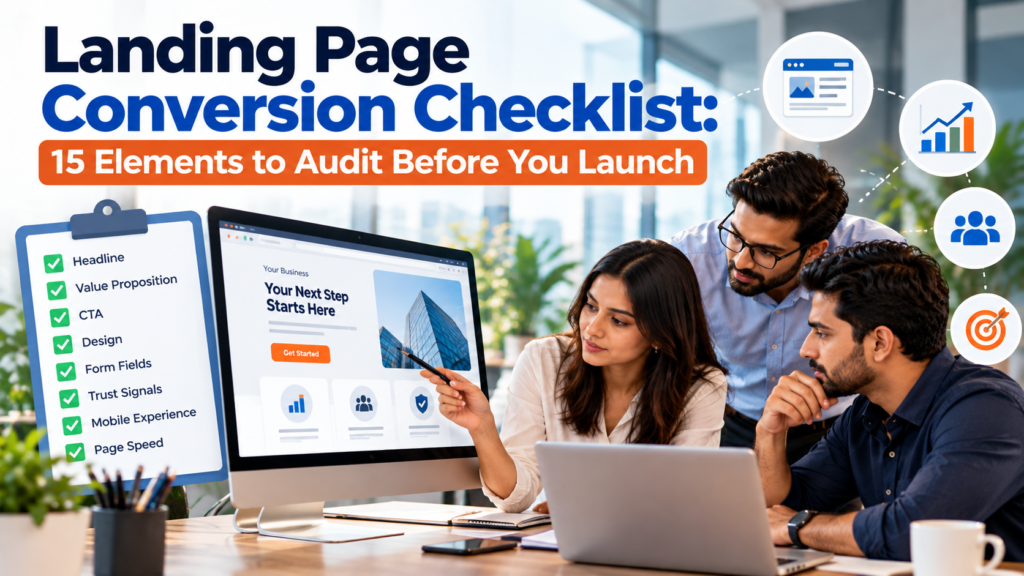
Landing Page Conversion Checklist: 15 Elements to Audit Before You Launch
A landing page can look finished and still be unready for traffic. The biggest launch problems often sit outside the visual design: the ad promises something the page does not repeat, the form asks for more than the offer requires, the primary action is hard to find on mobile, or the analytics event fires before a lead is actually submitted. Each issue creates friction before the campaign has enough data to explain what went wrong.
A strong landing page conversion checklist catches those problems before paid traffic, email traffic, partner referrals, or product-led campaigns start sending visitors. The audit should follow the same path a visitor follows. It begins with a message match, moves through the offer and page structure, checks the landing page CTA and landing page form, then verifies mobile use, accessibility, speed, measurement, consent, and the experience after submission.
This guide is written for B2B SaaS and marketing teams that need a page they can launch with fewer unknowns. It does not promise a universal landing page conversion rate because one number cannot represent every traffic source, offer, market, device mix, and buying stage. The goal is to make each conversion decision visible and testable before launch, then give the team a clean baseline for later improvement.
TL;DR
Use this landing page conversion checklist before sending live campaign traffic. Audit the page in the order a visitor experiences it, from the ad promise to the confirmation state. A page should have one clear conversion goal, a specific headline, useful proof, a clear CTA, a short form, a strong mobile experience, acceptable performance, accessible controls, correct measurement, and a working post-submit path. Fix launch blockers before testing small copy or design preferences.
· Match the page promise to the traffic source.
· Make the desired action obvious without making the page feel repetitive.
· Ask only for information the next business step requires.
· Test the page on real mobile devices and with keyboard navigation.
· Verify performance and analytics before traffic starts.
· Confirm consent behavior and the thank-you or error path.
How To Use The 15-Point Audit
A landing page audit works best when every check has a pass condition. Avoid feedback such as “the hero feels weak” or “the form seems long.” Replace it with a test that another reviewer can repeat. For example, the hero passes if a new visitor can state what is offered, who it is for, and what action to take after reading the first screen. The form passes if every required field is needed for the stated next step and every error can be corrected without guessing.
Run the landing page conversion checklist with 3 views of the page: the traffic source, the desktop page, and the mobile page. A reviewer who looks only at the landing page misses message mismatch. A reviewer who looks only at desktop misses tap targets, line wrapping, keyboard behavior, sticky elements, and form issues that often appear on a phone. The pre-launch review should also include the analytics debugger or event stream because a page can convert correctly while measurement fails.
Use a simple status for each of the 15 elements: Pass, Fix Before Launch, or Test After Launch. “Fix Before Launch” is for defects that can block comprehension, trust, submission, accessibility, or measurement. “Test After Launch” is for choices where both versions are valid and real traffic should decide, such as whether a shorter headline beats a longer one. This keeps the landing page audit from turning into a design-by-committee exercise.
Do not use a public benchmark as the launch gate. A landing page conversion rate depends on how qualified the traffic is, what is being asked, whether the conversion is a demo request or low-commitment download, how much the visitor already knows, and which device they use. Record the starting landing page conversion rate after the page gets enough qualified traffic, then compare changes against that baseline and against segments that matter to the campaign.
Message Match And Conversion Goal
Element 1: Match The Page To The Traffic Source
The first check in the landing page conversion checklist is whether the page continues the promise that earned the click. Compare the ad headline, email subject, social copy, partner placement, or search keyword with the page headline and first visible offer. Google Ads explicitly advises advertisers to make the page closely match the ad and keywords because visitors expect to find what they were promised; its landing page guidance also recommends matching the call to action between the ad and destination. That principle applies beyond paid search because every campaign creates an expectation before the visitor arrives.
Message match should be specific enough that the visitor does not need to reinterpret the offer. If an ad promotes a “2026 SaaS CAC Benchmark Report,” the page should not open with a broad “Grow Your Revenue” headline and force the visitor to search for the report. If an email invites users to “Book a 20-minute platform assessment,” the page should not switch the main action to “Contact Sales.” The offer can include more context below, but the first screen should confirm that the visitor reached the right place.
Element 2: Give The Page One Primary Conversion Goal
A landing page should make one business action primary. That action might be a demo request, free-trial start, webinar registration, pricing consultation, report download, or account creation. Secondary links can exist when users need them, but they should not compete with the main action. When the page asks visitors to book a demo, start a trial, read the blog, watch a video, follow social channels, and contact support with equal visual weight, the conversion path becomes harder to read.
Define the conversion in one sentence before auditing the page. “The visitor completes the demo request and reaches the confirmation state” is specific enough to test. “The visitor engages with the page” is not. This definition also prevents teams from counting a CTA click as a completed conversion when the real business outcome requires a successful landing page form submission.
Headline And Hero Clarity
Element 3: Make The Headline State The Offer Clearly
The headline should tell the visitor what they can get or do without requiring the subheading to rescue it. Clever wording can work when the brand is already understood, but campaign pages usually benefit from direct language. A headline such as “Reduce Manual Renewal Work in Salesforce” gives the reader a concrete problem and context. “Work Smarter Today” leaves too much interpretation to the visitor.
Run a 5-second review with someone who did not write the page. Show only the first screen, hide it, and ask what the offer was. If the answer is vague, the headline or supporting line needs work. The test is especially useful in B2B SaaS because internal teams often know the product well enough to fill in missing meaning that a new visitor cannot.
Element 4: Make The Hero Prove The Next Step Is Worth Taking
The hero needs enough information to support the first decision. That usually includes a specific outcome, a short explanation of how the offer works, and a visible landing page CTA. Proof can appear nearby when the audience is skeptical or the requested commitment is high. A logo row, security statement, customer count, rating, or brief result can help, but only when the claim is current and supportable.
Claims should survive a legal and evidence check before they become conversion copy. The FTC’s advertising basics state that advertising claims must be truthful, cannot be deceptive or unfair, and should be evidence-based. That matters for landing pages that use percentages, “number one” language, savings claims, performance promises, or product comparisons. A high-converting claim that cannot be supported is a launch risk.
Page Copy And Information Order
Element 5: Put The Most Important Decision Information First
Landing page copy should follow the questions a serious prospect asks. Start with the problem and offer, then explain the outcome and evidence, followed by the details needed to reduce remaining doubt. A page for a high-consideration B2B service may need integration scope, implementation expectations, security information, or qualification criteria. A report download may need only a summary of what is inside and who will benefit.
The landing page conversion checklist should not treat every detail as equally important. Use headings that communicate meaning when scanned on their own. Replace labels such as “Features,” “Benefits,” and “Why Us” with headings that answer a buyer question. “Connect Existing CRM Data Without Rebuilding Your Workflow” gives more information than “Integrations.” This helps readers who scan before they commit to deeper reading.
A landing page audit should also remove content that belongs somewhere else. Company history, broad product navigation, unrelated blog links, and generic brand statements can pull attention away from the campaign goal. Keep content that helps the visitor understand the offer, judge credibility, handle an objection, or complete the next step.
Element 6: Keep The Offer Specific Enough To Evaluate
Visitors convert more confidently when they know what they will receive. Define the deliverable, timing, eligibility, limits, and any meaningful commitment. For a demo, explain what the session covers and how long it usually takes. For a guide, show the topics inside and the file or access format. For a free trial, state whether a credit card is required and what happens when the trial ends.
Specificity also protects lead quality from low-value conversions. A vague “Get Started” offer may collect more clicks while producing leads that expected something else. A stronger page filters by explaining who the offer is for and what the next business step will be. The goal is a useful conversion, not the largest possible raw form count.
CTA And Offer Commitment
Element 7: Make The Primary CTA Clear And Consistent
The landing page CTA should describe the action that follows. Labels such as “Submit” and “Learn More” force the visitor to infer what the button does. “Book My Demo,” “Get The Report,” or “Start Free Trial” gives a clearer expectation. Keep the wording consistent when the same action appears more than once so the page does not appear to offer different outcomes.
Place the first primary action where it can be found without hunting. That does not mean every page needs the button at the exact same pixel position. The hero can contain the CTA when the offer is easy to understand, while a more involved offer may pair the button with enough context to make the request feel reasonable. Repeated buttons further down the page should appear after meaningful decision points, not after every short paragraph.
Audit CTA states as well as CTA copy. Check hover, keyboard focus, disabled state, loading state, and the response after a click. A button that changes to a spinner with no text can appear frozen on a slow connection. A double-click that creates duplicate submissions can harm CRM data. The landing page conversion checklist should treat button behavior as part of the conversion path.
Element 8: Match The Ask To The Value And Risk
Every conversion asks the visitor to spend something: time, attention, contact information, or trust. The requested commitment should make sense for the value offered. A one-page checklist rarely needs company revenue, employee count, phone number, detailed project timing, and budget. A custom implementation assessment may reasonably need more qualification because someone must prepare for a sales conversation.
This is also where proof claims and endorsements need review. The FTC’s endorsement guidance explains that endorsements must be truthful and not misleading, and material connections that affect how people evaluate an endorsement should be disclosed. If the page uses a customer quote, influencer statement, review score, or unusual performance result, check that the context is accurate before launch.
A strong offer section answers the main cost of action. If the visitor worries about sales pressure, explain what happens after the form. If implementation effort is the concern, state what the first call covers. If data access is sensitive, explain why the requested information is needed. Removing uncertainty can be more useful than adding another CTA.
Proof And Trust Signals
Element 9: Use Proof That Supports The Exact Claim
Trust signals should answer the doubt created by the offer. A row of famous customer logos can establish market presence, but it does not prove that a specific feature improves a specific business outcome. A case study excerpt can support that outcome if the result is documented and the customer has approved the use. Security badges can support risk concerns when they reflect current certifications or controls.
Audit every number before launch. Check customer counts, years in business, review scores, response times, percentage claims, and “trusted by” statements against the source the company can defend. Remove old awards and expired certification references. A landing page audit should treat stale proof as a defect because outdated credibility signals can reduce trust when a careful buyer notices them.
Form Design And Error Handling
Element 10: Make The Form Easy To Complete Correctly
The landing page form should collect only what the next step needs. Each additional field creates another decision, another chance for a validation error, and another piece of personal information the business must store and protect. Start with the minimum fields required to deliver the offer or route the lead, then add qualification fields only when the downstream process can explain why they are needed.
Visible labels are safer than placeholder-only forms. W3C’s forms guidance recommends labels for form controls and notes that users generally prefer simple and short forms that ask only for information required to complete the process. Labels should stay visible after the visitor starts typing, and field names should use language the visitor understands rather than internal CRM terms.
Validation should help users recover from mistakes. W3C’s error guidance says that when an input error is detected, the item should be identified and the error described in text. Do not rely on a red outline alone. Tell the visitor which field is wrong and what needs to change, while preserving valid answers already entered.
Test the landing page form with realistic edge cases. Use a long surname, a company name with punctuation, a plus-address email, international phone formats if the campaign is global, autofill, pasted values, and browser back navigation. Check what happens when the CRM or form endpoint is unavailable. The form should fail clearly rather than showing a false success state.
Mobile And Accessibility
Element 11: Test The Real Mobile Experience
Mobile review should use an actual phone as well as browser emulation. Check the first screen, sticky bars, form keyboard behavior, tap targets, modal windows, long error messages, and the full submit path. Google recommends responsive design in its mobile guidance, and the same content should remain available without forcing mobile users through a reduced version of the offer. A responsive layout can still fail if the CTA sits behind browser chrome or a consent banner covers the form.
Buttons and links need enough room to use accurately. WCAG 2.2’s target size rule sets a 24 by 24 CSS pixel minimum for pointer targets unless an exception applies or sufficient spacing is provided. For a landing page CTA, meeting the technical minimum should be the floor rather than the design goal. Important controls should be easy to hit with a thumb without accidental taps on nearby links.
Element 12: Check Accessibility Across The Conversion Path
Accessibility belongs in the pre-launch landing page conversion checklist because inaccessible controls can stop real visitors from completing the goal. Test keyboard navigation from the top of the page through the form and confirmation. Focus should be visible, the tab order should follow the visual flow, buttons should have understandable names, and interactive elements should not require a mouse.
Check text contrast and non-text controls against the accessibility standard your organization follows. WCAG 2.2 groups requirements for contrast, keyboard access, labels, input purpose, reflow, and target size across the standard. Automated tools can catch some failures, but they cannot decide whether a headline makes sense, whether focus order is logical, or whether an error message gives useful recovery instructions.
Speed And Technical Performance
Element 13: Check Performance Before Paid Traffic Arrives
Page speed is a launch requirement because every campaign click begins with a load. Google’s current Core Web Vitals use Largest Contentful Paint for loading, Interaction to Next Paint for responsiveness, and Cumulative Layout Shift for visual stability. The recommended “good” thresholds are LCP within 2.5 seconds, INP at 200 milliseconds or less, and CLS at 0.1 or less at the 75th percentile of page loads. Those are user-experience measures, not a promise of a specific conversion lift.
Responsiveness matters after the first render too. Google’s INP guidance explains that INP measures the latency of user interactions across a page visit, with 200 milliseconds or less as the recommended good threshold. This matters for forms, menus, calculators, accordions, and CTA actions that depend on JavaScript. A page that appears quickly but hesitates after every tap still creates friction.
Use Lighthouse as a diagnostic tool rather than a single launch score. Chrome’s Lighthouse panel reports on performance, accessibility, best practices, and SEO, then points to issues that need investigation. Run it in a clean browser session and pair the report with manual testing. The landing page audit should record the actual problems found rather than celebrating one green score.
Measurement Privacy And Consent
Element 14: Verify Conversion Measurement And Consent Behavior
Measurement should be tested before traffic starts because missing data cannot be recreated reliably later. Define the exact event that means the conversion succeeded. For a lead form, Google Analytics lists generate_lead in its recommended events for a submitted form or request for information. The event should fire after the successful business action, not when the visitor merely clicks the landing page CTA or focuses on a field.
Mark the right business event for reporting. Google Analytics explains in its key event guidance that an event must first be created or identified and then marked as a key event when the action matters to the business. Test source and campaign parameters, cross-domain behavior where relevant, duplicate firing, thank-you reloads, and any CRM handoff used to qualify or reject the lead.
Consent settings must be part of the same QA pass because they change how tags behave. Google’s consent mode setup says sites should set a default consent state and update it after the user’s choice, with behavior determined by the consent types in use. The page should respect the organization’s legal and privacy requirements while keeping the conversion path usable when a visitor accepts or rejects optional tracking.
Data collection should also match the business need. The FTC’s security guidance advises businesses to avoid collecting personal information they do not need and to think deliberately about what they collect and keep. Review every form field, hidden field, enrichment tool, and tracking script with that principle in mind. Reducing unnecessary collection can lower risk and can also make the visitor’s task simpler.
Confirmation And Failure States
Element 15: Audit What Happens After The Conversion
The landing page conversion checklist continues after the visitor presses the button. The post-submit state should confirm whether the action succeeded and explain the next step after the landing page form is accepted. A demo request might state when the team will respond and which email address the confirmation will come from. A report download should provide the asset or clearly explain delivery. A trial signup should take the user into the promised onboarding path.
The confirmation state also needs a measurement check. If the page sends a conversion event before the backend confirms the request, failed submissions can inflate the reported landing page conversion rate. Fire the success event only when the business action has succeeded. If the thank-you page can be refreshed, make sure the implementation does not count the same conversion repeatedly.
Test failure states deliberately. Disconnect the network, submit an invalid value, trigger any server-side validation you can safely test, and confirm what the user sees. A generic “Something went wrong” message leaves the visitor without a recovery path. Preserve their valid entries when possible and tell them whether to retry, correct a field, or use another contact route.
Check the experience for sales and operations too. Confirm that a successful landing page form creates the expected CRM record, carries the campaign fields, assigns the correct owner or queue, and does not send duplicate notifications. A page can look successful to the visitor while the lead disappears downstream. The pre-launch audit is the right time to catch that break.
Final Pre-Launch Review
The final review should happen after copy, design, development, analytics, and legal changes are merged. Earlier approvals can become stale when a new form script shifts the page, a consent tool covers the landing page CTA, or a tracking change fires the success event twice. Run the landing page conversion checklist against the actual production candidate rather than a design file.
Use the scorecard below as the final gate. A “Fix Before Launch” item should have an owner and a retest. “Test After Launch” should be reserved for valid alternatives where traffic is needed to decide, not for broken forms or missing measurement.
| Element | Pass Condition | Status |
| Message match | Page repeats the campaign promise and action | Pass / Fix |
| Conversion goal | One primary business action is clear | Pass / Fix |
| Headline | New visitor understands the offer quickly | Pass / Fix |
| Hero | Outcome, context, and next step are visible | Pass / Fix |
| Information order | Buyer questions appear in a useful sequence | Pass / Fix |
| Offer detail | Deliverable and commitment are clear | Pass / Fix |
| CTA | Copy and button behavior match the next step | Pass / Fix |
| Commitment | Requested effort fits the offer value | Pass / Fix |
| Proof | Claims and trust signals are current and supportable | Pass / Fix |
| Form | Required fields, labels, and errors work correctly | Pass / Fix |
| Mobile | Full path works on a real phone | Pass / Fix |
| Accessibility | Keyboard, focus, labels, and controls are usable | Pass / Fix |
| Performance | Load and interaction issues are within accepted targets | Pass / Fix |
| Measurement | Success event, attribution, and consent are verified | Pass / Fix |
| Confirmation | Success and failure paths both work | Pass / Fix |
Run the landing page conversion checklist once with someone outside the page team. Fresh reviewers catch assumptions that writers and designers stop seeing after repeated edits. Give them the campaign source and a task such as “request the demo” or “download the report,” then watch without coaching. Note where they hesitate, what they expect after each click, and whether they can recover from an error.
Conclusion
A landing page conversion checklist should test the full conversion path rather than stop at copy and design. The 15 elements in this audit cover the campaign promise, page goal, headline, hero, information order, offer detail, CTA, visitor commitment, proof, form, mobile use, accessibility, performance, measurement, and post-submit state. Together, those checks reduce the number of preventable problems that can distort campaign results from day 1.
The strongest pre-launch process separates defects from experiments. Broken tracking, unclear errors, mismatched offers, inaccessible controls, and failed CRM handoffs should be fixed before launch. Headline variations, proof order, CTA placement, and other valid choices can be tested after the page begins collecting qualified traffic. That discipline gives the landing page conversion rate a cleaner baseline and gives future changes a fair comparison.
Use the same landing page conversion checklist after major campaign or product changes. New traffic sources can change message match, new form fields can add friction, and new scripts can alter speed or consent behavior. A repeatable review keeps the page aligned with the offer long after the first launch.
FAQs
What Is A Landing Page Conversion Checklist?
A landing page conversion checklist is a pre-launch review of the elements that can help or block a visitor from completing the page’s primary action. It should cover message match, offer clarity, CTA behavior, form completion, trust, mobile use, accessibility, performance, measurement, consent, and the post-submit experience.
How Many Elements Should A Landing Page Audit Include?
There is no required number. This guide uses 15 because it covers the full visitor path without splitting small design details into separate checks. A useful landing page audit is specific enough to catch launch blockers and short enough that teams will actually repeat it.
What Is A Good Landing Page Conversion Rate?
There is no single rate that is good for every page. The landing page conversion rate depends on traffic source, audience intent, offer type, form commitment, device mix, price, and buying stage. Compare the page with its own qualified baseline and with similar campaigns rather than treating a broad public benchmark as a launch target.
Should A Landing Page Have More Than One CTA?
A page can repeat the same primary CTA in several places when visitors may decide at different points. The risk comes from giving several unrelated actions equal weight. Keep one primary business goal and use secondary links only when they help visitors complete or evaluate that goal.
How Long Should A Landing Page Form Be?
A landing page form should ask for the minimum information needed to deliver the offer or complete the next business step. A low-commitment download may need very few fields. A sales assessment can require more qualification. Each required field should have a clear operational reason.
Should The CTA Be Above The Fold?
The primary landing page CTA should be easy to find early when the offer can be understood quickly. Higher-commitment offers may need more context around the first action. The better test is whether a new visitor can identify the next step without searching, not whether the button sits at one fixed screen position.
What Should I Check On Mobile Before Launch?
Test the full page on a real phone. Check headline wrapping, sticky elements, tap targets, form keyboards, autofill, consent banners, errors, modal windows, CTA visibility, and the final confirmation state. Do not stop after confirming that the layout technically fits the screen.
How Do I Test Landing Page Accessibility?
Use keyboard-only navigation, visible focus checks, readable labels, clear error messages, sufficient contrast, usable tap targets, and accessible names for controls. Automated accessibility tools can find some issues, but manual review is still needed for logical focus order, understandable copy, and form recovery.
Which Performance Metrics Matter Most Before Launch?
Core Web Vitals are a useful starting point because they measure loading, responsiveness, and visual stability. Also test the page with real marketing scripts enabled. A page can perform well before analytics, consent, chat, or testing tools are added and slow down after the final production build.
When Should The Conversion Event Fire?
The conversion event should fire after the business action succeeds. For a lead form, that usually means the submission has been accepted rather than the visitor merely clicking the button. This reduces false conversions when validation or a server error prevents the lead from being created.
Should I Remove Navigation From A Landing Page?
It depends on the campaign and the visitor’s need for context. Removing broad site navigation can reduce distraction on a focused campaign page, but some B2B visitors may need access to security, product, pricing, or company information before they are ready to convert. Keep links that support the decision and avoid unrelated exits.
How Much Social Proof Should A Landing Page Use?
Use enough proof to address the visitor’s main doubt. A high-commitment offer may need a customer result, current certification, or detailed evidence. A simple download may need much less. Proof should be current, accurate, and connected to the claim the page is making.
Should I Launch Without A Thank-You Page?
You can use an inline confirmation if it clearly confirms success and the measurement setup works correctly. A separate thank-you page can be useful for delivery, scheduling, or analytics, but it is not mandatory. The visitor should always know whether the action succeeded and what happens next.
How Often Should I Repeat The Landing Page Audit?
Repeat it before the first launch and after material changes to the offer, traffic source, form, page template, analytics, consent tools, or major scripts. A page that passed months ago can develop new problems after marketing and development changes even when the visible copy barely changes.
What Should I Test First After Launch?
Start with the largest remaining uncertainty that is not a defect. That might be the headline, offer framing, proof placement, form commitment, or landing page CTA. Keep measurement stable, change one meaningful variable when possible, and judge the result with enough qualified traffic to support a decision.