8 Landing Page Mistakes That Kill B2B Conversion Rates
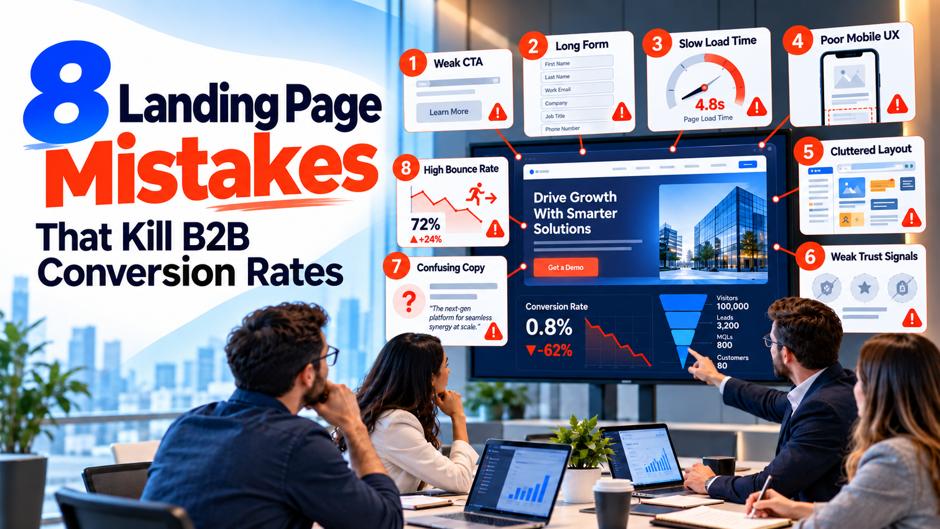
A B2B landing page can receive qualified traffic and still waste most of it. The problem is rarely one dramatic design failure. More often, the page creates several small points of uncertainty: the headline does not match the ad, the offer is vague, the proof is weak, the form asks for information too early, or the mobile experience makes a simple action feel difficult. Those problems matter more in B2B because visitors are often evaluating an expensive product, service, or long-term business relationship.
Current landing-page data shows why small conversion losses deserve attention. Unbounce’s large 2024 benchmark dataset found a 6.6% median conversion rate across industries, while SaaS pages in the same benchmark had a 3.8% median. The numbers vary by industry, traffic source, device, and conversion ask, so they should be used as context rather than universal targets. The 8 mistakes below focus on the points where B2B pages most often lose otherwise relevant visitors.
TL;DR
B2B landing pages usually underperform when they ask the visitor to work too hard to understand the offer, trust the company, or complete the next step. The page may still look polished and follow common design conventions, but conversion falls when the message, evidence, form, and traffic source do not line up.
| Conversion Problem | What the Visitor Experiences | What to Fix |
| Ad and page do not match | “This is not what I clicked for.” | Match the headline, offer, and promise to the traffic source |
| Value proposition is generic | “Why should I care?” | State the problem, audience, outcome, and relevant difference |
| Too many actions compete | “What am I supposed to do?” | Give the page one primary conversion goal |
| Proof is weak or misplaced | “Can I trust this claim?” | Put specific evidence near the claims it supports |
| Form asks for too much | “This is more effort than the value I get.” | Ask only for information needed at this stage |
| Mobile and speed are poor | “This is frustrating.” | Improve load, interaction, layout stability, and mobile form use |
| One page serves every audience | “This does not feel built for me.” | Match page angle to segment, source, and buying intent |
| Testing stops at form conversion | “More leads” hides worse pipeline | Measure lead quality and test one clear hypothesis at a time |
The important point is that conversion rate is not a design score. A page can convert more visitors and still damage pipeline if it attracts the wrong people. B2B teams should improve both the percentage of visitors who act and the percentage of those conversions that become useful sales conversations.
Start With the Right B2B Conversion Benchmark
Landing-page benchmarks are useful only when the conversion action is comparable. A free template, webinar registration, demo request, pricing inquiry, and enterprise consultation do not carry the same commitment. A page that asks a director to provide a work email for a research report should normally convert differently from a page asking a VP to schedule a meeting about a 6-figure software purchase.
Unbounce’s 2024 benchmark dataset covered more than 41,000 landing pages, 464 million visitors, and 57 million conversions. It reported a 6.6% median across industries, but its SaaS benchmark was 3.8%, while commercial and professional services sat at 6.1%. That spread is a reminder that traffic quality and the nature of the ask matter as much as page design.
A useful internal benchmark should therefore be segmented. Compare demo pages with other demo pages, paid-search traffic with similar paid-search traffic, and enterprise offers with other enterprise offers. Track mobile and desktop separately when volume supports it. Once the business has enough history, the page should also be compared with its own qualified-lead and opportunity rates rather than a broad internet average.
The strongest question is not “Are we above 6.6%?” It is “Are we converting the right traffic into the right next step at a rate that produces healthy pipeline economics?” That question keeps optimization connected to revenue instead of turning CRO into a contest for the highest form-fill percentage.
Mistake 1: The Landing Page Does Not Match the Ad or Traffic Source
Message mismatch is one of the fastest ways to waste qualified traffic. A visitor clicks an ad because it promises one thing, then reaches a page whose headline, offer, or audience language feels different. Even when the company and product are technically correct, the person has to stop and work out whether they reached the right page. That extra uncertainty is enough to increase abandonment. Unbounce defines message match as the degree to which landing-page copy reflects the phrasing and promise of the ad or link that sent the visitor there. Strong message match reassures the visitor that the click led to the expected destination. The problem appears in several common forms:
- The ad is specific but the page is generic. An ad promoting “Salesforce remediation for failed implementations” lands on a broad Salesforce consulting page covering implementation, integration, managed services, AI, and development. The visitor now has to search the page for the issue that triggered the click, which weakens the momentum created by the ad.
- The audience changes between click and page. A LinkedIn ad written for CFOs sends visitors to a page whose copy speaks mainly to accounting managers. The product may still be relevant, but the business case, proof, and terminology no longer match the person who clicked.
- The offer changes after the click. An ad promises a benchmark report, but the landing page emphasizes booking a consultation before explaining the report. The visitor feels that the original promise was merely a route into a sales conversation.
- The page uses the same hero for every channel. Paid search, retargeting, partner referrals, email, and paid social can bring visitors with very different levels of awareness. Sending all of them to one generic headline forces the page to speak broadly and weakens relevance for each group.
Fixing message match does not require a unique landing page for every keyword. It requires preserving the core promise that earned the click. The headline, supporting copy, proof, and CTA should make the visitor feel that the page continues the same conversation rather than starting a new one.
Mistake 2: The Hero Section Makes the Buyer Decode the Value
Many B2B hero sections say what the company does without explaining why the visitor should care. Phrases such as “AI-powered business transformation,” “modern solutions for modern enterprises,” or “a complete platform for growth” sound broad enough to fit dozens of vendors. The visitor has to translate the language into a real problem, business result, and reason to keep reading. The hero should answer 4 questions quickly:
| Buyer Question | What the Page Needs to Communicate |
| Is this for someone like me? | Audience, company type, role, or operating situation |
| What problem does it address? | A recognizable pain, constraint, or desired change |
| What happens if I use it? | A concrete business or workflow outcome |
| Why should I keep reading? | A credible difference, proof point, or relevant mechanism |
A value proposition does not need to explain the entire product. It needs to orient the buyer. A payroll services landing page, for example, can tell visitors that the service helps multi-state employers clean up payroll configuration and reduce recurring processing errors. That is more useful than a hero that says the company “transforms payroll operations through innovative expertise.”
The supporting paragraph should add context rather than repeat the headline with synonyms. Explain who the offer fits, what the engagement or product changes, and what the buyer can evaluate next. If an important limitation exists, saying it clearly can improve lead quality. A page built for companies with more than 1,000 employees should not hide that fact simply because a broader message produces more form fills.
Readability also matters. Unbounce’s SaaS benchmark found a strong relationship between simpler language and higher conversion in its dataset, with pages written at lower reading difficulty outperforming pages using highly complex copy. That result should not be interpreted as a rule that every B2B page must sound elementary. It does support the more practical point that complex buying decisions benefit from clear language rather than corporate abstraction. A useful hero makes the visitor understand the offer faster. If several people inside the company interpret the headline differently, the prospect is likely doing the same work.
Mistake 3: The Page Gives Visitors Too Many Competing Paths
A landing page exists to move a defined audience toward a defined action. Many B2B pages gradually turn into miniature websites instead. They contain a full navigation menu, multiple service links, 3 different CTAs, a resource carousel, social icons, unrelated case studies, a newsletter form, and a footer with dozens of destinations. Every item may be useful somewhere on the website, but together they dilute the purpose of the campaign page.
The issue is not that visitors must be trapped on a page. B2B buyers may genuinely need pricing context, security information, implementation detail, or customer proof before they convert. The problem is giving every possible path the same visual priority. When the page does not make one next step obvious, users have to decide what to do before they can decide whether to do it.
A cleaner structure usually has one primary conversion goal supported by secondary information. A “Book a Demo” page can include product detail, proof, FAQs, security information, and implementation context while keeping the demo request as the main action. A research-report page can offer the report without simultaneously pushing a consultation, newsletter, webinar, and unrelated product trial.
Navigation decisions should follow traffic intent. Cold visitors arriving from a broad educational campaign may benefit from more opportunities to learn. High-intent paid-search visitors clicking an ad for a specific service usually need fewer escape routes and stronger continuity around that service. The landing page should support the decision the campaign is asking the visitor to make rather than reproduce the company’s entire information architecture.
The same rule applies to CTA language. “Submit,” “Learn More,” “Get Started,” and “Contact Us” can be vague when the visitor does not know what happens next. A CTA such as “Get the Benchmark Report,” “Request a Salesforce Assessment,” or “See the Product Demo” makes the exchange clearer. The wording should describe the next step honestly instead of trying to manufacture urgency.
Mistake 4: The Form Asks for More Than the Offer Has Earned
B2B teams often treat the form as a data-collection opportunity. Sales wants phone number, company size, revenue, country, job title, current platform, project timing, budget, buying role, and a free-text description before the visitor can access a report or request information. Each field may be useful later, but usefulness to the business does not automatically justify asking for it before the visitor has received value.
HubSpot’s analysis of more than 40,000 landing pages found that additional form complexity was associated with lower conversion, particularly when forms used multiple text areas or drop-down fields. HubSpot’s updated guidance also recommends asking only for information the business genuinely needs to qualify or route the lead. The right form length depends on the offer:
| Conversion Ask | Reasonable Information Goal | Fields to Question Carefully |
| Research report | Identify and nurture the reader | Phone, detailed budget, long project description |
| Webinar | Register and segment the attendee | Large qualification questionnaire |
| Product demo | Route and prepare the conversation | Fields that sales will never use |
| Pricing request | Understand company fit and scope | Information already available from enrichment |
| Enterprise assessment | Qualify a higher-commitment request | Questions unrelated to the actual assessment |
A phone number can be useful for a direct consultation request and unnecessary for a downloadable guide. Company size may matter when the product only serves enterprise accounts. A detailed project description may help a services firm prepare for a technical assessment, while the same field can feel excessive on a top-of-funnel page.
Form design should also account for information the company can collect elsewhere. CRM enrichment, account matching, IP intelligence, and later sales discovery can reduce the amount of data demanded at the first conversion. B2B marketers should not turn the landing page into a complete qualification interview unless the value and intent of the offer justify it. The goal is not the shortest possible form. The goal is the shortest form that collects information the business will actually use at that stage.
Mistake 5: Mobile Experience and Page Performance Are Treated as Final QA
B2B marketers still design on large desktop screens because that is where they build campaigns, review copy, and present pages internally. Visitors do not necessarily arrive the same way. Unbounce’s benchmark found that 83% of landing-page visits across its dataset came from mobile devices, while desktop conversion was 8% higher overall. In commercial and professional services, 81% of visits were mobile, yet desktop converted at 11.6% compared with 8.3% on mobile. That gap does not prove that mobile design caused every lost conversion, because device choice also reflects different user behavior. It does show why mobile cannot be reduced to a quick responsive check before launch.
Loading Performance
Google’s current Core Web Vitals guidance defines a good Largest Contentful Paint as 2.5 seconds or less at the 75th percentile of visits. Slow hero images, heavy scripts, video backgrounds, tag-manager clutter, and third-party widgets can delay the moment when the main page content becomes useful.
Interaction
Interaction to Next Paint measures how quickly the page responds to user input, with 200 milliseconds or less classified as good at the 75th percentile. A form that freezes, a selector that reacts slowly, or a calendar embed that takes several seconds to become usable creates friction exactly where the visitor is trying to convert.
Visual Stability
Google recommends a Cumulative Layout Shift of 0.1 or less. A CTA moving because a font loads late, a form shifting when a privacy widget appears, or content jumping when an image receives its dimensions can cause accidental taps and reduce confidence in the page.
Mobile QA should therefore include the complete conversion path on a real phone. Check headline wrapping, tap targets, sticky elements, form keyboards, autofill, calendar tools, validation messages, privacy notices, chat widgets, and thank-you behavior. A page is not mobile-ready because the layout technically fits inside a narrow viewport.
Mistake 6: The Page Makes Claims Before It Builds Enough Trust
B2B landing pages frequently make expensive promises with weak evidence. They claim faster implementation, better ROI, lower risk, improved efficiency, or industry expertise, then support those claims with a logo strip and a testimonial that says the company was “great to work with.” The buyer is being asked to believe more than the page has earned.
Proof becomes stronger when it is specific and placed near the claim it supports. A security statement should be supported by relevant certifications or security documentation. An implementation-speed claim needs a clear process, customer example, or scope condition. A performance claim benefits from a case study that explains the starting point, change, and measured result rather than a percentage without context. Useful evidence can include:
- Customer evidence with context. Name the customer or describe the type of company when permission allows, explain the problem, and state what changed. A result is more credible when the reader can understand what produced it and whether the situation resembles their own.
- Product or process evidence. Screenshots, workflow diagrams, implementation steps, sample deliverables, technical architecture, and reporting examples can reduce uncertainty because the buyer sees how the offer works rather than only reading claims about it.
- Risk evidence. Security certifications, compliance material, SLAs, data handling practices, partner status, warranties, contract terms, or clearly stated limitations can answer the questions that block a B2B buyer even when the marketing message is appealing.
- Relevant social proof. Logos are more useful when the buyer recognizes companies similar to their own. Testimonials are more persuasive when they mention a specific problem, experience, or outcome instead of generic praise.
Proof should appear throughout the page rather than being confined to one “trusted by” block near the bottom. A buyer evaluating a complex service may need reassurance after the hero, evidence beside the solution explanation, and risk-reduction information near the form. Trust is built as questions arise.
Mistake 7: One Landing Page Tries to Serve Every Segment and Intent Level
A company can have one product and several very different buying situations. A CFO responding to a cost-reduction ad, an operations leader searching for a workflow solution, and an IT director retargeted after reading technical documentation may all be viable buyers. They still do not arrive with the same problem, context, or reason to convert.
Using one generic page for every segment often forces the copy toward broad language. The hero avoids naming a specific problem because it must fit everyone. Proof becomes generic because no one customer example fits all visitors. The CTA becomes “Learn More” because the page cannot decide whether the buyer needs education, pricing, a demo, or a technical conversation. A better structure maps traffic to the page angle:
| Traffic or Audience | Likely Visitor Context | Landing-Page Emphasis | Primary Ask |
| Problem-specific paid search | Active problem recognition | Direct solution and proof | Demo, consultation, assessment |
| Category search | Comparing approaches | Differentiation and education | Demo or product exploration |
| LinkedIn role-based campaign | Role relevance | Role-specific problem and outcome | Content or conversation |
| Retargeting | Prior brand exposure | Objection handling and proof | Deeper conversion |
| Email to known leads | Existing relationship | Stage-specific information | Meeting, trial, assessment |
| Partner referral | Borrowed trust | Fit and process clarity | Relevant next step |
Segmentation does not require dozens of unrelated pages. A company can use a shared landing-page framework and change the hero, evidence, use case, CTA, and selected sections according to the campaign. The important part is that the visitor recognizes why the page is relevant to the reason they arrived. This also improves measurement. If every campaign lands on the same page, conversion changes are difficult to interpret because audience mix shifts constantly. Segment-specific pages make it easier to see whether a message works for the traffic it was designed to convert.
Mistake 8: The Team Optimizes Form Conversion Without Measuring Lead Quality
A landing page can improve its conversion rate and make the business worse off. Removing qualification fields, broadening the promise, using a more generous offer, or reducing commitment can produce more leads. If the additional conversions are poor-fit contacts, the page has become better at creating form submissions and worse at creating pipeline. This is especially important in B2B because a conversion can be several stages away from revenue. The page should be measured through the funnel:
- Visitor-to-lead rate shows page response. It tells the team whether traffic is taking the intended action, but it says nothing about whether the resulting contacts fit the market or enter sales conversations.
- Lead-to-qualified rate shows relevance. A falling qualification rate after a CRO change is a warning that the new version may be attracting more of the wrong people. The business should compare total qualified leads, not only the percentage of visitors who submit.
- Qualified-lead-to-opportunity rate shows buying value. Some page variants may generate fewer qualified leads but produce stronger opportunities because the offer sets clearer expectations or attracts people at a later buying stage.
- Pipeline per visitor connects CRO with economics. When enough volume exists, the business can compare how much pipeline each landing-page version creates from a similar quantity of traffic. That measure prevents the team from celebrating a superficial lift that disappears downstream.
Testing discipline matters as well. A page with a new headline, CTA, form, hero image, proof block, and pricing section may perform better, but the team learns little about why. Strong tests start with a clear hypothesis tied to observed behavior or funnel data, change the elements needed to test that hypothesis, and run long enough to produce useful evidence. The goal of B2B CRO is not maximum conversion at any cost. It is a page that moves more relevant buyers into the next appropriate stage while preserving or improving downstream quality.
How the 8 Mistakes Interact
Landing-page problems rarely operate independently. A weak headline can make proof feel irrelevant, while a message mismatch can make even a short form feel like too much effort. Slow mobile performance can prevent visitors from seeing the evidence that would have answered their concern. A broad page can attract weak-fit leads, which then makes the team believe the form needs more qualification fields. A useful diagnostic looks at the page as a sequence:
| Stage | Visitor Question | Common Failure |
| Arrival | “Am I in the right place?” | Weak message match |
| Orientation | “Is this relevant to me?” | Generic hero |
| Evaluation | “Why should I believe this?” | Weak proof |
| Decision | “Is the next step worth it?” | Wrong CTA or excessive ask |
| Action | “Can I complete this easily?” | Long form, mobile friction, slow page |
| Handoff | “What happens now?” | Poor confirmation or sales follow-up |
| Business result | “Was this a useful conversion?” | No lead-quality measurement |
This sequence helps teams decide where to work first. If paid-search visitors leave immediately, the problem may be message match rather than form length. If users spend time on the page and abandon the form, form design and perceived value deserve more attention. If conversion rises while opportunities fall, the page may be attracting the wrong audience or lowering commitment too far. CRO becomes much faster when the team diagnoses the stage rather than redesigning the page from preference.
A Practical B2B Landing Page Review Framework
Before changing a page, review it against the traffic, offer, and downstream funnel. A structured review prevents teams from spending weeks debating colors, button shapes, or layout preferences while larger conversion problems remain untouched. Use the framework below to isolate the highest-value friction before changing copy or design.
Check Traffic and Message Continuity
List every major source sending visitors to the page and compare its message with the landing-page headline and offer. If one page receives several very different campaigns, identify whether the audience really shares enough context to justify a common page. Large message gaps should be fixed before smaller design details.
Check the Buyer’s First 10 Seconds
Look at the hero without scrolling and ask whether a qualified visitor can identify the audience, problem, offer, and next step. Remove internal terminology that requires company knowledge. Make sure the page communicates a real outcome instead of relying on abstract terms such as transformation, innovation, or growth.
Check Evidence Against Claims
Underline every meaningful claim and identify the evidence supporting it. Claims about results, speed, expertise, security, implementation, or risk should have proof that a serious buyer can evaluate. Move the evidence closer to the relevant claim when visitors would otherwise need to hunt for reassurance.
Check the Ask Against Intent
Compare the CTA and form with what the visitor has done before reaching the page. A cold social visitor may need a smaller next step than a high-intent search visitor. Make sure every form field has a routing, qualification, or preparation purpose and that sales will actually use the information collected.
Check Mobile and Real-World Performance
Use field performance data where available and test the complete experience on real devices. Google’s Core Web Vitals provide useful thresholds for load, interaction, and layout stability, but technical scores should be combined with hands-on testing of forms, calendars, consent tools, and page behavior.
Check Downstream Quality
Compare conversion by page with sales acceptance, qualification, opportunity, and pipeline. A page with a lower form rate may still be the stronger business asset if its leads progress materially better, because form completion is only one step in the buying process. CRO priorities should reflect where the company actually loses revenue and where a change can improve both conversion volume and lead quality.
Conclusion
The most damaging B2B landing-page mistakes are rarely cosmetic. They occur when the page breaks the continuity between traffic and offer, hides the value behind vague language, gives visitors too many paths, asks for more information than the offer has earned, performs poorly on mobile, makes unsupported claims, treats every audience the same, or optimizes form fills without checking lead quality.
The current benchmark data provides useful context, but no universal conversion rate can tell a company whether its page is healthy. A 3% demo conversion from highly qualified enterprise traffic may be more valuable than a 10% conversion on a broad content offer. The useful comparison is the page’s performance against similar traffic and against the pipeline it ultimately produces.
FAQs
What Is a Good B2B Landing Page Conversion Rate?
There is no single good rate for every B2B landing page because the result changes with industry, traffic source, offer, and commitment level. Unbounce’s large 2024 dataset reported a 6.6% median across industries and a 3.8% median for SaaS landing pages. A demo page for an expensive enterprise product should not be judged against a low-friction content download. The strongest benchmark compares pages with similar intent and then checks whether the resulting leads become qualified opportunities.
Why Does My Landing Page Get Traffic but Few Conversions?
Start by checking message match, traffic quality, the hero section, CTA, and form. Visitors may be arriving for a promise that the page does not repeat, struggling to understand the value, or facing an ask that is too large for their level of intent. Device performance can also matter, particularly when most campaign traffic arrives on mobile. Session recordings, analytics, form abandonment, and source-level conversion can help identify the stage where visitors leave instead of relying on a full redesign.
How Many Form Fields Should a B2B Landing Page Have?
There is no universal field count. The form should collect the information needed to deliver the offer, route the lead, and make the next interaction useful. HubSpot’s analysis of more than 40,000 landing pages found that form complexity, especially multiple text areas and drop-downs, was associated with lower conversion. A demo request can justify more qualification than a report download. Every field should have a clear business purpose at the moment it is requested.
Should B2B Landing Pages Remove the Main Website Navigation?
Often, but not automatically. A high-intent campaign page usually benefits from keeping the primary conversion action visually dominant and reducing unrelated exits. Some buyers still need security, product, pricing, or company information before acting, especially for complex purchases. The better question is whether navigation helps the visitor evaluate the specific offer or distracts them from it. Secondary information can often be provided on the page or through carefully chosen links without reproducing the entire corporate navigation.
How Important Is Mobile Optimization for B2B Landing Pages?
It is important even when the final B2B purchase happens through meetings and desktop research. Unbounce’s benchmark found that mobile accounted for most landing-page visits overall, and professional-services pages in its dataset received 81% of visits from mobile while converting materially below desktop. Mobile testing should include load speed, text wrapping, form inputs, calendar widgets, sticky elements, validation, consent notices, and the complete conversion path rather than only checking whether the layout is responsive.
How Fast Should a Landing Page Load?
Google classifies a Largest Contentful Paint of 2.5 seconds or less as good when measured at the 75th percentile of visits. It also recommends an Interaction to Next Paint of 200 milliseconds or less and a Cumulative Layout Shift of 0.1 or less. These metrics cover loading, responsiveness, and visual stability. They are useful technical targets, but marketers should also test the real conversion experience because third-party forms, calendars, chat tools, and consent software can create friction that a single speed score does not fully explain.
Should a Landing Page Include Customer Logos and Testimonials?
They can help when they answer a real trust question. A logo from a recognizable company can establish relevance, but a buyer still needs evidence for claims about results, implementation, security, or expertise. Testimonials are stronger when they explain the problem, experience, and outcome rather than offer generic praise. B2B pages should place evidence near the claims it supports and use proof that resembles the visitor’s company, role, or use case where possible.
How Do I Know Which Landing Page Mistake to Fix First?
Start with funnel evidence. High bounce or immediate exits from a paid campaign suggest checking traffic quality and message match. Strong page engagement followed by form abandonment points toward the ask, field design, or perceived value. Good lead volume with weak sales acceptance points toward positioning, audience fit, or qualification rather than page mechanics. Prioritize the stage losing the most valuable traffic and form a testable hypothesis before changing multiple elements at once.