Apollo.io Alternatives for B2B Sales Teams in 2026
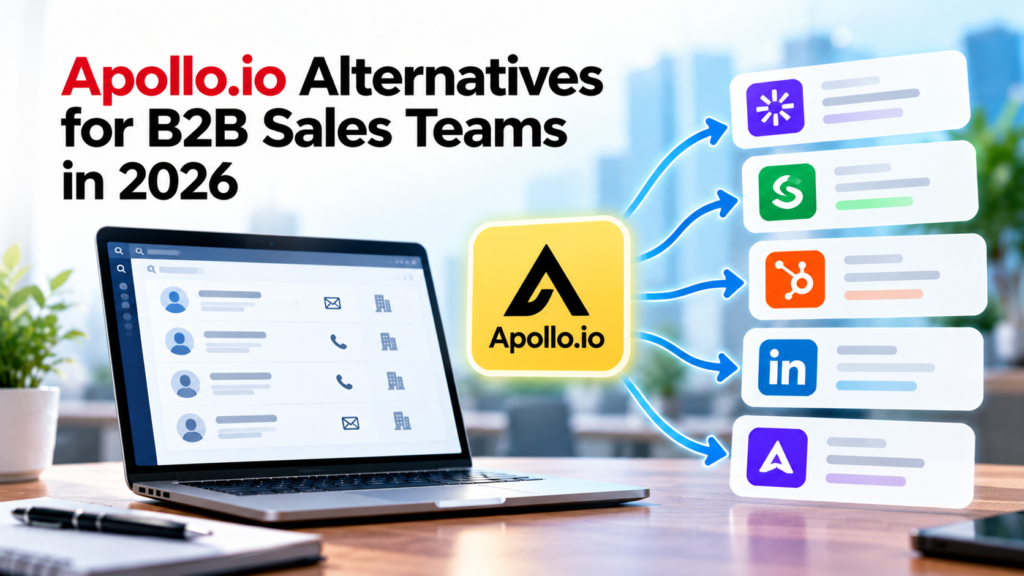
Apollo.io remains a common choice for teams that want contact data, list building, sequences, enrichment, and basic sales workflows in one product. Its 2026 pricing starts at $49 per seat per month on annual billing for the Basic plan, while higher tiers add more credits, workflows, dialer access, and team controls. That package can be a good fit, but it also makes comparison harder because another tool may replace only one part of Apollo while doing that job better for a specific sales motion.
The right Apollo.io alternatives depend on what your team is trying to fix. A company selling into Europe may care most about phone coverage and privacy controls. A smaller outbound or RevOps team may care more about verified email data at a predictable monthly cost or clean CRM write-back from several sources. This guide compares those paths and explains how to test them before you move your sales process.
TL;DR
Apollo.io alternatives fall into several clear groups rather than one universal replacement. ZoomInfo and Cognism suit teams that need deeper account or regional sales intelligence. SalesIntel and UpLead put more weight on verified contact data. Lusha and Hunter are easier fits for lighter prospecting motions. LinkedIn Sales Navigator is strongest when relationship signals and account research matter more than bulk email export. Clay is built around multi-source enrichment and workflow design rather than a single contact database.
The decision should start with your real bottleneck. Compare match rate inside your target market, phone and email accuracy, credit rules, CRM sync, contract terms, privacy handling, and the work required to keep outreach running. Current B2B buying behavior also supports a multi-channel view: McKinsey’s 2026 Global B2B Pulse research found that buyers use many channels across the purchasing journey, which makes a single database metric a weak way to choose sales technology. A tool should fit the way your reps actually find, research, contact, and follow up with buyers.
Why B2B Sales Teams Look for Apollo.io Alternatives in 2026
Most teams don’t replace Apollo.io because one feature is missing. They usually reach a point where the balance between data quality, usage limits, workflow needs, and cost no longer fits the way they sell. Apollo’s current model uses credits for activities such as email reveals, phone data, enrichment, and some research actions, so usage can rise quickly when many reps prospect every day.
Data coverage is another reason teams compare Apollo competitors. A database can look large and still perform unevenly inside a narrow industry, country, seniority level, or account segment. Sales teams that depend on direct dials may care far more about mobile match rate than total database size. Teams that send mostly email may care about verification timing and bounce risk. A useful comparison therefore starts with a sample from your own ideal customer profile instead of a vendor’s headline record count.
Deliverability has also become a larger part of tool selection. Contact discovery and email sending are connected because weak data creates bounces, complaints, and wasted sequence volume. Google now requires stronger authentication and sender behavior for mail sent to Gmail accounts, and its email sender guidelines explain SPF or DKIM requirements for all senders plus added rules for higher-volume senders. That means sales prospecting tools should be judged partly on the quality of the data they feed into your sending process.
Privacy pressure is changing the evaluation as well. Buying access to business contact data doesn’t remove a sales team’s legal duties. The Federal Trade Commission’s CAN-SPAM compliance guide states that the law applies to commercial email and doesn’t provide a business-to-business exception. Teams that sell across several regions need to review the rules that apply to their recipients before they treat any contact database as permission to send.
What to Compare Before Replacing Apollo.io
Start with the job Apollo performs in your current stack. Some companies use it mainly as a database. Others depend on its sequences, enrichment, dialer, intent filters, or CRM updates. Replacing the product without listing those jobs can create a hidden gap. A cheaper contact database can become expensive once you add a sequencer, phone tool, enrichment service, and admin time.
For most B2B sales intelligence tools, 7 comparison areas matter. Measure contact match rate in your ICP, verified email quality, direct-dial coverage, freshness, search filters, CRM behavior, and total cost at expected usage. These are operating measures rather than marketing claims. They also expose the difference between a product that looks broad in a demo and one that works on the records your reps actually need.
Compliance needs a separate review because data rights can differ by market. The European Commission’s GDPR application guidance explains that business email addresses tied to identifiable people can be personal data. This matters when you compare Apollo competitors for European prospecting because a company database and a named employee’s work contact details don’t carry the same privacy treatment.
You should also test how a candidate product handles data removal, suppression, field mapping, and updates. A replacement that writes over trusted CRM values can create more work than it saves. Ask what happens when a contact changes jobs, when a record already exists, when a user opts out, and when your sales team imports a large list. These workflow details often decide whether B2B lead generation software remains useful after the first month. Good B2B sales intelligence tools should also make those rules visible to admins before a large sync begins.
Apollo.io Alternatives at a Glance
The table below compares 9 common options by the job they are most suited to replace. The shortlist was built from vendor documentation and public product or pricing pages checked in September 2026, then grouped by the Apollo function each product is positioned to replace. The fit labels come from that documentation. No hands-on product testing was used. Pricing reflects public information available in September 2026 where a vendor publishes a clear starting price. Quote-based products are marked as such because contract size can depend on seats, data volume, region, and added modules.
| Alternative | Best Fit | Pricing Approach in 2026 | Main Trade-Off vs. Apollo.io |
| ZoomInfo | Enterprise account intelligence and broad sales data | Quote-based | Higher buying commitment and a heavier admin footprint |
| Cognism | Phone-led prospecting and European market coverage | Quote-based | Stronger regional focus but a narrower engagement bundle than Apollo |
| SalesIntel | Human-verified contact data and enrichment | Quote-based | Data-first approach may require a separate engagement tool |
| UpLead | Smaller teams that want verified contacts with clear credits | Starts at $74/month billed annually for Essentials | Lower workflow breadth than Apollo |
| Lusha | Lightweight contact lookup and team prospecting | Starter starts at $37.45/month billed annually | Credit use rises quickly when phone reveals matter |
| LinkedIn Sales Navigator | Relationship-led account research and social prospecting | Core starts at $119.99/month per license | It isn’t a bulk contact-export database |
| Clay | Multi-source enrichment and custom prospecting workflows | Launch starts at $167/month on the annual plan | More setup work and a different usage model |
| Hunter | Email-first prospecting, verification, and sequences | Starter starts at $34/month billed annually | Less emphasis on direct-dial and enterprise account intelligence |
| Outreach | Engagement-first sales execution and multi-channel sequences | Custom pricing based on team needs and usage | Requires a separate data source when broad contact discovery is still needed |
For teams replacing Apollo mainly because they need deeper sequencing or outbound execution, Outreach fills the engagement-first category. Its current platform covers multi-channel sequences, email, voice, SMS, meeting scheduling, tasks, and engagement reporting. Pricing is customized around team needs and usage. Teams that still need a broad contact database should budget for a separate data source or enrichment layer.
No table can identify the right Apollo.io alternatives by itself. The practical question is which product matches your sales motion with the least extra software. Sales prospecting tools should be compared against the actual steps reps complete each day. A call-heavy SDR team should weight direct-dial results and regional coverage. A founder-led team may care more about simple search and verified email. A RevOps group may accept more setup time if the product can combine several sources and keep CRM fields current.
Enterprise Data Options: ZoomInfo and Cognism
ZoomInfo is one of the most established Apollo competitors for larger B2B organizations. Its value comes from broad company and contact intelligence, account research, org structure, intent signals, enrichment, and deep sales-system integrations. It fits teams that have dedicated RevOps support and want a larger account intelligence layer rather than a lightweight prospecting app. Pricing is quote-based, so the buying process usually involves a sales conversation and a contract rather than a simple self-serve checkout.
The main question is whether your team will use that depth. A company with 4 SDRs may pay for fields and workflows it rarely touches, while an enterprise territory team can get more value from account hierarchy and buying-signal context. Before choosing ZoomInfo, test the exact industries and regions that drive your pipeline. Ask for a sample that contains the job levels, company sizes, and phone fields your reps work every week.
Cognism is a stronger fit when European prospecting and phone-led outreach are central. Its current packages are Standard and Pro, both sold through quote-based pricing. Standard covers core contact and company data. Pro adds higher-quality mobile coverage and on-demand verification, with intent data also included. Cognism lists API and bulk delivery under its separate Data-as-a-Service add-on rather than as a Pro feature. The product’s positioning is more focused on sales intelligence than on replacing every engagement function inside Apollo.
That regional focus matters because privacy rules and contact expectations vary. The ICO’s direct marketing guidance for electronic mail explains how UK electronic marketing rules interact with consent, bought-in lists, public contact details, and the type of subscriber being contacted. A team comparing B2B sales intelligence tools for UK or European outreach should review both data coverage and the legal basis for the way it plans to use that data.
ZoomInfo and Cognism therefore solve different versions of the enterprise problem. ZoomInfo is usually evaluated for broad account intelligence across a larger revenue organization. Cognism tends to enter the shortlist when sales teams need better phone-led coverage in Europe and want stronger controls around that use case. Neither is a simple low-cost substitute for Apollo’s self-serve bundle.
Verified Contact Data Options: SalesIntel and UpLead
SalesIntel is a data-first option for teams that care about verified contact information and enrichment. Its public pricing page uses quote-based pricing and emphasizes unlimited export and enrichment access under its current model, with research-on-demand credits included for harder records. It also supports company data, technographics, intent options, browser prospecting, and common CRM connections. That makes it useful for teams that already have a separate engagement platform and want the data layer to do one job well.
The key test is how often its verified data produces a real connection inside your market. SalesIntel publishes claims about human verification, but your own sample should carry more weight than a vendor-wide accuracy number. Pull a set of target accounts from your CRM, identify the buying roles your team cares about, and compare reachable contacts against your current source. Use the same list and the same definitions for every vendor.
UpLead is easier to price because its public plans show clear credit allowances. The Essentials plan starts at $74 per month when billed annually and includes 2,040 credits per year. One credit reveals one contact for download or CRM export and includes the available email and mobile direct dial. Higher plans add more credits and features such as enrichment, technographics, and advanced filters.
That credit structure makes UpLead easier to model for smaller sales teams. You can estimate monthly contact demand and compare it with the allowance rather than treating every lookup type as a separate cost. The trade-off is scope. UpLead is closer to focused B2B lead generation software than a full replacement for Apollo’s built-in engagement and workflow features, so a team that depends on native sequencing may need another product.
Privacy review still belongs in the buying process. The European Commission’s guidance on lawful grounds for processing explains that companies using third-party contact lists for marketing must consider how the data was obtained and whether it may be used for that purpose. A strong contact match doesn’t answer that question, so sales operations should document the intended use before importing large batches into a sequence.
Lightweight Prospecting Options: Lusha and Hunter
Lusha works well for reps who need quick contact lookup, browser-based prospecting, filters, and a lighter sales workflow. Its current annual pricing starts at $37.45 per month for Starter with 4,800 credits per year. Pro starts at $52.45 per month billed annually. Lusha says Data Waterfall is available on Pro and above, while API access is limited to Premium and Scale. Phone reveals use more credits than email reveals, so call-heavy teams need to model the mix rather than compare plan prices alone.
For small teams, that can be easier to manage than a large enterprise platform. Reps can search, reveal contact details, work from the browser extension, and export into other systems without a long implementation project. The limit appears when a team needs deeper account hierarchy, large-scale enrichment, or a more advanced engagement layer. In those cases, Lusha may replace only the contact-finding part of Apollo.
Hunter takes an email-first approach. Its 2026 Starter plan is $34 per month when billed yearly and includes 24,000 annual credits, advanced search filters, lead enrichment, email verification, and sequence features. Hunter also allows unlimited team members on its current plans, with usage controlled through a shared credit pool. That makes the cost model different from seat-based sales prospecting tools.
Email verification is useful, but it should sit inside a wider sender-quality process. Google Postmaster Tools dashboards report spam rate, authentication, domain reputation, and delivery errors for mail sent to personal Gmail accounts. Sales teams comparing B2B lead generation software should therefore test both record quality and the effect of their sending practices after those records enter a sequence.
Lusha and Hunter are practical Apollo.io alternatives when the buying need is narrow. Lusha fits mixed contact lookup with phone and email. Hunter fits teams that center prospecting on email discovery, verification, and simple sequences. Both can be easier to adopt than an enterprise sales intelligence suite, but neither should be bought as a one-for-one replacement without checking the rest of your workflow.
Social and Relationship Prospecting: LinkedIn Sales Navigator
LinkedIn Sales Navigator belongs in this comparison because many B2B sellers use Apollo for discovery but still rely on LinkedIn for account research, job changes, mutual connections, and buyer activity. Sales Navigator Core starts at $119.99 per month per license, while Advanced starts at $159.99 per month per license. Advanced Plus uses custom pricing and adds deeper CRM connections for teams that want LinkedIn context inside their sales system.
Sales Navigator is different from a standard contact database. It helps reps find and follow people and accounts inside LinkedIn, apply advanced search filters, save leads, receive alerts, and use InMail. That makes it especially useful in enterprise sales where relationship context can matter as much as an email address. It also suits teams that prospect into buying committees and need to track role changes across an account.
The limitation is equally important. Sales Navigator doesn’t operate like a bulk email-export tool, so teams that need verified work emails or direct dials usually pair it with another data source. Treating it as a full Apollo replacement can leave a gap in outbound execution. Treating it as the research layer inside a two-tool stack can make more sense.
This wider view matches current B2B behavior. McKinsey’s research shows that buyers move across many interaction channels, so a sales stack built around a single contact path can miss useful signals. The practical value of sales prospecting tools is therefore tied to how well they support your real account process rather than how many features appear on one pricing page.
Workflow and Multi-Source Enrichment: Clay
Clay differs from most Apollo competitors because it acts as a workflow and enrichment layer across many data sources. Teams can start with a list, run several enrichment steps, use multiple providers in a waterfall, research companies, apply logic, and send results into a CRM or engagement tool. This is useful when no single database covers enough of your market or when RevOps wants to control the order in which data providers are queried.
Clay changed its pricing model in 2026. Current plans separate actions from data credits. Actions measure workflow work such as enrichments and executions, while data credits pay for third-party data or certain AI usage from Clay’s marketplace. The Launch plan starts at $167 per month on the annual plan, with included actions and a separate data-credit allowance. This model can be efficient for carefully designed workflows, but it takes more planning than a simple per-seat database subscription.
The strongest use case is controlled enrichment. A team can define a field, try one provider, fall back to another if the first returns no match, and write the accepted result into a system of record. That can improve coverage, but it also creates more choices about data sources and record handling. RevOps needs clear rules for source priority, confidence thresholds, duplicates, and suppression.
Those choices have privacy consequences. NIST’s Privacy Framework gives organizations a risk-management structure for identifying and governing privacy work, which is useful when several data sources feed the same sales workflow. Clay can be powerful B2B lead generation software for an operations-led team, but the buyer should budget for workflow design and governance instead of treating it as another contact database.
Cost and Credit Models You Need to Compare
Sticker price is one of the weakest ways to compare Apollo.io alternatives. The useful number is cost per usable prospect or cost per seller workflow. B2B lead generation software can look inexpensive until verification and export usage are added to the monthly model. A $40 plan can become expensive if phone data burns credits quickly. A higher-priced annual contract can be easier to budget if it includes the records and enrichment volume your team already knows it will use.
Start by modeling 1 month of real activity. Count how many new contacts each rep reveals, how many mobile numbers matter, how many records need enrichment, how many exports are pushed to the CRM, and how many seats truly need access. Then map those actions to each vendor’s billing rules. This turns vague pricing into a comparable operating estimate.
Credit expiry also matters. Apollo’s current plans grant annual credit allowances on paid annual tiers, and unused credits don’t roll over after the billing cycle. Lusha, UpLead, Clay, and other tools use different definitions of a credit, so the same word can represent very different actions. Never compare two credit totals until you know what 1 credit buys in each product. B2B sales intelligence tools can use the same credit label for very different actions.
Contract structure matters for larger B2B sales intelligence tools. Quote-based vendors may bundle seats, data access, support, and modules into a larger agreement. Ask for renewal language, overage rules, data-retention terms, and what happens to exported records if the contract ends. These details can change the real cost more than a small difference in monthly seat price.
Compliance, Data Rights, and Deliverability in 2026
A prospecting tool should help your team manage data responsibly, but the tool can’t carry your legal responsibility for you. Sales operations should know what personal data is collected, where it came from, why it is being used, and how objections or deletion requests are handled. This is especially important when a team combines several Apollo competitors or enrichment sources.
For EU-linked prospecting, the European Data Protection Board’s guidelines on legitimate interests explain the balancing work required when organizations rely on legitimate interests for processing. The rules don’t turn every business contact into a usable marketing lead. Teams need a lawful basis, a clear purpose, and a way to respect the rights of the person behind the record.
California added another current issue. Under the state’s Delete Act, data brokers must use the California Privacy Protection Agency’s DROP requirements for data brokers beginning August 1, 2026 to process eligible deletion requests through the state’s mechanism. Sales teams aren’t automatically data brokers because they buy a prospecting tool, but this change is a reason to ask vendors how they handle deletion signals and downstream records.
The state’s data broker registry also gives buyers a way to see how registered data brokers describe their activities. A procurement review can use that information alongside the vendor’s privacy notice, security documents, and contract terms. The goal is to understand the data supply chain before a large contact feed enters your CRM.
Deliverability deserves the same seriousness. NIST’s email authentication publication explains SPF, DKIM, and DMARC as key mechanisms for verifying email sources and domain alignment. A clean lead list can’t compensate for weak domain authentication or poor sending behavior, so migration testing should include the email infrastructure around your sales prospecting tools. Sales prospecting tools with built-in sending still depend on the reputation of your domains and mailboxes.
How to Test Apollo.io Alternatives Before You Buy
A strong trial uses the same sample, workflow, and success rules for every vendor. Start with 100 to 300 accounts from your real target market rather than a list chosen by the vendor. Include easy records and hard records. If your team sells across regions, split the sample so one strong geography doesn’t hide weak coverage somewhere else.
Measure contact match rate by role and account, with raw record count kept as supporting context. Then verify a sample of emails and phone numbers through your normal outreach process. Track valid emails, bounced emails, connected calls, wrong numbers, job changes, duplicates, and missing fields. This gives you a practical view of B2B sales intelligence tools instead of a demo view.
Your evaluation should also test writeback behavior. Create a sandbox or controlled CRM segment, map fields, and check how the candidate handles existing data. The European Commission’s guidance on individual requests and objections explains that people can object to direct marketing processing under GDPR, so suppression and objection handling should survive every import and sync path.
For email-led teams, watch sending health during the test. Google reports that its Postmaster dashboards can show authentication status, spam rate, reputation, and delivery errors. If a new data source increases bounce or complaint pressure, that should affect the buying decision even if the vendor produced more contacts.
Finally, compare rep effort. Time how long it takes a seller to build a clean list, research an account, push data to the CRM, and start outreach. A product that saves $20 per seat but adds hours of cleanup can lose the cost comparison. The best Apollo.io alternatives reduce the work that matters inside your specific process.
How to Migrate From Apollo.io Without Breaking Your Sales Process
1. Map Current Use. Migration should begin with an inventory. List every Apollo feature your team uses today, including search filters, saved lists, sequences, enrichment jobs, dialer settings, CRM mappings, suppression lists, and reporting. Mark which functions will move to the new product and which will stay elsewhere. This prevents a contact-data purchase from accidentally removing an engagement or reporting function.
2. Export Allowed Data. Export only the data you are allowed to retain under your contract and internal policy. Keep a record of source, last verification date, owner, consent or objection status where relevant, and the fields your team trusts. The European Commission’s GDPR principles guidance stresses accuracy, purpose limitation, and data minimization, which are useful migration rules even for teams operating beyond the EU.
3. Run a Parallel Test. Run the new system in parallel for a short period. Route a controlled group of reps or territories through the replacement while the rest of the team stays on the existing setup. Compare contact quality, rep time, meeting creation, bounce rate, and CRM cleanliness. A parallel test gives you evidence before you cancel a contract or rebuild every workflow.
4. Protect Suppression Data. Protect suppression data during the move. Opt-outs, do-not-contact flags, and privacy requests should be treated as control records rather than ordinary leads. If those values disappear during a CSV transfer or field remap, the new stack can create legal and reputation risk. Build a test that proves suppression survives search, enrichment, export, and sequence entry.
5. Check Sender Setup. Plan deliverability separately from data migration. A new sequencing tool or mailbox setup can change authentication and sending patterns even if the lead source stays the same. The FTC’s email authentication guidance for small businesses explains the role of SPF, DKIM, and DMARC in protecting a sending domain. Check those records before you increase outbound volume on a new platform.
Final Takeaway
There is no single replacement that beats Apollo.io across every sales job. The market has split into focused options. ZoomInfo and Cognism serve deeper enterprise or regional intelligence needs. SalesIntel and UpLead focus more tightly on contact data. Lusha and Hunter suit lighter prospecting. LinkedIn Sales Navigator supports relationship-led research. Clay gives operations teams more control over multi-source enrichment.
That is why the best Apollo.io alternatives should be chosen by failure point rather than feature count. Start with the part of your current process that creates the clearest measurable loss, such as rep time or pipeline quality. Test competing products against your own account list. Model the credit rules at normal monthly usage. Check the privacy and deliverability controls around the workflow. Then choose the smallest stack that covers the work your sellers actually do. That testing discipline matters more than broad feature counts when comparing Apollo.io alternatives in 2026.
FAQs
What Are the Best Apollo.io Alternatives in 2026?
The strongest options depend on the job you need to replace. ZoomInfo and Cognism fit deeper sales intelligence needs. SalesIntel and UpLead focus on verified contact data. Lusha and Hunter work well for lighter prospecting. LinkedIn Sales Navigator supports account research and relationship selling. Clay fits multi-source enrichment workflows.
Which Apollo Competitors Are Best for Small B2B Sales Teams?
Smaller teams often compare UpLead, Lusha, and Hunter because they publish self-serve pricing and can be adopted without a large implementation. The right choice depends on whether the team needs phone data, verified email, built-in sequences, or CRM enrichment.
Which Apollo.io Alternative Is Best for European Prospecting?
Cognism is commonly considered for European prospecting because it focuses on regional contact data, mobile verification, and compliance controls. Teams should still test coverage inside their exact countries and buyer roles before signing a contract.
Is ZoomInfo a Direct Alternative to Apollo.io?
Yes, but the buying model is different. ZoomInfo is generally aimed at larger teams that need deeper company intelligence, contact data, intent signals, enrichment, and enterprise integrations. Apollo has a stronger self-serve entry point and combines data with more built-in engagement features at lower published starting prices.
Is LinkedIn Sales Navigator a Replacement for Apollo.io?
It can replace part of the research and discovery workflow, but it isn’t a direct bulk contact database replacement. Teams often use Sales Navigator for lead discovery, account monitoring, role changes, and relationship context while using another product for verified email or phone data.
Is Clay an Apollo.io Alternative or an Add-On?
It can be either. Clay can replace some list building and enrichment work, but its main strength is combining several sources in one workflow. Some teams keep another database or engagement tool and use Clay as the enrichment and routing layer.
Which Apollo.io Alternatives Offer Public Pricing?
UpLead, Lusha, LinkedIn Sales Navigator, Clay, and Hunter publish starting prices for at least some plans. ZoomInfo, Cognism, and SalesIntel use quote-based pricing for their main B2B sales products, so final cost depends on the package and contract.
What Should I Test During an Apollo.io Alternative Trial?
Use your own target-account sample and measure contact match rate, valid emails, phone connections, job accuracy, duplicate handling, CRM writeback, and rep time. A trial should mirror normal selling work rather than a vendor-selected demo list. B2B lead generation software earns its place when the test shows cleaner usable records inside that normal workflow.
How Do Credits Differ Across Sales Prospecting Tools?
A credit can mean an email reveal, a phone number, a contact export, an enrichment action, or a data purchase depending on the vendor. Compare the action behind the credit and estimate monthly usage before comparing plan allowances.
Which Apollo Competitors Are Better for Verified Phone Data?
Cognism, SalesIntel, UpLead, Lusha, and ZoomInfo are often evaluated by teams that depend on direct dials. Actual phone quality varies by geography and buyer segment, so a sample test is more useful than a vendor-wide coverage claim.
Which Apollo.io Alternatives Are Better for Email-First Prospecting?
Hunter is built strongly around email finding, verification, and sequences. UpLead and Lusha also support email-led prospecting with contact data. The right choice depends on whether your team also needs phone numbers, intent signals, or deeper account research.
Do B2B Sales Intelligence Tools Guarantee Data Accuracy?
No tool can guarantee that every record is current. People change roles, companies change domains, and phone numbers change. Vendors use different refresh and verification methods, so buyers should test recent records from their own target market and set internal rules for re-verification.
Can I Use B2B Lead Generation Software for Cold Email?
The software can supply contact data and may include sending features, but your company is still responsible for following the laws and platform rules that apply to the message. Review sender authentication, unsubscribe handling, privacy rights, and local marketing rules before increasing volume.
How Long Should an Apollo.io Migration Take?
The timeline depends on how many Apollo functions your team uses. A data-only move can be relatively short, while a move involving sequences, dialer setup, CRM mappings, reports, suppression data, and several teams needs more testing. A controlled parallel period reduces the risk of broken workflows.
Should a Sales Team Use One Apollo.io Alternative or Several Tools?
Use the fewest products that cover the work well. A small team may prefer one platform for data and outreach. A larger team may get better results from separate tools for account research, contact data, enrichment, and engagement if RevOps can manage the added connections and governance.