What Is B2B Data Enrichment and How It Improves CRM Records
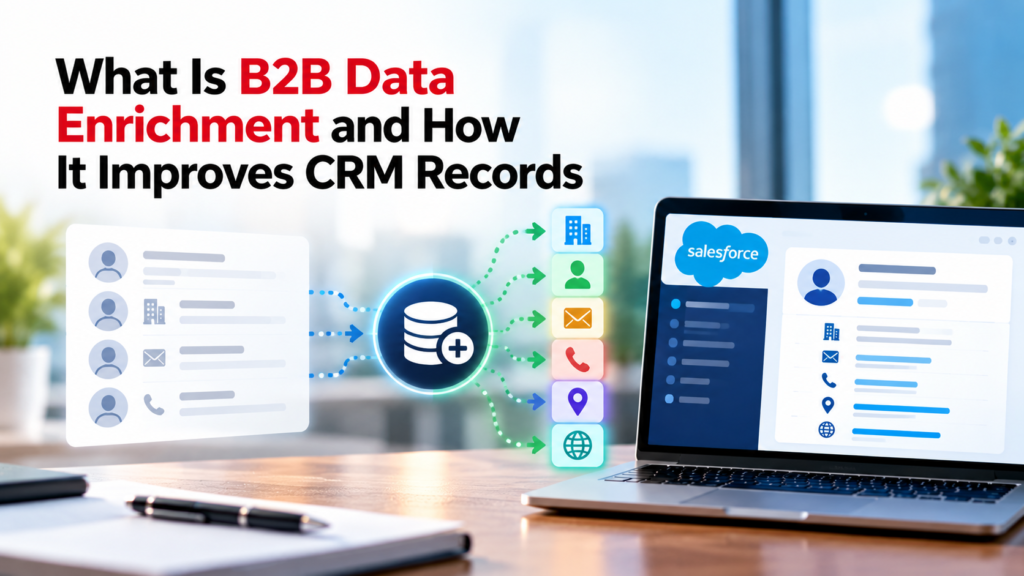
A CRM can hold thousands of contacts and accounts while still giving sales and marketing teams very little useful context. Records often arrive with a name and work email, then sit for months while job titles change, companies grow, domains change, and teams add information in different formats. Enrichment fills those gaps by adding current business information to records that already exist.
The useful part of enrichment is what happens after the data is added. Better company fields can improve routing. Better contact fields can reduce manual research. Standardized values can make reporting easier to trust. Those gains depend on how the data is matched, written into the CRM, checked, and refreshed. A weak setup can fill more fields while creating duplicate accounts, overwriting trusted values, or adding data that nobody uses.
This guide explains how enrichment works, how the data enrichment process handles records, which fields matter, how it affects CRM data quality, and how to build rules that protect existing CRM records. It also covers B2B contact data, batch and real-time enrichment, measurement, privacy, and the mistakes that tend to cause the most trouble.
TL;DR
B2B data enrichment adds verified or updated business information to contact and account records you already have. It can fill missing job titles, company details, business locations, industry codes, phone numbers, and other fields that support routing, scoring, segmentation, reporting, and account research. Salesforce describes enrichment as improving existing data with information from another trusted source so the data becomes more complete, current, or useful through its data enrichment fundamentals guidance, and that definition captures the core idea well. The value comes from choosing fields that change a real CRM decision, matching records carefully, controlling when new values can overwrite old ones, and refreshing the fields whose accuracy changes over time.
For most teams, enrichment works best as part of a broader data quality program. Enrichment can fill blanks, but it doesn’t replace validation, standardization, duplicate control, field ownership, or privacy rules. The strongest setups treat enrichment as a governed flow: inspect the current record, match it to a trusted source, add only useful fields, record the source and date, then monitor whether those fields still help the business process that depends on them.
What Is B2B Data Enrichment?
B2B data enrichment is the process of adding, correcting, or refreshing business information on existing company and contact records. The starting record might contain only a first name, last name, work email, and company. After enrichment, the same record may include a current job title, department, seniority, company size range, headquarters location, industry classification, and other facts that help a team understand the account or person.
The important word is existing. Enrichment begins with a record or identifier that already exists in your CRM, marketing platform, spreadsheet, or data warehouse. A provider or internal source tries to match that record to other information, then returns fields that can be appended or used to correct stale values. CRM data enrichment therefore differs from buying a new prospect list because the goal is to improve records you already hold rather than create an unrelated database.
A practical definition also needs to include field usefulness. Adding 40 extra properties to a contact doesn’t automatically make the record better. A field improves the record when it helps a person or system make a more accurate decision. Company size might change account assignment. Country might affect territory routing. Seniority might affect lead scoring. A field that no workflow, report, segment, or person uses adds storage and maintenance work without improving the CRM record.
Good enrichment also protects the meaning of the original data. A field entered by a customer, confirmed by a salesperson, or synced from a billing system may deserve more trust than a newly appended third-party value. That is why enrichment needs source priority rules instead of a blanket instruction to replace any value that looks old. The same principle applies to B2B contact data because a current title can change quickly while a company legal name may remain stable for years.
How B2B Data Enrichment Works
The data enrichment process usually starts with an identifier that can be matched with reasonable confidence. For a person, that identifier may be a work email, professional profile URL, or a combination of name and employer. For a company, it may be a web domain, legal name, registration number, or another stable key. The quality of the match matters because a wrong match can create a record that looks complete while describing the wrong person or company.
After matching, the enrichment source returns candidate values. The CRM or middleware layer then decides what to do with each field. Some values can fill blanks automatically. Others may be written only when the current value is older than a set date. Sensitive or high-impact fields may need a review queue. Salesforce’s data quality guidance places third-party data integration alongside duplicate management, which is useful because enrichment and CRM data quality controls need to work together rather than as separate projects.
A mature flow also records where the value came from and when it was checked. A title with a source date from last week is different from a title with no source history. A company size range from a regulatory filing is different from a value inferred from a web page. Provenance gives RevOps or data owners enough context to resolve conflicts instead of treating every populated field as equally reliable.
The final stage is activation. Enriched fields may update routing rules, scoring, account tiers, territory views, or reporting. That step is where the data becomes useful. If a newly populated employee-count field never affects a decision, the data enrichment process has added work without adding much value. Teams should be able to explain what each enriched field changes inside the CRM before they pay to collect or maintain it.
What Data Gets Added to CRM Records?
B2B enrichment can add person-level and company-level information. The field set should follow the decisions the CRM needs to support. A sales team that routes by geography needs different data from a marketing team that segments by industry, and both may need different fields from a customer success team that tracks account structure.
Contact-Level Fields
Common B2B contact data includes job title, department, seniority, work email status, direct phone number, business location, and professional profile identifiers. These fields can help teams decide who owns a record, whether the person matches a buying role, and whether the contact details still appear usable. Person-level data changes often, so a source date and refresh rule matter as much as the value itself.
A useful contact field should map to a defined CRM property. Free-text titles are a good example. One source may return “VP Sales” while another returns “Vice President of Sales.” If the CRM needs seniority for routing, the raw title can stay intact while a normalized seniority field stores an approved value such as VP. That keeps the original information while giving workflows a consistent field to use.
Company And Firmographic Fields
Company enrichment often covers domain, headquarters location, employee count range, revenue range, ownership type, industry, and parent-child relationships. Industry fields need care because sources may use different classification systems. In the United States, the Census Bureau explains that NAICS is the standard federal statistical agencies use to classify business establishments, so a CRM using NAICS should store the code and the mapping rule behind it.
Address fields also benefit from standard formats. USPS Publication 28 defines postal addressing standards and explains how standardized address elements support matching and list maintenance. Consistent address fields can help duplicate detection even when direct mail isn’t part of the program.
Technographic And Derived Fields
Some programs add information about software a company appears to use. Treat those fields as time-sensitive observations because companies migrate systems and may run different tools across business units. Derived fields, such as an ICP tier or role category, should stay separate from raw source fields so teams can change the calculation later without losing the original value.
Why CRM Records Become Incomplete Or Stale
CRM records drift because the real world changes and because data enters the system through many paths. People change employers. Job titles shift. Companies move offices, change names, acquire other businesses, or update their web domains. Even a perfectly entered record can become inaccurate without anyone touching the CRM.
Manual entry adds another source of variation. A rep may type a company name one way while an integration uses another. A form may accept free text for state, industry, or employee count. A bulk import may contain a different country format. Over time, the CRM accumulates values that mean the same thing but can’t be grouped cleanly in a report.
Duplicates make the problem harder. The same buyer may exist as a lead and contact, or the same account may appear under a brand name and legal name. Salesforce recommends using duplicate management to identify and manage duplicate records, and the reason matters for enrichment: enriching both copies can make each duplicate look more complete while preserving the underlying identity problem.
Incomplete fields are also created by design. Short web forms often ask for only the information needed to complete the immediate action. Imports from events or partner systems may carry only a few columns. CRM data enrichment can help fill the missing business context after capture, but it shouldn’t become an excuse to collect every possible attribute. The field list still needs to reflect the decisions that sales, marketing, operations, or service teams actually make.
How B2B Data Enrichment Improves CRM Data Quality
Enrichment improves CRM data quality when it raises the usefulness of important fields without damaging trusted information. IBM describes common data quality dimensions such as accuracy, completeness, consistency, timeliness, validity, and uniqueness. Those dimensions give teams a better test than simply counting how many blanks were filled.
Completeness is the most visible gain. If routing requires industry and employee count, enrichment can fill records where those values are missing. Accuracy is harder because a populated field can still be wrong. Teams need a trusted reference, confidence rule, or review path for fields that can materially change a sales or marketing decision.
Timeliness matters because B2B contact data changes. A title checked last week may be more useful than one verified 18 months ago. Consistency improves when returned values are normalized before they reach operational fields. Microsoft Purview’s data quality overview treats completeness, consistency, accuracy, freshness, and uniqueness as separate checks. CRM teams can use the same idea even if their tools are different.
Uniqueness needs its own control. Enrichment shouldn’t create a new account when a matching one already exists, and it shouldn’t update duplicate contacts as if they were independent people. Microsoft documents deduplication rules that identify duplicate records before unification. The broader lesson is simple: identity resolution should happen before enriched values are trusted at scale.
Cleaner fields also improve day-to-day CRM work. Standardized geography can make territory routing more predictable. Current role information can support lead scoring. Normalized industry data can produce cleaner segments and reports. These gains come from field definitions and workflow rules, not from the number of attributes a provider can return.
Practical CRM use becomes clearer when each field is tied to an action. An inbound lead with a verified country and employee range can be routed to the right territory and segment before a rep opens the record. A current job title and seniority level can support qualification by showing whether the contact fits the buying role used in the lead-scoring model.
Enrichment can also make segmentation and rep research more useful. Marketing can group accounts by industry or company size using normalized values instead of mixed free text. A rep preparing for a call can use current role, company size, parent-company, and technology fields as starting context, then confirm anything that matters before acting on it.
B2B Data Enrichment Vs Cleansing Validation And Deduplication
These terms overlap, but they solve different problems. Enrichment adds or refreshes information. Data cleansing corrects or removes bad values. Validation checks whether a value follows an expected rule. Deduplication identifies records that represent the same real-world person or company. A healthy CRM usually needs all of them, but the order matters.
Validation should happen at entry where possible. Salesforce explains that validation rules can stop a record from being saved when data fails defined conditions. In a general CRM design, the same idea can be used for required formats, allowed values, or dependencies between fields. Validation reduces avoidable errors before enrichment has to deal with them later.
Cleansing comes into play when the existing value is malformed, outdated, or inconsistent. For example, a company domain may include a protocol prefix in one record and only the host name in another. A state field may contain full names, abbreviations, or spelling errors. Cleaning those values before matching can increase the chance that the data enrichment process finds the correct person or account.
Deduplication should happen before or alongside enrichment. If 3 records represent the same account, enriching all 3 can increase cost and make later merging harder because each record may receive a different source date or value. The better order is to identify likely duplicates, decide which record should survive, preserve useful history, then enrich the resulting record.
Enrichment comes after those controls have created a stable place for the new values. That doesn’t mean every workflow must be strictly sequential. Real-time systems often run checks within seconds. The point is logical dependency: matching and write-back work better when identity and field rules are already defined.
| Activity | Primary Purpose | Typical Example | Main Risk If Skipped |
| Validation | Stop invalid values from entering | Require a valid country code | Bad formats spread across records |
| Cleansing | Fix incorrect or inconsistent values | Standardize domains and locations | Matching becomes less reliable |
| Deduplication | Combine records for the same entity | Merge 2 accounts for one company | History and reporting split |
| Enrichment | Add or refresh useful context | Add employee range or current title | Records stay incomplete or stale |
Batch Vs Real-Time CRM Data Enrichment
Batch enrichment updates a group of records at scheduled times. Real-time CRM data enrichment runs when a record is created, updated, viewed, or pushed through a workflow. Neither method is automatically better. The right choice depends on how quickly the field changes and how soon the business needs it.
Batch processing works well for backlogs and periodic maintenance. A team can export or process a defined segment, review match rates, inspect conflicts, then write approved values back to the CRM. It also makes cost easier to control because the team can limit enrichment to active accounts or records that meet a business condition.
Real-time processing is useful when a field affects an immediate action. An inbound lead may need company size and location before routing. A new account may need an industry category before it enters a nurture path. The tradeoff is that real-time flows need stricter matching and fallback rules because a bad value can trigger the wrong automation within seconds.
Many teams use both. They enrich new high-priority records in real time, then run a scheduled process to refresh older records. The refresh cadence should follow field volatility. B2B contact data such as title or employer may need more frequent checks than a legal company identifier. Static fields don’t need to be repurchased or rewritten on the same schedule as fast-changing ones.
How To Build A B2B Data Enrichment Process
A good data enrichment process starts with the CRM decisions that fail because fields are missing or unreliable. List those decisions first, then work backward to the smallest set of data needed to support them. This gives each enriched field a reason to exist and makes the project easier to measure.
Audit The Fields That Matter
Measure the fields used in routing, scoring, segmentation, reporting, and handoffs. Record the current fill rate, accepted values, source, age, and whether users trust the field. A field can be nearly complete and still be poor if its values are inconsistent. Another field may have many blanks but cause no real problem because no active workflow uses it.
Keep person and account fields separate during the audit. Contact records can change quickly and may need different matching keys. Company records may require domain normalization, parent-account logic, or location rules. That separation reduces the chance that a contact refresh changes an account-level fact by mistake.
Define Match Rules Before Calling A Source
Match logic should be explicit. Exact domain matching can work for many company records but fail when brands share a parent. Exact email matching can work for contacts but fail after a job change. Lower-confidence matches should be reviewed instead of written automatically. Store a match status or confidence level where possible so later users know whether the result came from a strong identifier or a weaker combination of fields.
Evaluate the source before trusting its values. Test a verified sample and measure field-level accuracy, coverage for the records you care about, how recently each value was checked, and whether the source explains where the data came from. Compare returned values with trusted CRM records and with another source when possible. If sources disagree on a field that affects routing or scoring, define which source wins or send the record to review before write-back.
Run a controlled pilot
Use a small sample before broad CRM write-back. Include clean records, incomplete records, known duplicates, and a few records with trusted values that can be checked against the source. Review match accuracy, field disagreements, overwrite behavior, and any downstream workflow that would fire. Fix the rules before expanding the process to the full CRM.
Normalize Before Write-Back
Returned values should be mapped into CRM formats before they update operational fields. Industry can map to an approved category list. Employee counts can map into ranges. Country and state can map to controlled values. Phone numbers can use one storage format while the original source value is retained when audit context matters.
Write Back With Source And Date
Important enriched fields should answer 2 questions: where did this value come from, and when was it last checked? Store that information in dedicated fields, history, or an audit store. A source date also supports selective refresh, so the team can update aging fields instead of repeatedly processing the full database.
How To Set CRM Field Rules Before Enrichment
Field rules determine whether enrichment improves the record or damages it. Before enabling write-back, decide who owns each field, which sources are trusted, when a value can be replaced, and what happens when sources disagree. These decisions belong in a field-level policy, not only in integration code.
A simple rule is “fill blanks only,” but that can preserve stale information forever. A stronger rule can consider source priority and age. For example, a job title confirmed by the contact 10 days ago may outrank a third-party title checked yesterday. A title entered manually 3 years ago may be eligible for replacement if the new match is strong and the source meets your quality standard.
Protected fields need extra care. Contract terms, billing data, consent records, support status, or values confirmed during an active customer conversation shouldn’t be overwritten by a general enrichment feed. The enrichment layer should either skip those fields or write the external value to a separate comparison field for review.
Conflict handling should also be visible. If an outside source says an employee count is 800 while the CRM says 1,200, silently replacing the value may change territory assignment or account scoring. A better design can flag material changes, apply a defined tolerance, or queue the record for review. The chosen rule should reflect how much harm a wrong value could cause.
Field definitions belong in the same policy. “Revenue,” “employee count,” and “headquarters” can mean different things across sources. A global company may have a parent revenue figure and a local subsidiary figure. A source may estimate employee count while another reports a range. Store definitions clearly enough that reports don’t compare values that only look equivalent.
How To Measure Whether Enrichment Is Working
Measurement should connect each enriched field to the job it is meant to improve. Counting populated fields is useful, but it is only a starting point. CRM data quality can rise on completeness while routing accuracy stays flat because the wrong fields were filled or the values don’t fit the routing logic.
Track completeness, freshness, validity, uniqueness, and conflict rates for fields used in important workflows. The same quality dimensions described by IBM can be applied at field level. A value can be complete and valid while still being stale, so one score shouldn’t hide a weakness in another area.
Then measure workflow outcomes. If enrichment was meant to reduce manual research, compare preparation time before and after the change. If it was meant to improve routing, track reassignment rates and exception queues. If it was meant to improve segmentation, check whether users trust the resulting segments and whether the records now qualify under defined rules.
A practical scorecard can track required-field completion, the share of values with a source and date, match rate, conflict rate, duplicate rate, manual reassignments, and refresh backlog. Cost should be compared with active use. Paying to enrich dormant records can make the database look fuller without producing equal value, so cost per usable enriched record is often more useful than total records processed.
Privacy Security And Data Governance
B2B enrichment can involve personal data even when the context is professional. A work email, direct phone number, professional profile, or job title can relate to an identifiable person. Privacy rules therefore belong in the design, especially when information comes from outside sources or crosses regional boundaries.
For UK personal data, the ICO says organizations should take reasonable steps to ensure information is accurate and keep it updated when necessary for the purpose. Its accuracy principle guidance also stresses recording sources and correcting inaccurate information when needed, which is directly relevant to CRM records and enrichment provenance.
The ICO’s data minimisation guidance says personal data should be adequate, relevant, and limited to what is necessary for the stated purpose. An enrichment project should therefore be able to explain why each person-level field is collected instead of assuming a larger profile is always more useful.
For organizations covered by the EU GDPR, personal data processing needs an appropriate lawful basis. The European Commission lists bases including consent, contract, legal obligation, public interest, vital interests, and legitimate interests when the required conditions are met. When personal data comes from another source, transparency duties can also require the organization to tell the person what data is being processed, why it is being used, and where it came from, subject to applicable exceptions. The Commission says this information generally must be provided within 1 month, at first communication, or when the data is first disclosed to another recipient. In California, the Attorney General’s CCPA overview explains consumer rights related to personal information collected by covered businesses. Legal or privacy owners should review how those rules apply to a specific program.
Email outreach adds another requirement set. The FTC’s CAN-SPAM compliance guide covers U.S. commercial email rules such as accurate header information and a working opt-out method. Finding a business email through enrichment doesn’t replace the rules that apply to its use.
Security controls should cover access, vendor credentials, exports, retention, and deletion. Vendor agreements should also address source rights and what happens to stored data when the relationship ends. Those controls should apply across the full enrichment flow.
Common B2B Data Enrichment Mistakes
A common mistake is enriching the whole CRM before deciding which fields matter. Teams see a long attribute catalog and assume more context will create more value. The usual result is higher processing cost and records filled with properties that no workflow uses.
Another mistake is writing every returned value directly into the main CRM field. That can replace information a customer or rep confirmed more recently. Source priority, date checks, and protected fields should exist before automatic write-back begins.
Weak matching causes quieter damage. A wrong company match can populate a plausible industry, employee count, and location, making the record look trustworthy. Matching rules should be tested on records you can verify, with separate tests for contacts and accounts.
Teams also skip normalization or treat enrichment as a one-time cleanup. Inconsistent country, industry, or title formats still break filters and reports. Time-sensitive fields also start aging as soon as they are written, so the team needs a refresh policy based on field use and rate of change.
Finally, don’t judge success by match rate alone. A source can match many records and still return values that don’t improve CRM data quality for your market. Test field-level disagreement and confirm that the returned values improve the workflows that justified the project.
Conclusion
B2B data enrichment improves CRM records when it adds current information that changes a real business decision and when the write-back rules protect trusted data. The work begins with a clear field purpose, careful matching, and a standard for what good data looks like. It continues with source tracking, refresh rules, and quality checks that reflect how the CRM is actually used.
A good result is a CRM where people and systems can rely on the fields that drive routing, scoring, segmentation, and reporting. Tying the data enrichment process to those needs makes enrichment a practical part of CRM data quality and gives teams clearer reasons to trust the data they use.
FAQs
Is B2B Data Enrichment The Same As Buying A Contact List?
No. It starts with records or identifiers you already have and adds or updates information about those records. Buying a contact list usually creates a new set of prospects. The privacy, consent, source, and quality questions can also differ because the two activities don’t use data in the same way.
How Often Should Enriched CRM Data Be Refreshed?
Refresh timing should depend on how quickly the field changes and how the field is used. Job title and employer data may need more frequent checks than a legal business identifier. High-priority active records can also justify a faster refresh cycle than dormant records that don’t affect current sales or marketing work.
Should Duplicates Be Removed Before Enrichment?
Usually, yes. Duplicate records can cause the same person or company to be enriched more than once, which raises cost and can create conflicting values. A team should identify likely duplicates, decide which record should survive, preserve useful history, and then enrich the surviving record or controlled set of records.
What Is B2B Contact Data?
B2B contact data is business-related information about a person connected to an organization. It can include a work email, job title, department, seniority, business phone number, employer, and professional location. Because much of this information can identify a person, privacy and access rules may still apply.
Can Data Enrichment Overwrite Good CRM Data?
Yes. Automatic write-back can replace a value that was entered by a customer, confirmed by a rep, or synced from a more trusted system. Field-level source priority and age rules can reduce this risk. Some fields should be protected from enrichment or updated only after a conflict review.
Does B2B Data Enrichment Require A Third-Party Provider?
No. A company can enrich records from internal systems, partner data, public reference sources, or a mix of sources. A third-party provider is useful when it can supply fields that the organization can’t maintain efficiently on its own. The same matching, governance, and quality rules still apply regardless of source.
Can Enrichment Help With Lead Scoring?
Yes, if the scoring model depends on fields that are currently missing or stale. Enrichment can add company size, industry, location, role, or other inputs used by the model. It won’t improve a weak scoring model by itself, so teams should also test whether those fields actually relate to the qualification decisions they make.
What Should A Team Check Before Starting B2B Data Enrichment?
Check which CRM decisions need better data, which fields drive those decisions, how complete and current those fields are, and which source owns each value. Then define matching rules, write-back rules, source tracking, refresh timing, and privacy controls. A small verified test is safer than enriching the entire database at once.