Salesforce Marketing Cloud Sender Authentication Checklist: SPF, DKIM, and DMARC
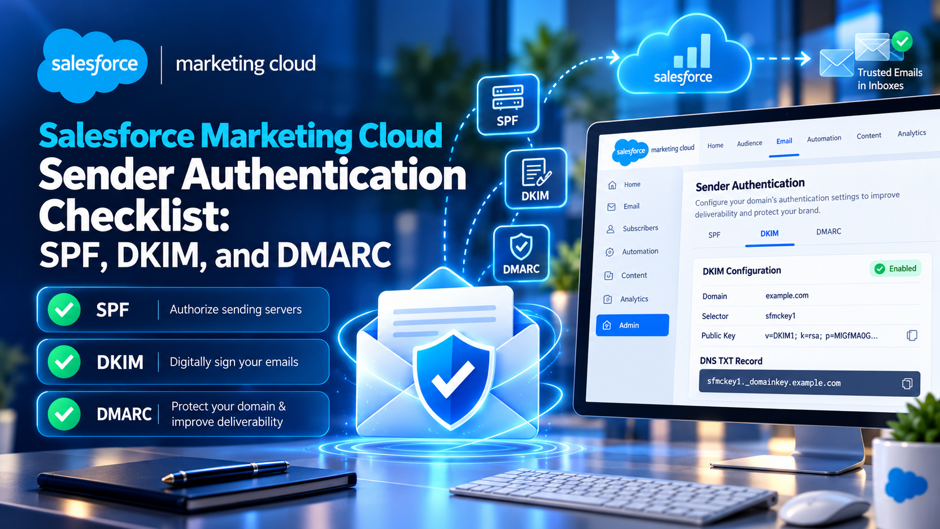
A marketing operations team launches a campaign from Marketing Cloud, watches open rates quietly collapse compared to the previous send, and eventually discovers the culprit: their account was never provisioned with a Sender Authentication Package, meaning every email has been going out on Salesforce’s shared infrastructure with no way to achieve genuine DMARC alignment on their own domain. Without SAP, Marketing Cloud simply cannot configure domain-level DKIM for a custom domain, and email sent this way can’t pass DMARC alignment no matter how carefully the rest of the DNS setup gets built.
Sender authentication inside Marketing Cloud carries genuinely more complexity than a standard Salesforce Platform setup, since Marketing Cloud manages DKIM and SPF through its own distinct products, Private Domain and the Sender Authentication Package, each behaving differently and requiring different DNS work depending on which one an account actually has provisioned. This guide works through a genuine, practical checklist covering SPF, DKIM, and DMARC specifically as they apply inside Marketing Cloud, the technical gotchas that consistently trip up otherwise correct configurations, and how to verify the setup is actually working before a real campaign goes out the door.
TL;DR
| Authentication layer | What the checklist needs to confirm |
| SPF | Marketing Cloud typically manages SPF on the sender’s behalf, though multiple CNAME and TXT layers still need to resolve correctly before the final authorized-IP record |
| DKIM | The selector and public key come directly from Salesforce, not a local key generator, and must be published exactly as instructed for every business unit sending from the domain |
| DMARC | Alignment depends specifically on DKIM working correctly for Marketing Cloud, since DKIM signatures survive forwarding in a way SPF alone doesn’t |
| Sender Authentication Package | Without SAP, domain-level DKIM simply isn’t configurable, and DMARC alignment on a custom From domain isn’t achievable at all |
| DNS propagation and proxy settings | Cloudflare-proxied CNAME records specifically break DKIM lookups, and propagation can take anywhere from 15 minutes to 48 hours |
| Verification | A real test send with header inspection is the only genuinely reliable way to confirm DKIM is active and aligned |
The thread running through every row above: Marketing Cloud’s authentication setup isn’t simply “add SPF and DKIM records like any other sender,” it’s a checklist built around Marketing Cloud’s own specific products and the exact way those products hand off DNS values for the sender to publish.
Why Marketing Cloud’s Authentication Setup Genuinely Differs From Standard Salesforce
The specific ways Marketing Cloud’s sender authentication diverges from a standard Salesforce Platform email setup:
- Salesforce sends transactional, marketing, and CRM-triggered email across several genuinely distinct products, Sales Cloud, Marketing Cloud, and Marketing Cloud Account Engagement among them, and each product may require its own separate authentication configuration
- Email sent directly by the Salesforce Platform uses a different DKIM Keys workflow than Marketing Cloud, and can rely on include:_spf.salesforce.com, a record that should never be mixed with Marketing Cloud’s own authentication records
- Marketing Cloud’s DKIM selector and public key come directly from Salesforce’s own zone file rather than being generated locally, meaning the checklist genuinely starts with retrieving the correct values from Salesforce rather than creating them independently
- Whether an account has a Sender Authentication Package provisioned fundamentally changes what’s even possible to configure, making this the single most important checklist item to confirm before anything else
Why Confirming Which Products Are Actually Sending Mail Matters Before Touching DNS
Before making any DNS changes, confirming exactly which Salesforce products are genuinely sending mail from a given domain, Marketing Cloud, Sales Cloud, or Account Engagement, prevents the genuinely common mistake of publishing Platform-specific records intended for Marketing Cloud, or the reverse, a mismatch that produces confusing authentication failures that look like a DNS problem but actually trace back to using the wrong product’s instructions entirely.
Why This Distinction Deserves Attention Before Any Individual SPF, DKIM, or DMARC Item Gets Checked
Every specific checklist item covered throughout the rest of this guide depends on first confirming whether Marketing Cloud, Sales Cloud, or both are genuinely sending from the domain in question, since the exact DNS values, selectors, and included records differ meaningfully between these products even though they’re all part of the same broader Salesforce ecosystem.
Why Getting This Right Matters More Than Ever
Before diving into the specific checklist items themselves in any genuine detail whatsoever, it’s genuinely worth pausing here first, before anything else, to understand exactly why sender authentication has become considerably less optional for Marketing Cloud senders than it genuinely was even just a few short years ago.
The Regulatory and Provider Context Driving This Urgency
| Development | Why it directly affects Marketing Cloud senders |
| Gmail and Yahoo bulk sender requirements | Any sender pushing more than roughly 5,000 messages a day to these providers must have DKIM and DMARC properly configured, or risk outright rejection rather than simple spam-folder placement |
| RFC 9989 DMARC updates | Recent changes to the DMARC specification itself have prompted providers to revisit and tighten how alignment gets evaluated, making previously borderline configurations considerably more likely to fail |
| Growing reliance on DKIM-based alignment | As forwarding and mailing-list interactions become more common across recipient inboxes, DKIM’s forwarding-resilient nature makes it an increasingly central part of any genuinely reliable authentication strategy |
| Increased scrutiny of shared sending infrastructure | Receiving mail providers increasingly evaluate reputation at the domain and authentication level rather than purely at the IP level, making genuine domain-level authentication considerably more consequential than it once was |
Why Marketing Email Specifically Faces Higher Scrutiny Than Transactional Email
Marketing email, by its nature involving higher volume and more recipients who may mark messages as spam, faces considerably more scrutiny from receiving mail providers than lower-volume transactional email, making the specific authentication gaps covered throughout this guide, an unprovisioned SAP, a misconfigured DKIM record, a Cloudflare proxy issue, meaningfully more consequential for Marketing Cloud sending specifically than they might be for other, lower-volume Salesforce email use cases.
Why This Context Should Shape How Seriously an Organization Treats This Checklist
Given how directly authentication failures now translate into outright rejection rather than simply degraded deliverability, treating this checklist as a genuine prerequisite to any meaningful Marketing Cloud sending program, rather than an optional technical enhancement to revisit eventually, reflects the genuine reality of where inbox providers have moved their enforcement standards.
The Sender Authentication Package Versus Private Domain Decision
Before working through the specific SPF, DKIM, and DMARC checklist items in genuine, careful, methodical detail, it’s genuinely essential to first clearly understand exactly which of Marketing Cloud’s 2 authentication products an account actually has provisioned, since this determines what’s genuinely achievable from the very start of the process.
Comparing the 2 Products Directly
| Element | Private Domain | Sender Authentication Package |
| What it applies | DKIM, SPF, and DMARC authentication to the sending domain specifically | Full authentication plus complete branding of link and image domains |
| Dedicated IP included | No, this is a separate consideration entirely | Not automatically included either, though commonly paired with dedicated sending infrastructure |
| Branding coverage | Does not brand link and image domains in the account | Provides the complete branding solution across every domain touchpoint |
| How to obtain it | A paid add-on purchased through a Salesforce Account Executive | Also provisioned through Salesforce, typically for accounts needing full domain branding |
Why Confirming Provisioning Status Should Genuinely Be the First Checklist Item
Without either product properly provisioned, Marketing Cloud sends mail through Salesforce’s own shared infrastructure, meaning domain-level DKIM simply cannot be configured for a custom domain, and DMARC alignment on that custom From domain isn’t achievable at all, regardless of how carefully every other item on this checklist gets executed.
Why This Distinction Explains Confusing Authentication Failures Teams Commonly Encounter
Teams that publish seemingly correct DNS records but still see DMARC failures, or can’t locate a DKIM configuration screen matching documentation they’re following, frequently discover the underlying issue traces back to their account genuinely lacking Private Domain or SAP provisioning entirely, not a DNS mistake on their own end.
The SPF Checklist
The specific items worth confirming for SPF specifically within a Marketing Cloud sending context:
- Confirming whether Marketing Cloud is managing SPF automatically on the sender’s behalf, which is the typical arrangement, meaning no additional SPF record configuration is required from the customer side directly
- Recognizing that several layers of CNAME and TXT records commonly sit between the domain and the final SPF TXT record actually containing the list of authorized sending IP addresses
- Checking for the 10-lookup ceiling specifically if the domain also sends mail through other services, Google Workspace, Microsoft 365, or additional SaaS senders, since exceeding this limit produces an SPF permerror that causes DMARC to fail even when every individual include is technically correct
- Verifying that any legacy or unused SPF includes from previous email providers have genuinely been removed, since accumulated, outdated includes are a common, quietly overlooked source of SPF lookup limit problems
Why the 10-Lookup Ceiling Specifically Catches Organizations Using Multiple SaaS Senders
Organizations running Salesforce Marketing Cloud alongside Google Workspace, Microsoft 365, Zendesk, or other SaaS platforms sending from the same domain frequently accumulate enough individual SPF includes to exceed the 10-lookup limit without realizing it, and this specific failure mode is worth checking explicitly rather than assuming a correctly formatted SPF record automatically means SPF is genuinely working.
Why SPF Managed by Salesforce Still Requires Genuine Verification on the Customer Side
Even when Marketing Cloud manages the underlying SPF infrastructure, confirming the record actually resolves correctly and doesn’t exceed the lookup ceiling once combined with every other sender on the domain remains genuinely the customer’s responsibility, since Salesforce can’t account for every other service independently sending mail from that same domain.
The DKIM Checklist
| Checklist item | What to confirm |
| Selector and key source | The DKIM selector and public key come directly from Salesforce’s own zone file, specific to the account’s stack, rather than being generated independently |
| Record type accuracy | Publishing the DKIM public key exactly as instructed, whether that’s a TXT or CNAME record, matching precisely what Salesforce’s documentation specifies for the account |
| Host value precision | Using the full host value Salesforce provides, shortening it only if the specific DNS provider automatically appends the zone itself |
| Business unit coverage | Checking every business unit and sender profile using the domain, since DKIM configuration needs to be confirmed across each one individually rather than assumed to apply automatically account-wide |
Why DKIM Represents the More Stable DMARC Alignment Path for Marketing Cloud Specifically
DKIM is generally the more reliable DMARC alignment path for Marketing Cloud, since forwarding can break SPF alignment entirely, while a DKIM signature genuinely survives forwarding, meaning DMARC passes specifically when a valid DKIM signature carries identifier alignment with the visible From domain, making DKIM configuration accuracy the single most consequential item on this entire checklist.
Why Multi-Business-Unit Accounts Need This Checklist Item Checked Repeatedly, Not Once
An account with multiple business units, each potentially sending from a different sender profile or subdomain, needs DKIM configuration confirmed individually across every single one, since a properly configured parent domain doesn’t automatically guarantee every business unit’s specific sending configuration is genuinely aligned in the same way.
Why Activation Timing Deserves Its Own Explicit Checklist Step
After publishing the DKIM record, waiting for the selector to genuinely resolve publicly before attempting activation inside Marketing Cloud prevents a common, frustrating cycle of failed activation attempts that actually trace back to DNS propagation simply not having completed yet, rather than any genuine error in the published record itself.
The DMARC Checklist
The specific items worth confirming for DMARC specifically, building directly on the SPF and DKIM foundation already covered:
- Choosing the exact From domain deliberately, commonly a dedicated subdomain such as marketing.example.com, rather than the organization’s primary root domain, isolating marketing sending activity from other email traffic
- Publishing the DMARC record specifically at the visible From domain, confirming it references the correct policy and reporting addresses for the organization’s actual monitoring needs
- Starting with a genuinely permissive policy, commonly p=none, to monitor authentication results before committing to a stricter enforcement policy that could inadvertently block legitimate mail
- Testing with an actual campaign send once the underlying SPF and DKIM configuration is genuinely believed to be correct, rather than relying purely on DNS record inspection alone to confirm the full authentication chain works end to end
Why Starting With a Monitoring-Only DMARC Policy Genuinely Protects Against Self-Inflicted Delivery Problems
Moving directly to a strict DMARC enforcement policy before confirming SPF and DKIM are genuinely working correctly risks legitimate marketing email being rejected or quarantined by receiving mail servers, making a monitoring-first approach, watching DMARC reports for a genuine period before tightening policy, a considerably safer path than rushing straight to enforcement.
Why DMARC Ultimately Depends Entirely on Getting SPF and DKIM Genuinely Right First
DMARC itself doesn’t introduce new authentication mechanics beyond what SPF and DKIM already provide; it specifically defines how receiving mail servers should handle messages that fail those underlying checks, meaning a DMARC checklist item that fails almost always traces back to a genuine SPF or DKIM configuration gap rather than a problem with DMARC’s own setup specifically.
Common Technical Gotchas That Trip Up Otherwise Correct Configurations
Beyond the core SPF, DKIM, and DMARC checklist items already covered above throughout this entire guide so far and in careful, genuine detail, several specific technical gotchas consistently derail configurations that otherwise look genuinely correct on paper, or at least appear that way at first glance.
The Specific Gotchas Worth Checking Explicitly
| Gotcha | Why it causes genuine authentication failures |
| Cloudflare proxy enabled on CNAME records | Proxied CNAME records specifically break DKIM lookups, meaning records need to be set to DNS-only, sometimes described as grey-cloud mode, rather than proxied |
| Incomplete DNS propagation | Propagation can genuinely take anywhere from 15 minutes to a full 48 hours, and premature activation attempts during this window consistently fail even with correctly published records |
| Return-Path domain mismatch | Salesforce’s default use of its own domain in the Return-Path address can trigger DMARC to fail with respect to SPF specifically, a subtle but genuinely consequential misconfiguration |
| Mixing Platform and Marketing Cloud records | Combining Salesforce Platform authentication records with Marketing Cloud’s own distinct records produces conflicting, confusing DNS configurations that fail unpredictably |
Why the Cloudflare Proxy Setting Specifically Deserves Its Own Dedicated Verification Step
This specific gotcha shows up often enough, and produces confusing enough symptoms, a DKIM key stuck indefinitely in a pending state, that it genuinely deserves its own explicit checklist item rather than being lumped in with general DNS propagation troubleshooting, since the fix, disabling the proxy specifically on the relevant records, is straightforward once correctly identified as the actual root cause.
Why the Return-Path Conflict Introduces a Genuine Tradeoff Worth Understanding Before Resolving It
Fixing the Return-Path domain mismatch by disabling Activate Bounce Management genuinely resolves the specific DMARC alignment issue, but it also means losing Salesforce’s automatic bounce handling entirely, requiring the organization to manage bounced email addresses manually going forward, a tradeoff worth genuinely understanding before making the change rather than discovering it as a surprise afterward.
Verifying the Setup Is Actually Working
The specific verification steps worth taking once every checklist item above has genuinely been addressed:
- Sending an actual test email to a genuine Gmail address, since Gmail’s header inspection tools provide clear, reliable visibility into authentication results
- Opening the original message headers and locating the DKIM-Signature line specifically, confirming the d= value matches the sending domain exactly
- Confirming the DKIM signature shows as genuinely passing and properly aligned, not simply present, since a DKIM signature can technically exist without actually achieving DMARC alignment
- Checking DMARC aggregate reports over the following days specifically, rather than relying solely on a single test send, since aggregate reporting reveals genuine patterns across real production sending volume that a single test can’t fully capture
Why Header Inspection Remains the Most Reliable Verification Method Available
DNS record inspection tools can confirm records are published correctly, but they can’t confirm the full authentication chain actually works end to end the way a real test send with header inspection genuinely can, making this step a non-negotiable part of the checklist rather than an optional final confirmation.
Why Monitoring DMARC Reports Over Time Reveals Issues a Single Test Send Genuinely Can’t
A single test email confirms the specific configuration works for that one message, but ongoing DMARC aggregate reports reveal whether genuine production sending, across every business unit, sender profile, and campaign type an organization actually runs, consistently passes authentication, surfacing gaps a single successful test could easily miss entirely.
Multi-Business-Unit and Multi-Product Considerations
Given how genuinely common it is for larger organizations to run multiple Marketing Cloud business units alongside other Salesforce products, all sending mail simultaneously across an entire organization’s growing, ever-expanding footprint over time and scale, this final checklist dimension deserves explicit, dedicated attention of its own accord.
The Specific Considerations Worth Checking Across a Larger Organization
The items worth confirming specifically when multiple business units or Salesforce products are genuinely involved:
- Confirming DKIM and SAP or Private Domain provisioning status individually for every business unit, rather than assuming a single account-level check covers the entire organization’s sending activity
- Identifying every distinct subdomain or sender profile in active use across the organization, since each may require its own specific DNS configuration rather than sharing a single, unified setup
- Coordinating explicitly with whichever team manages Sales Cloud or Account Engagement authentication separately, preventing the genuinely common mistake of one team inadvertently overwriting or conflicting with DNS records another team already correctly published
- Maintaining a single, centralized record of exactly which DNS values belong to which specific Salesforce product and business unit, preventing future confusion when records eventually need updating or troubleshooting
Why Centralized Documentation Genuinely Prevents Future Authentication Failures
Organizations running multiple business units and products through Salesforce without centralized documentation of exactly which DNS records belong to which specific configuration frequently discover, months or years later, that someone made a well-intentioned DNS change that inadvertently broke a completely unrelated business unit’s authentication, a genuinely avoidable failure mode that clear, maintained documentation directly prevents.
Why This Consideration Matters More as an Organization’s Salesforce Footprint Genuinely Grows
A single business unit sending from one domain represents a genuinely manageable authentication setup, but as an organization adds business units, subdomains, and additional Salesforce products over time, the genuine complexity of maintaining correct authentication across the entire footprint grows considerably, making this final checklist dimension increasingly important precisely as an organization’s Salesforce usage matures and expands.
A Step-by-Step Troubleshooting Sequence When Activation Fails
Given how many of the checklist items covered throughout this entire guide can individually and quite independently cause a genuine DKIM or DMARC activation attempt to fail unexpectedly, it genuinely helps to have a clear, ordered sequence for diagnosing exactly which specific one is actually responsible.
The Recommended Diagnostic Order
The sequence worth following, in order, when a Marketing Cloud authentication activation attempt fails:
- Confirming first whether enough time has genuinely passed for DNS propagation, since a considerable share of failed activation attempts simply trace back to checking too soon after publishing a record
- Checking specifically whether any CNAME record involved sits behind a Cloudflare proxy or similar proxying service, since this single setting causes a disproportionate share of otherwise mysterious DKIM failures
- Verifying the exact record type, host, and value published match precisely what Salesforce’s own documentation specified for the account, since even a small formatting discrepancy can prevent successful validation
- Confirming the account genuinely has SAP or Private Domain provisioned in the first place, circling back to this foundational checklist item if every other troubleshooting step has been exhausted without success
- Reaching out to Salesforce support directly once the above steps have been genuinely exhausted, since some activation failures do trace back to account-side provisioning issues rather than anything the customer’s DNS configuration could resolve independently
Why Following This Specific Order Saves Considerable Troubleshooting Time
Working through this sequence in the order presented, starting with the most common and easiest-to-check causes before moving toward more involved possibilities, consistently resolves the large majority of activation failures without needing to escalate to Salesforce support at all, reserving that step genuinely for the smaller share of cases where the issue truly does sit on the account provisioning side.
Why Documenting Which Step Actually Resolved a Given Failure Helps Future Troubleshooting
Keeping a simple record of which specific step in this sequence resolved a past authentication failure, whether it was a Cloudflare proxy setting, a propagation delay, or a formatting discrepancy, builds genuine institutional knowledge that speeds up diagnosis considerably the next time a similar issue inevitably arises, particularly valuable for organizations managing authentication across multiple business units and domains simultaneously.
Common Mistakes When Setting Up Marketing Cloud Sender Authentication
Beyond the specific checklist items already covered throughout this entire guide from start to finish, several recurring, genuinely predictable mistakes show up consistently among teams configuring Marketing Cloud sender authentication, and avoiding these specific mistakes meaningfully improves the odds of a genuinely working setup on the very first attempt.
Assuming SAP or Private Domain provisioning without genuinely confirming it. As covered earlier, without one of these products actually provisioned, domain-level DKIM simply isn’t configurable, and teams that skip this confirmation step frequently spend considerable time troubleshooting a configuration that was never genuinely achievable in the first place.
Mixing Salesforce Platform authentication records with Marketing Cloud’s own records. These represent genuinely distinct systems requiring different DNS values, and combining them produces confusing, unpredictable authentication failures that look like a DNS mistake but actually trace back to using instructions from the wrong Salesforce product.
Moving straight to a strict DMARC enforcement policy without a genuine monitoring period first. Skipping the monitoring-only phase risks legitimate marketing email being rejected once enforcement begins, a genuinely avoidable risk a proper monitoring period would have surfaced beforehand.
Overlooking the Cloudflare proxy setting on DKIM CNAME records. This specific, genuinely common gotcha produces a frustrating, hard-to-diagnose pending activation state that a quick check of the DNS provider’s proxy settings would resolve considerably faster than general troubleshooting.
Failing to check DKIM configuration across every business unit individually. As covered earlier, a properly configured parent domain doesn’t automatically guarantee every business unit’s specific sending setup is genuinely aligned, and skipping this per-business-unit verification leaves gaps that surface only once a specific business unit’s campaign actually goes out.
FAQs
Does every Marketing Cloud account need to purchase a Sender Authentication Package or Private Domain?
Any account genuinely wanting to achieve DMARC alignment on its own custom From domain needs one of these products provisioned, since without it, Marketing Cloud sends through Salesforce’s shared infrastructure where domain-level DKIM simply isn’t configurable, making this a genuinely necessary purchase for any organization serious about sender authentication rather than an optional enhancement.
How long does DNS propagation typically take after publishing Marketing Cloud’s DKIM records?
Propagation commonly takes anywhere from 15 minutes to a few hours, though it can occasionally extend to a full 48 hours depending on the specific DNS provider and existing record configuration, meaning a failed activation attempt shortly after publishing records often simply requires waiting longer rather than indicating a genuine error in the record itself.
Why does DKIM specifically matter more than SPF for DMARC alignment in Marketing Cloud?
DKIM signatures genuinely survive email forwarding in a way SPF alignment doesn’t, making DKIM the more stable, reliable path to DMARC alignment specifically for Marketing Cloud sending, where forwarded mail and mailing list interactions can otherwise break SPF-based alignment even when the underlying SPF record itself is technically correct.
What should an organization do if it discovers legacy SPF includes from a previous email provider still present in its DNS?
These should genuinely be removed as part of the SPF checklist process, since accumulated, unused includes count directly against the 10-lookup ceiling and represent one of the most common, quietly overlooked causes of SPF parameters that subsequently cause DMARC to fail even when the currently active includes are entirely correct.
Is it safe to disable Salesforce’s default Bounce Management to fix the Return-Path DMARC conflict?
This resolves the specific alignment issue but genuinely trades away Salesforce’s automatic bounce handling entirely, meaning the organization needs a genuine plan for managing bounced addresses manually going forward before making this change, rather than disabling the setting without first understanding the full tradeoff involved.
How can a team tell the difference between a genuine DNS error and a Cloudflare proxy issue when DKIM activation fails?
Checking whether the specific CNAME record in question is set to proxied, orange cloud, versus DNS-only, grey cloud, within the Cloudflare dashboard directly resolves this ambiguity, since a proxied record will consistently fail DKIM lookups regardless of how correctly the underlying record value itself was actually published.
Should DMARC monitoring reports be reviewed by the marketing team, IT, or both?
Both teams genuinely benefit from visibility into DMARC reports, since marketing needs to understand whether campaign deliverability is being affected while IT typically owns the actual DNS infrastructure and technical troubleshooting, making this a genuinely collaborative checklist item rather than one that cleanly belongs to a single team in isolation.
Can Marketing Cloud authentication be tested in a sandbox environment before rolling changes out to production?
Many organizations genuinely benefit from testing DNS changes on a staging subdomain before applying them to the primary sending domain, since this lets a team verify the full activation and verification sequence covered throughout this guide without any risk of disrupting live campaign sending, though the specific subdomain used for testing still needs its own dedicated DNS configuration reflecting the same checklist items covered for the production domain.
What happens to previously sent campaigns if authentication is misconfigured and later corrected?
Correcting a misconfiguration only affects mail sent after the fix takes effect; it doesn’t retroactively improve the deliverability or inbox placement of campaigns already sent under the flawed configuration, meaning any deliverability damage from a period of misconfigured authentication may take genuine time to recover from even after the underlying DNS issue itself has been properly resolved.
Does adding BIMI branding require the same underlying authentication checklist to already be in place?
Yes, and this is a detail worth understanding before pursuing BIMI specifically, since Brand Indicators for Message Identification genuinely depends on a fully passing, aligned DMARC policy already being in place, meaning every checklist item covered throughout this guide represents necessary groundwork before BIMI branding becomes achievable at all, rather than something that can be pursued independently of the underlying SPF, DKIM, and DMARC foundation.